

Cache Control Rules
Set a per-extension Cache-Control: max-age on objects you upload to R2.
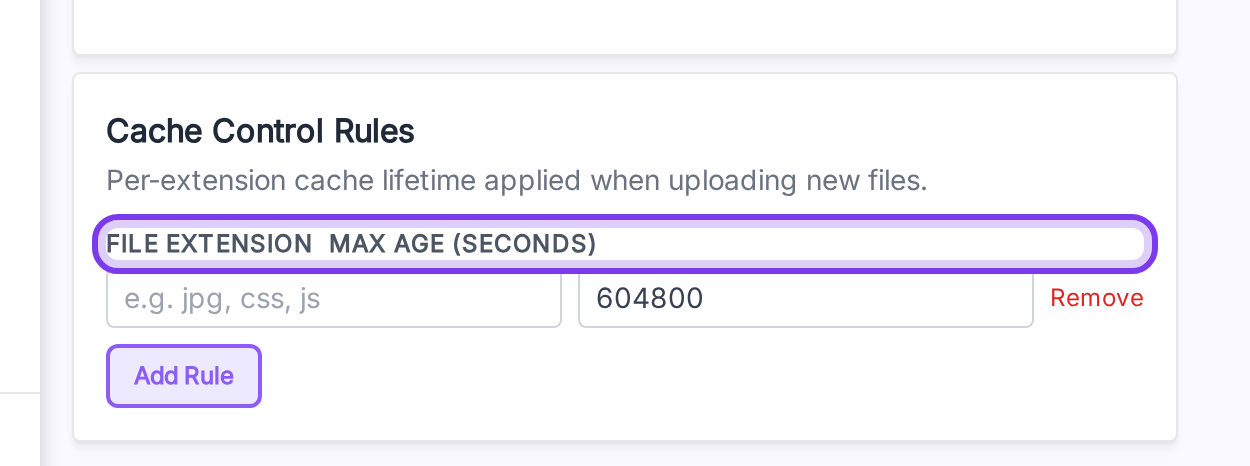
Open it from: Cloudflare R2 → Credential → Cache Control Rules (left column, bottom).
Defaults
With no rules, every uploaded object gets max-age=604800 (7 days).
Add a rule
- Click Add Rule.
- Fill the Extension (e.g.
webp, no leading dot — it's stripped automatically). - Fill the Max Age in seconds (max
31_536_000= 1 year). - Repeat for each extension.
- Click Save at the top.
| Extension | Max Age | Result |
|---|---|---|
jpg | 2592000 | 30 days |
png | 2592000 | 30 days |
pdf | 86400 | 1 day |
Notes
- Rules apply to new uploads. To re-apply rules to existing files, run Synchronize Media again.
- Use the Remove link next to a row to delete it.
- Extensions are normalized to lowercase.
.JPG,JPG, andjpgall match thejpgrule.