

Mark which fields are translatable
DeepL Translate only shows up on fields you tick as translatable. This keeps fields like SKU, price, or status out of the way even though they're stored as text.
Open it from: Catalog → Attributes → (open the attribute) → Configuration
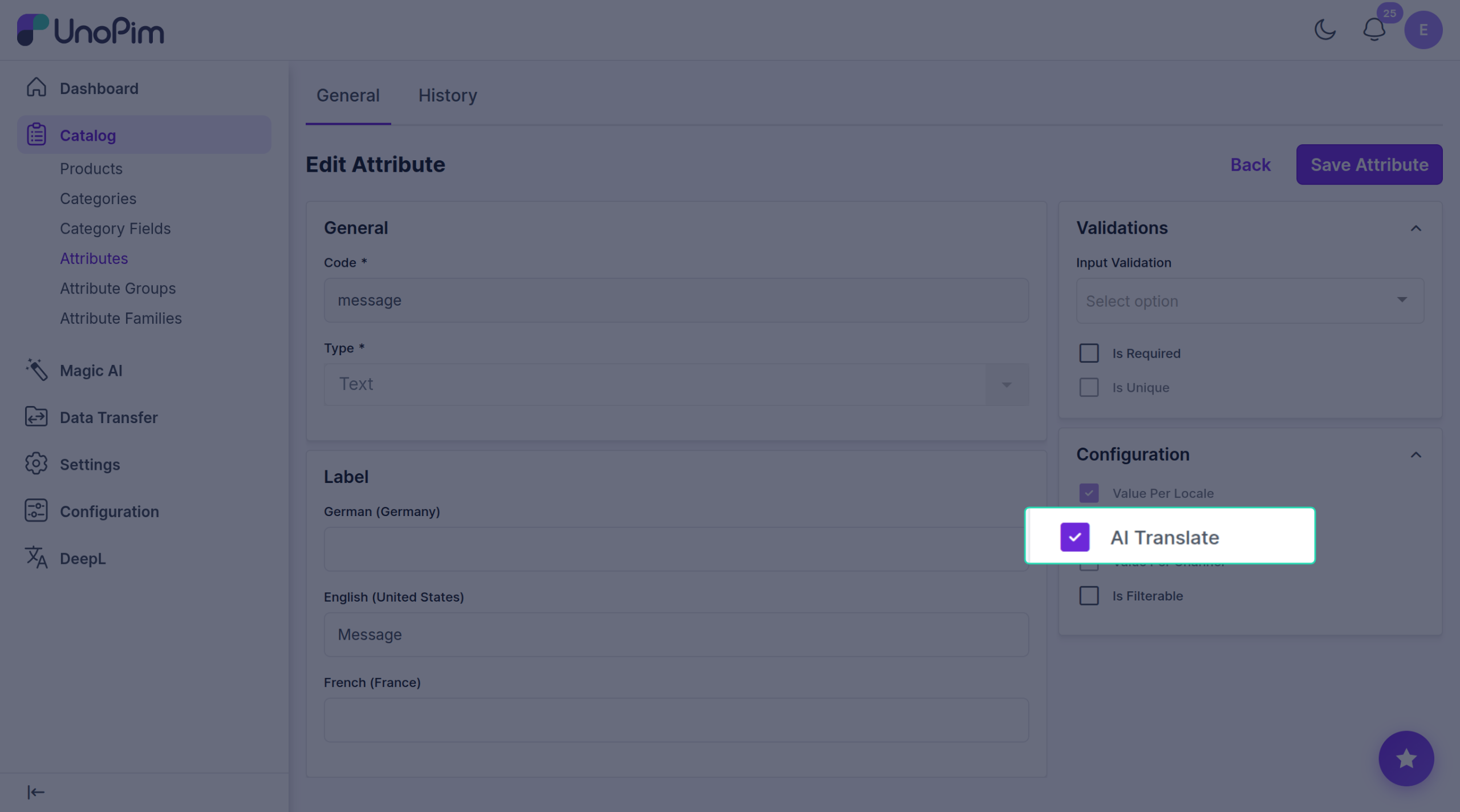
Steps
- Open the attribute (e.g. Name, Description).
- Find the Configuration panel on the right.
- Tick AI Translate.
- Click Save Attribute.
That's it. The DeepL button now appears on this field everywhere — product edit, bulk translate, the wizard.
Which fields to tick
Tick fields that hold customer-facing text:
- Name
- Description
- Short description
- Meta title, meta description, meta keywords
- Any tagline or marketing copy
Don't tick fields like SKU, price, weight, image URLs, status, or dates — those shouldn't be translated.
Notes
- Only Text and Textarea fields can be translated. Selects, numbers, dates, files etc. are never translated, even if you tick the box.
- The field also needs Value Per Locale turned on, so it can store a different value per language.
- Untick the box later to hide the field from DeepL again.