

Akeneo to UnoPim Migration
The Akeneo to UnoPim Migration plugin is a one-way migration tool that imports a complete Akeneo PIM catalog into UnoPim over the Akeneo REST API — no manual exports, spreadsheets, or custom scripts.
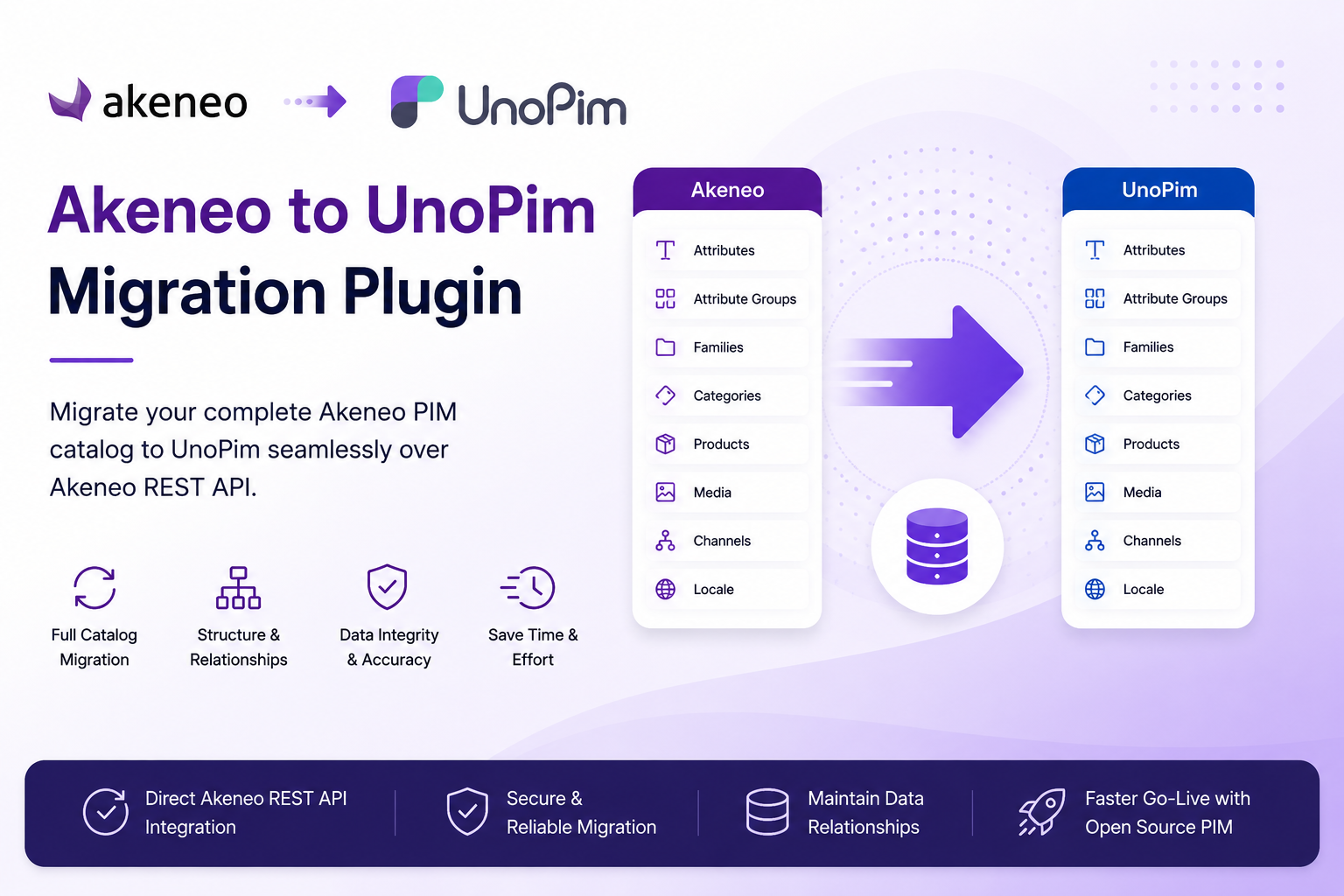
Migrating between PIM platforms is usually slow and risky — attributes, families, categories, locales, channels, and thousands of products all have to land in the right place with their relationships intact. This plugin automates the whole process and records every relationship as it goes, so you can move from Akeneo to UnoPim while keeping the data you have already invested years in building.
Because it reuses UnoPim's native Data Transfer import framework, every migration run appears in the Job Tracker with downloadable logs you can audit.
TIP
Version 1.1.0 is out and targets UnoPim 3.0.0. Product models now become real UnoPim variant structures, product associations come across, and the whole module runs inside UnoPim 3.0's single-page admin. See What's New & Upgrading.
How It Works
The plugin adds a dedicated Akeneo Migration section to the UnoPim admin panel. From there you manage Akeneo connections, choose what to import, and run the migration — all without leaving the interface.
A typical migration flow works as follows:
- You add and validate an Akeneo connection using your REST API credentials.
- You open the connection's edit page and select the entities to import.
- UnoPim connects to Akeneo over the REST API and pulls the selected data.
- The plugin imports each entity using UnoPim's Data Transfer framework.
- Mappings between Akeneo and UnoPim records are recorded automatically and reused on later runs to resolve relationships (for example, linking a product to the correct family, categories, or variant structure).
- The run appears in the Job Tracker, where you can follow progress and download logs.
Because the migration is one-way (Akeneo → UnoPim), the flow stays simple and predictable. You can run it in stages and trust that connections between entities stay consistent.
What Gets Migrated
The plugin brings across both your structure and your catalog, imported in dependency order so relationships stay intact:
| # | Entity | Description |
|---|---|---|
| 1 | Locales | The locales defined in Akeneo. |
| 2 | Currencies | The currencies defined in Akeneo. |
| 3 | Attributes | Attributes together with their options. |
| 4 | Attribute Groups | Groupings used to organise attributes. |
| 5 | Attribute Families | Families that define which attributes a product can hold. |
| 6 | Categories | The category tree. |
| 7 | Channels | Akeneo channels (scopes). |
| 8 | DAM Assets | Digital asset library entries. Available only when the UnoPim DAM package is installed. |
| 9 | Configurable Products | Akeneo product models, imported as UnoPim configurables bound to a variant structure. |
| 10 | Products | Products and variants, including product media and associations. |
NOTE
Entities import in dependency order — structure first, then categories and channels, then the optional DAM assets, then the catalog. This ensures that, for example, a product's family and categories already exist before the product itself is imported.
For the field-by-field detail — how Akeneo types, metric values, options, variants and associations land in UnoPim — see Entity Mapping.
Key Features
- Live-validated connections — every Akeneo connection is tested against Akeneo before it is saved, so you never store credentials that don't work.
- Encrypted credentials — the Client ID, Secret, and Password are encrypted in the database and masked in the interface.
- Pick what to import — select individual entities or use the single Select All / Clear All toggle to migrate everything at once. Your selection is saved on the connection and is there the next time you open it.
- Real variant trees — Akeneo product models and family variants are mapped onto UnoPim variant structures, so migrated configurables open in the current variant editor rather than a flat fallback.
- Relationships preserved — Akeneo product associations come across as UnoPim related products, up-sells, and cross-sells.
- Automatic mappings — Akeneo↔UnoPim relationships are recorded during each import and reused on later runs.
- Full audit trail — every run is logged in the Migration History tab with the entities imported, status, timing, and the user who ran it.
- Granular permissions — each action (viewing connections, running a migration, deleting migration runs, and more) is governed by its own permission.
- Native Job Tracker integration — runs use UnoPim's Data Transfer framework, so the experience matches every other import in UnoPim, and the listing refreshes itself while a job is running.
- Repair commands — Artisan commands to fix up catalogs migrated by older versions, without re-importing. See Artisan Commands.
Built for the UnoPim 3.0 Single-Page Admin
UnoPim 3.0's admin panel behaves like a single-page application, and the Akeneo Migration module is built on it end to end.
Clicking a link in the admin no longer reloads the browser. UnoPim fetches the destination over AJAX, swaps the page body in place, and leaves the shell — header, sidebar, theme, and scroll position — untouched. The URL and browser history still update, so Back, Forward, and bookmarking all work exactly as you would expect.
In practice that means:
- Moving around is instant. Connections → edit → Job Tracker → back again never blanks the screen or re-downloads the interface.
- Saving happens in place. Editing a connection or changing which entities to migrate posts over AJAX and shows a flash message — no reload, and nothing else on the page is lost.
- Unsaved work is protected. A global save bar appears the moment something changes, and navigating away asks before discarding it.
- The Job Tracker keeps itself current. While a migration job is pending or processing, the listing refreshes on its own — you do not have to press reload to watch progress.
The result is a migration workflow that feels quick and continuous, even on large catalogs where you may be moving between screens for a while.
Requirements
- UnoPim 3.0.0
- PHP 8.4.1+ and Laravel 13
- MySQL 8.0 or PostgreSQL 16
- Elasticsearch 8.17 (optional — the plugin works with search enabled or disabled)
- An Akeneo account with REST API (Connection) credentials
- The optional UnoPim DAM extension to unlock the DAM asset importer