

Activity
The Activity log records every sync event: pushes, pulls, conflicts, errors, and remote-source polls. It is the first place to look when something behaves unexpectedly.
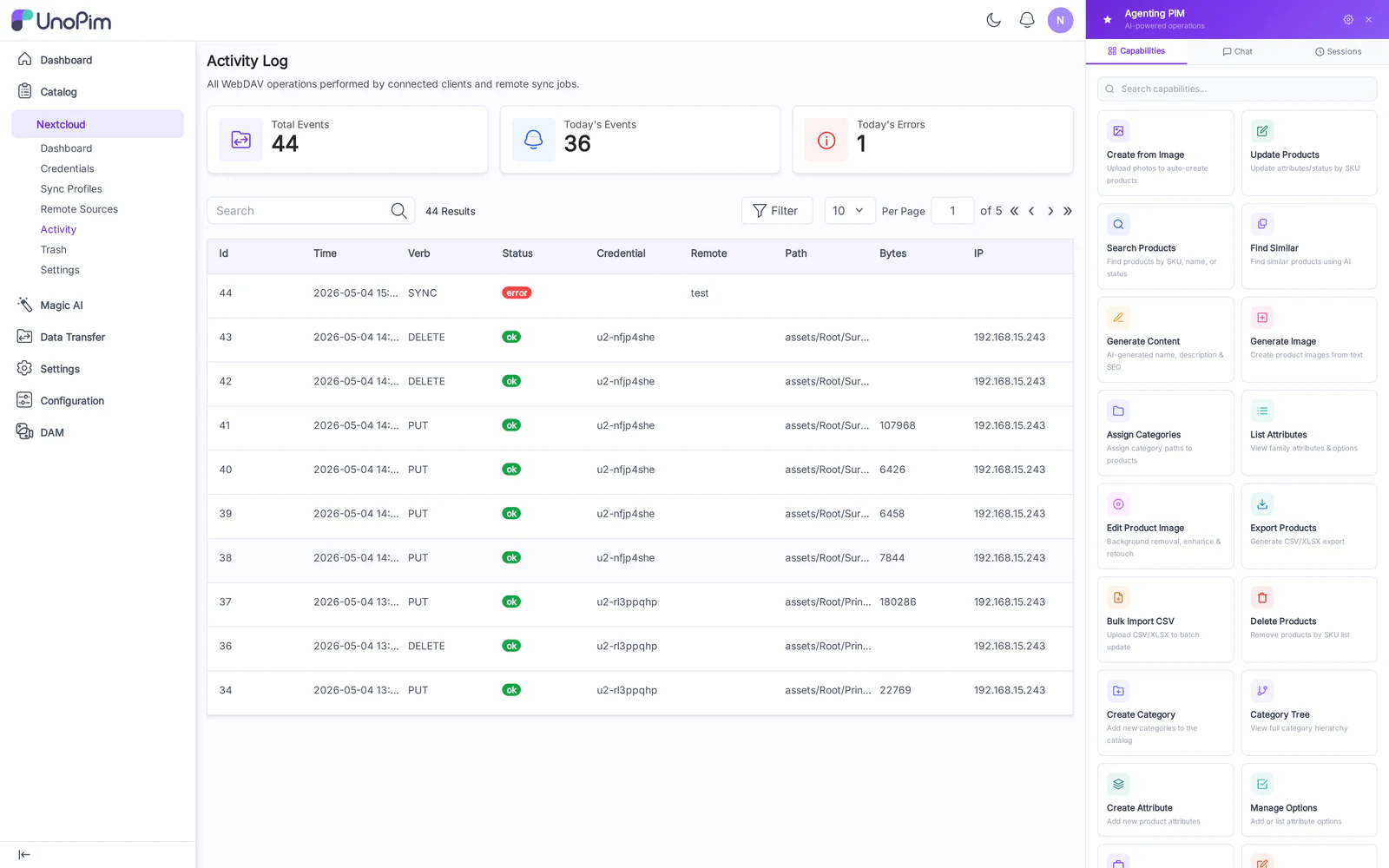
Columns
- Timestamp
- Profile — Sync Profile or Remote Source the event belongs to.
- Verb —
PUT,PROPFIND,DELETE,MOVE,COPY,MKCOL,LOCK,UNLOCK, etc. - Path — asset path inside the DAM directory.
- Status —
success,conflict,error. - Bytes — transferred bytes (0 for metadata-only events).
- Error — error message when status is
errororconflict.
Filters
- Profile dropdown — narrow to one Sync Profile.
- Verb chips — toggle PUT / DELETE / PROPFIND / etc.
- Status chips — toggle success / conflict / error.
- Date range — from/to.
How to use
- Open Nextcloud → Activity.
- Apply filters to isolate the timeline you care about.
- Click a row to expand the Detail panel — full request headers, response body, lock info.
Tips
- A spike of conflict rows usually means two clients are racing on the same file. Check whether one of them is on Two-way when it should be Push only.
- Persistent
403errors on push usually mean the credential is bound to a Pull-only profile.