

Remote Sources
A Remote Source is an external WebDAV server (a Nextcloud, an ownCloud, a Synology, or any RFC-4918-compliant endpoint) that UnoPim polls to mirror its contents into the DAM. Use it when content lives somewhere else and you want the DAM to follow.
List
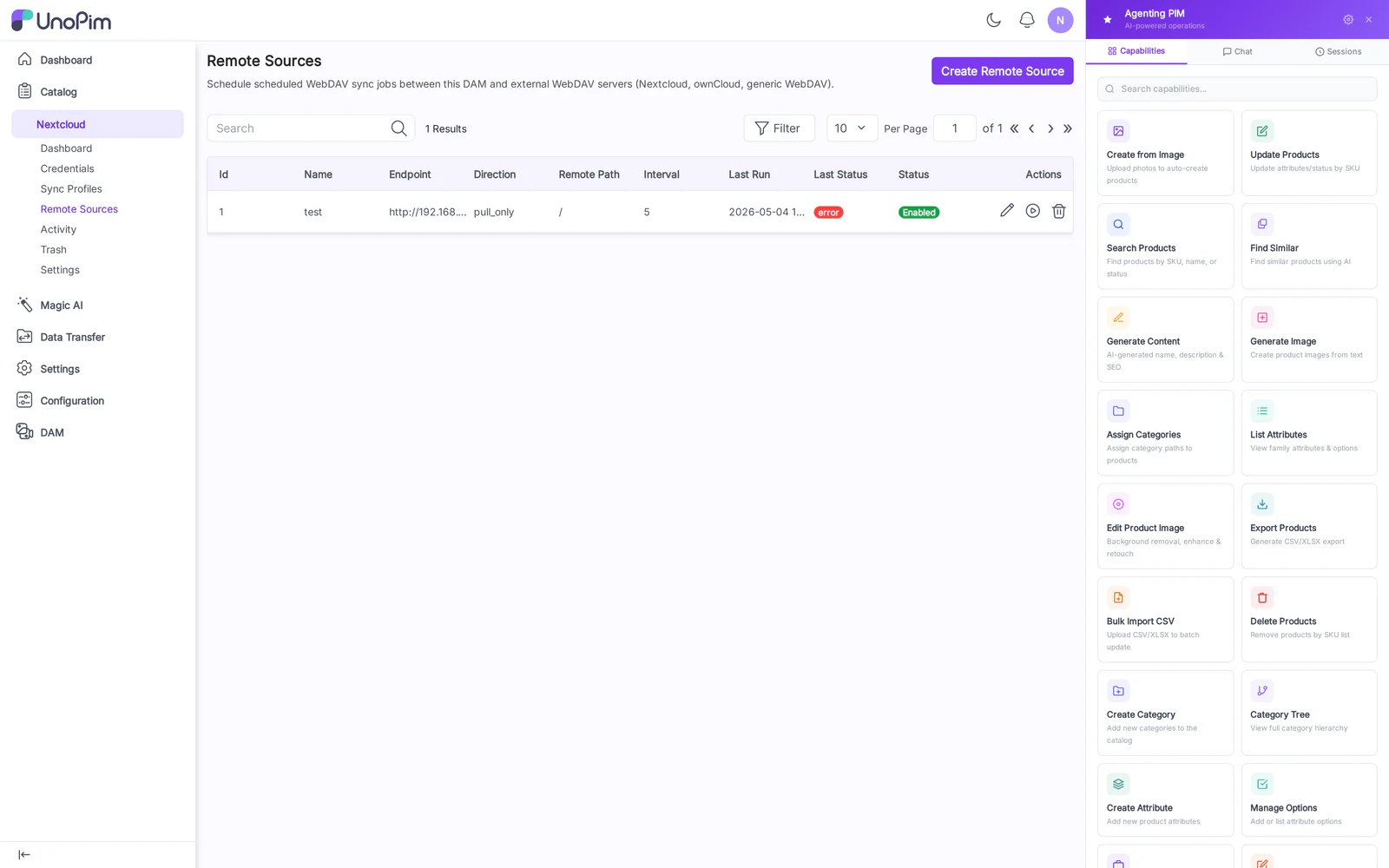
Columns: Label, URL, Last Poll, Last Result (✓ / ✗), Schedule, Actions (Edit, Test, Run, Delete).
Create
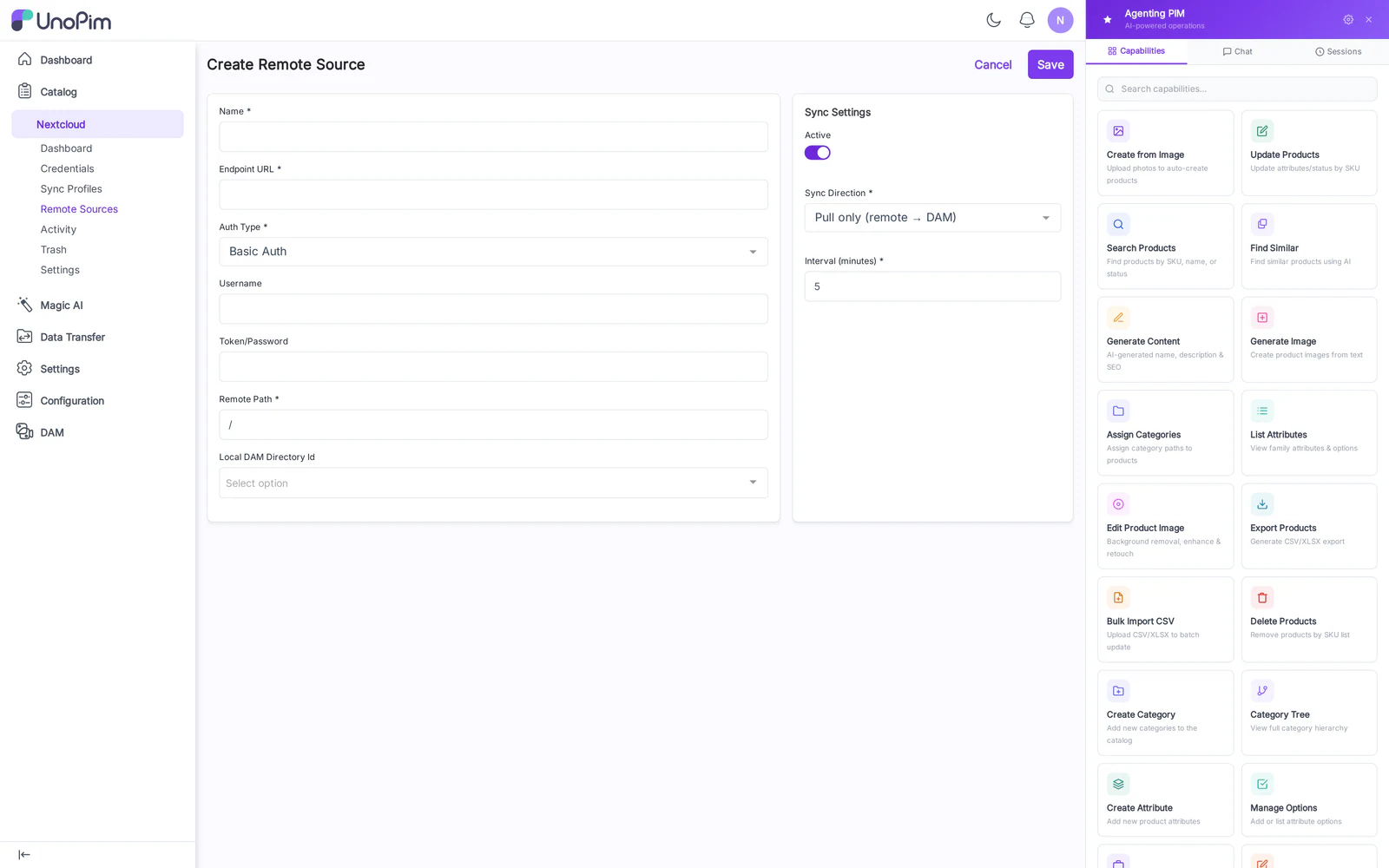
Fields:
- Label — display name.
- URL — full WebDAV URL including
/remote.php/dav/files/<user>/...for Nextcloud, or the plain mount URL for other servers. - Username & Password — Basic Auth credentials on the remote.
- Target Directory — DAM directory where mirrored files land.
- Schedule — interval in minutes (e.g.,
360= every 6 hours). - Direction — Pull only (default) / Two-way (for clearly-bidirectional mirrors).
Test connection
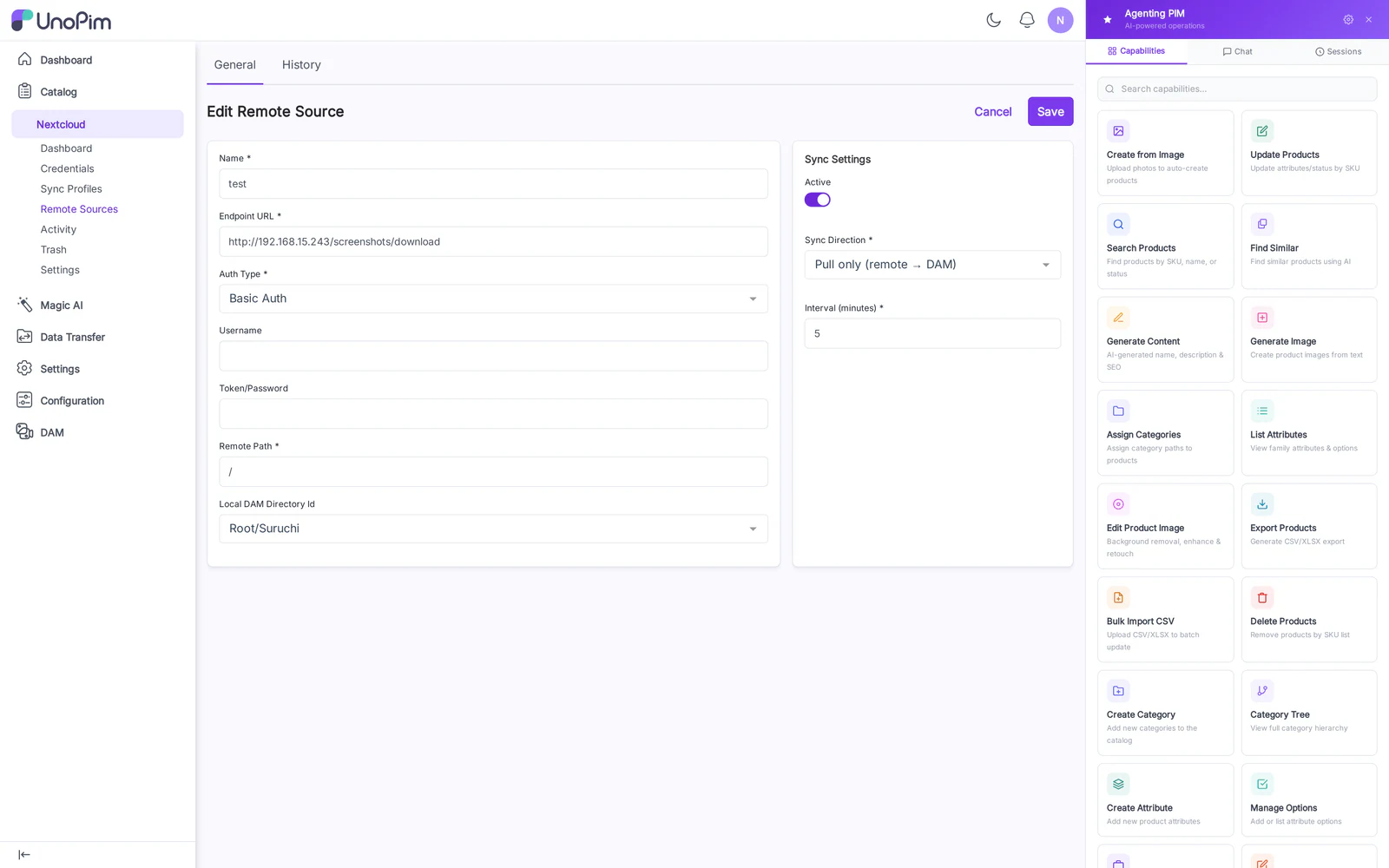
The Test button issues a single PROPFIND against the URL and returns:
- ✓ Connected with the listed root entries, or
- ✗ Failed with the HTTP status and error body. Common failures:
401(bad creds),404(path typo),405(verb blocked by remote nginx).
How to use
- Add the source: URL, credentials, target directory, schedule.
- Click Test — must succeed before saving makes sense.
- Click Run now to do an immediate one-shot poll.
- Review Activity to confirm files arrived.
- Wait for the cron tick to pick up the schedule going forward.
Tips
- Start with Pull only and a narrow target directory. Switch to two-way only after you understand the remote's deletion semantics.
- If the remote rate-limits you, a 6-hourly schedule is safer than continuous polling.