

Settings
Module-level settings that apply across all credentials, profiles, and remote sources.
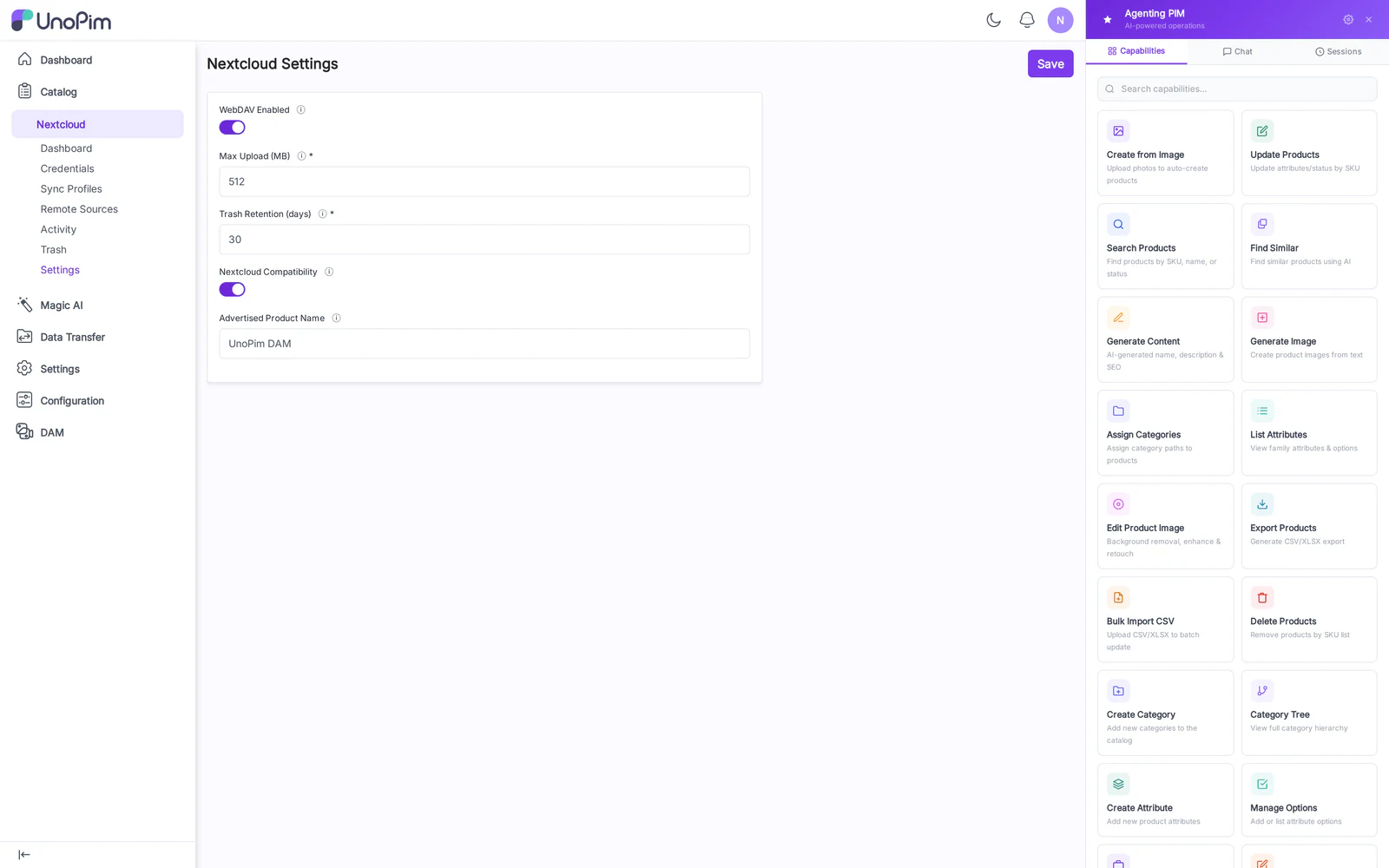
Fields
- Base path — URL prefix for the plain WebDAV mount. Default
/webdav/dam. Changes require an nginx reload. - Lock TTL (seconds) — how long a
LOCKis held by a client before it auto-expires. Default300. Lower if clients leave stale locks; raise if your network is slow. - Trash retention (days) — automatic purge horizon. Default
30. - Enable Nextcloud login-flow-v2 — toggle the
/index.php/login/v2endpoints. Disable if you only use plain WebDAV clients. - Login-flow session TTL (seconds) — how long an unredeemed flow token stays valid. Default
1200. - Allowed origins — CORS origins that may hit
status.phpandocs/*(Nextcloud apps don't need this; web clients do).
How to use
- Open Nextcloud → Settings.
- Adjust values; the form validates ranges (Lock TTL ≥ 30, Retention ≥ 1).
- Save. Changes that affect routing (Base path, NC login-flow toggle) need
php artisan route:clearand an nginx reload to take effect.
Tips
- If you serve the admin behind a different domain than the WebDAV mount, configure both Base path and the nginx
server_nameaccordingly — the QR code embeds the public URL the credential page knows about.