

UnoPim DAM Configuration Guide
Setting Up User Permissions and Asset Attributes
Set User Permissions
User permissions control what actions each user can perform within UnoPim DAM.
Steps to Configure User Permissions
- Navigate to Settings → Roles
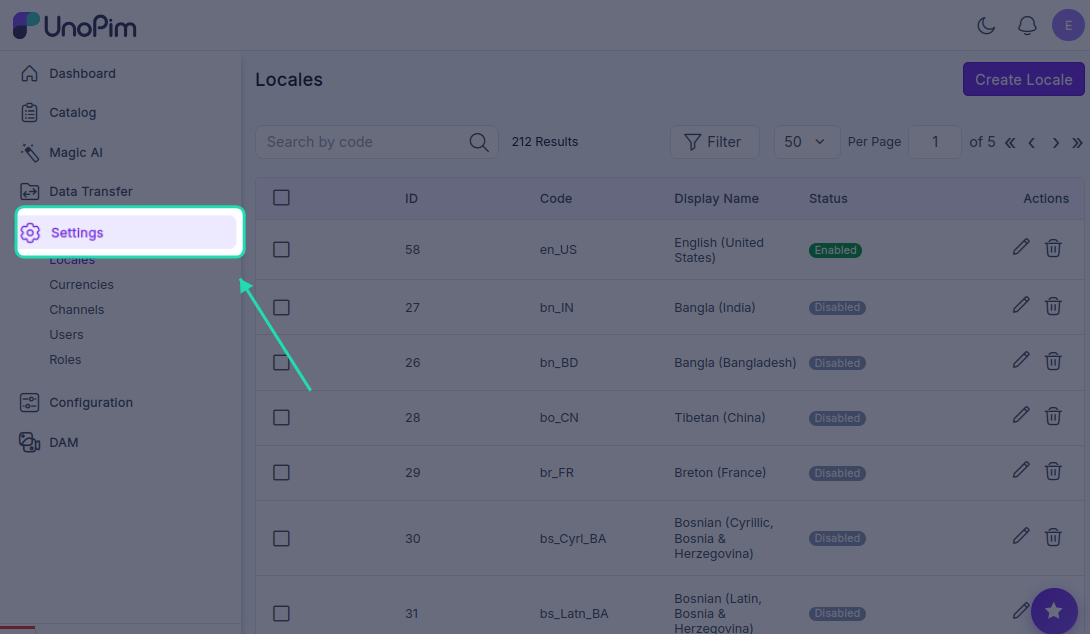
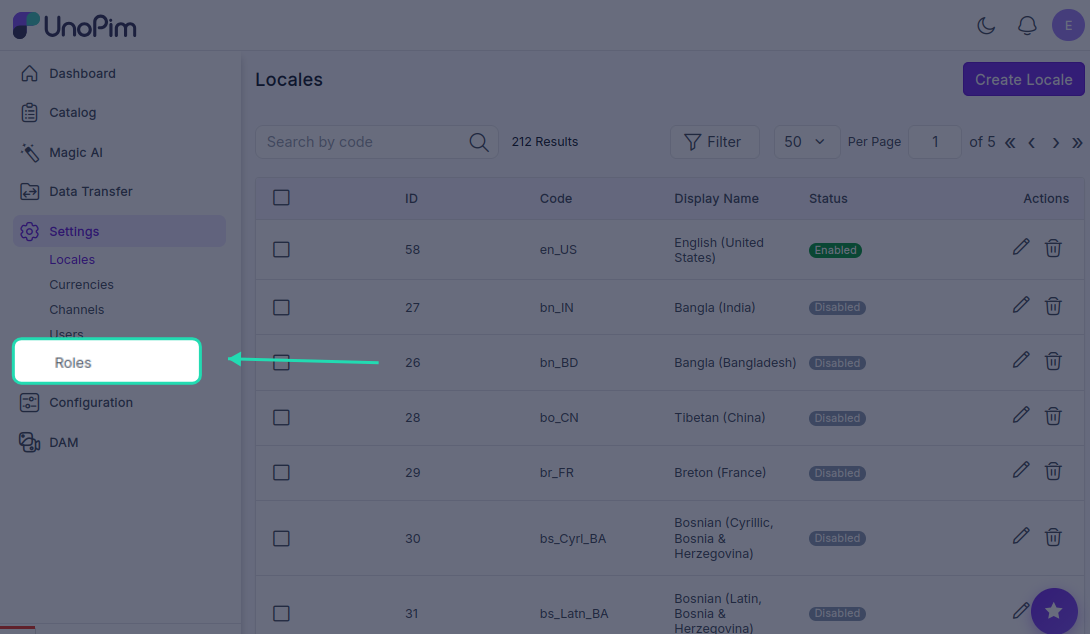
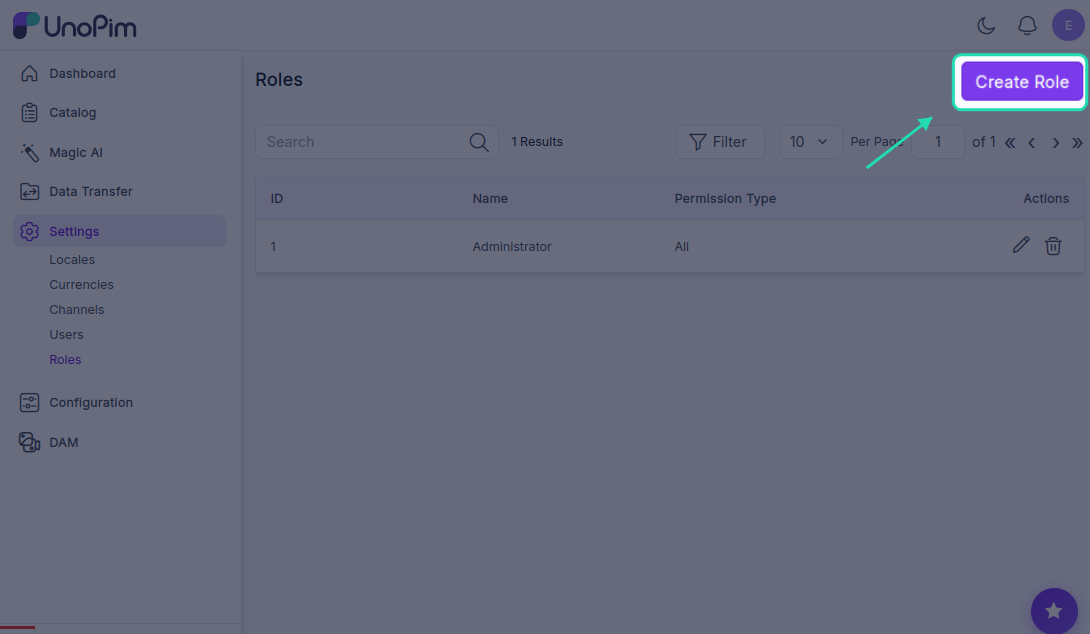
- Click Create Role to add a new role.
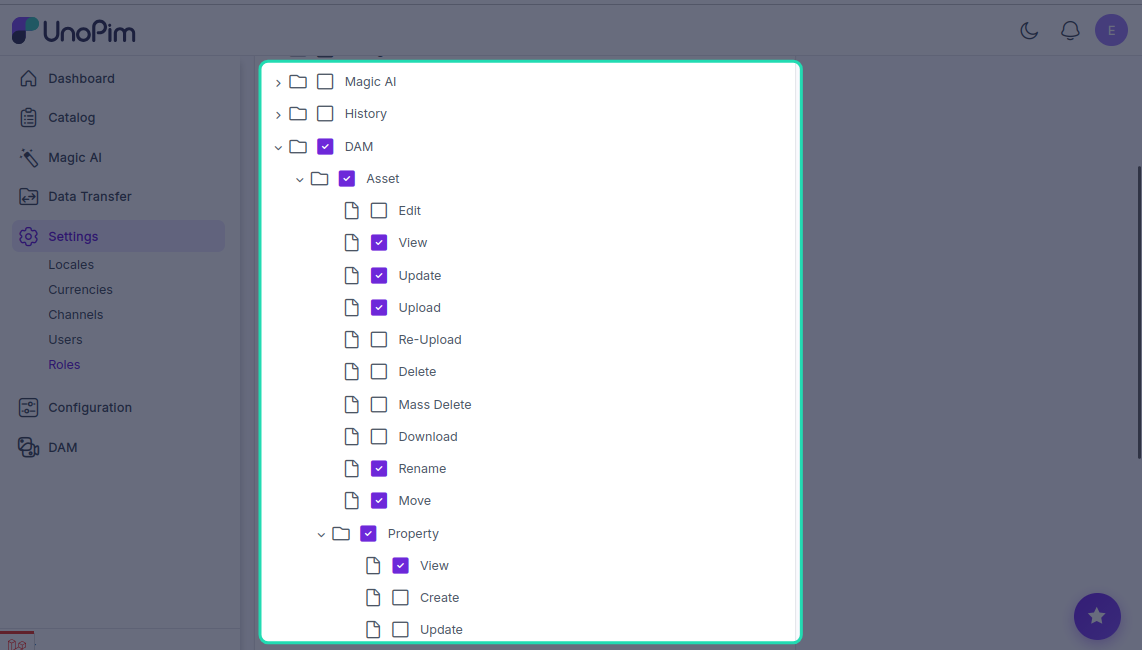
- Find and enable DAM in the permissions list & Set the permission level to Custom
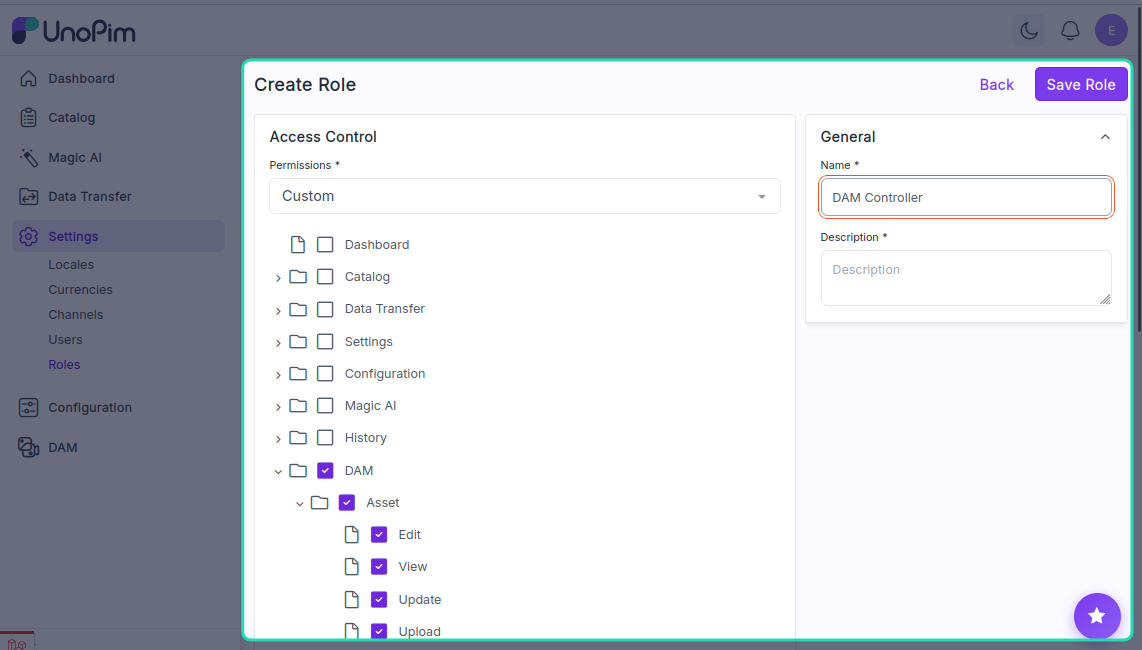
- Select the specific DAM actions you want to allow for that user
- Save the changes to apply the new permissions
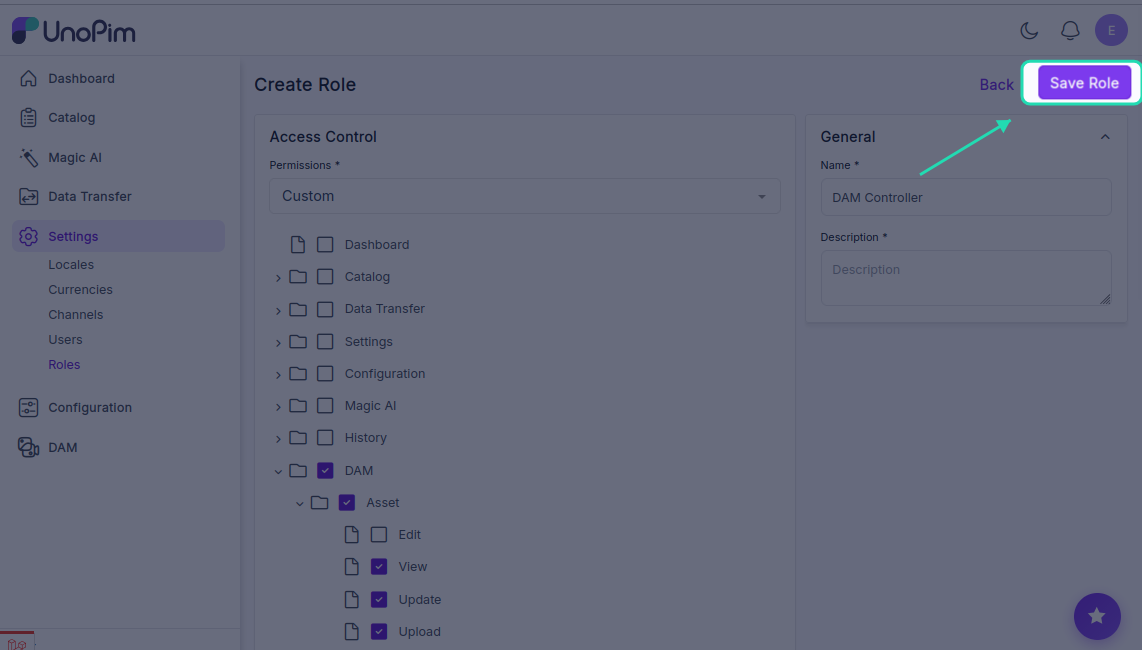
Tip: Create different roles for different user types (e.g., Admin, Editor, Viewer) to manage access control effectively.
Create Product Asset Attribute
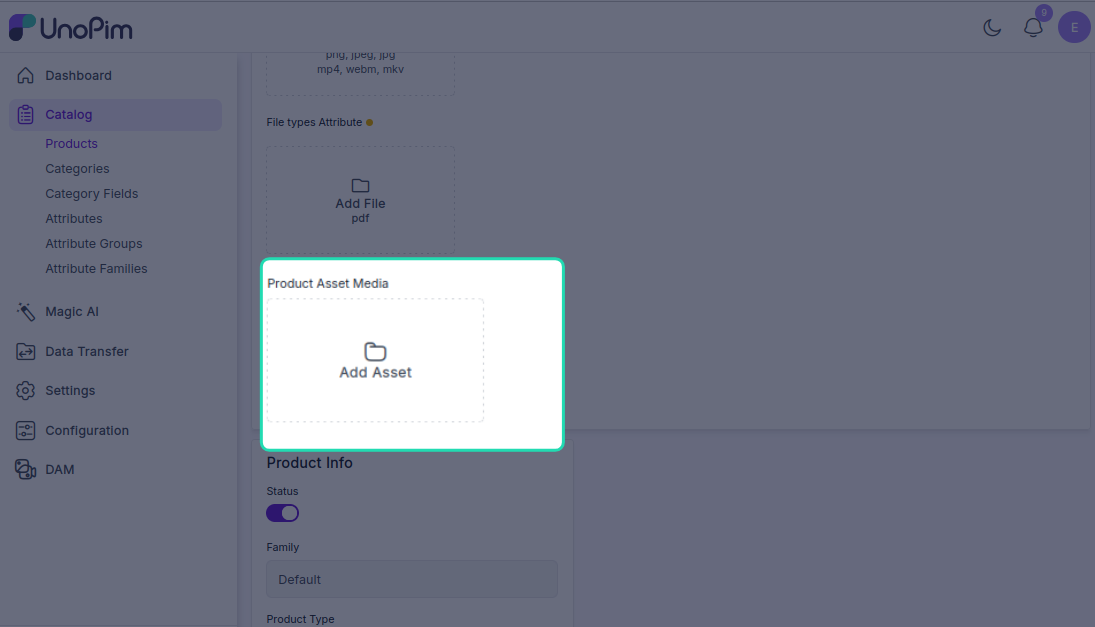
Product asset attributes allow you to attach digital assets to your products.
Steps to Create a Product Asset Attribute
- Navigate to Catalog → Attributes
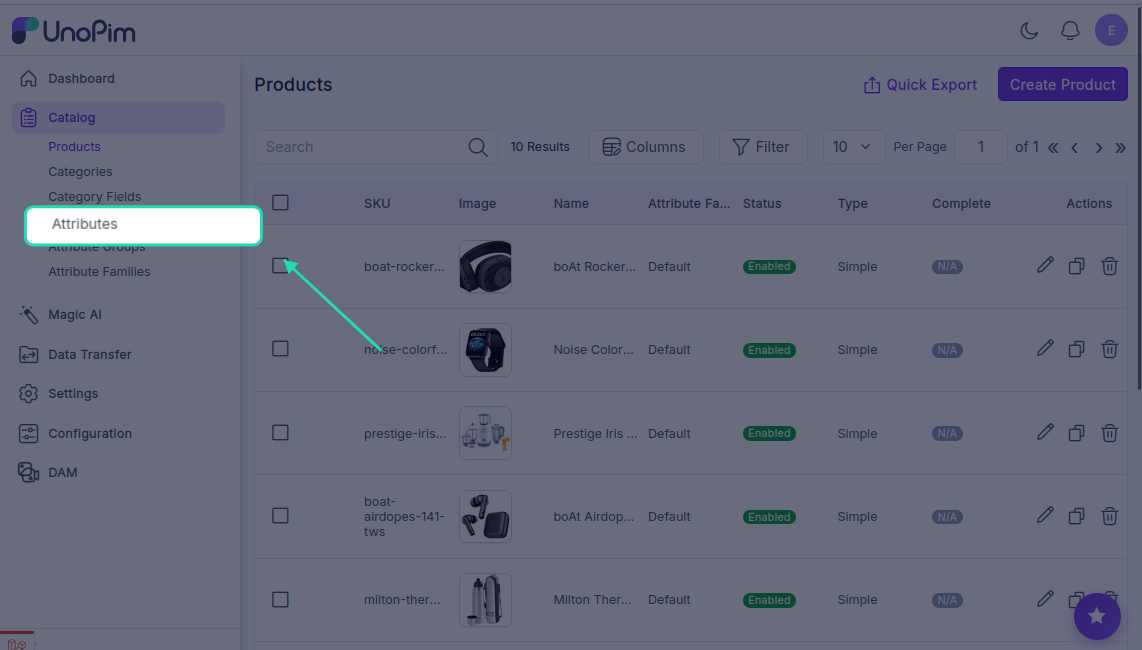
This displays a list of all existing attributes in the system.
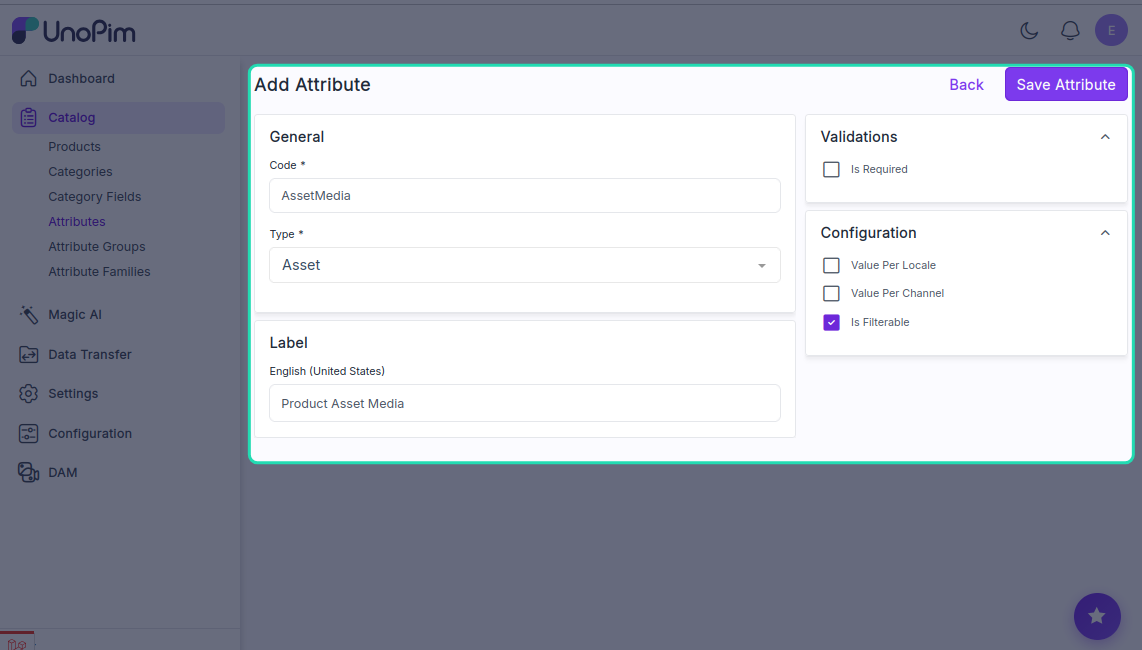
- Click Create Attribute
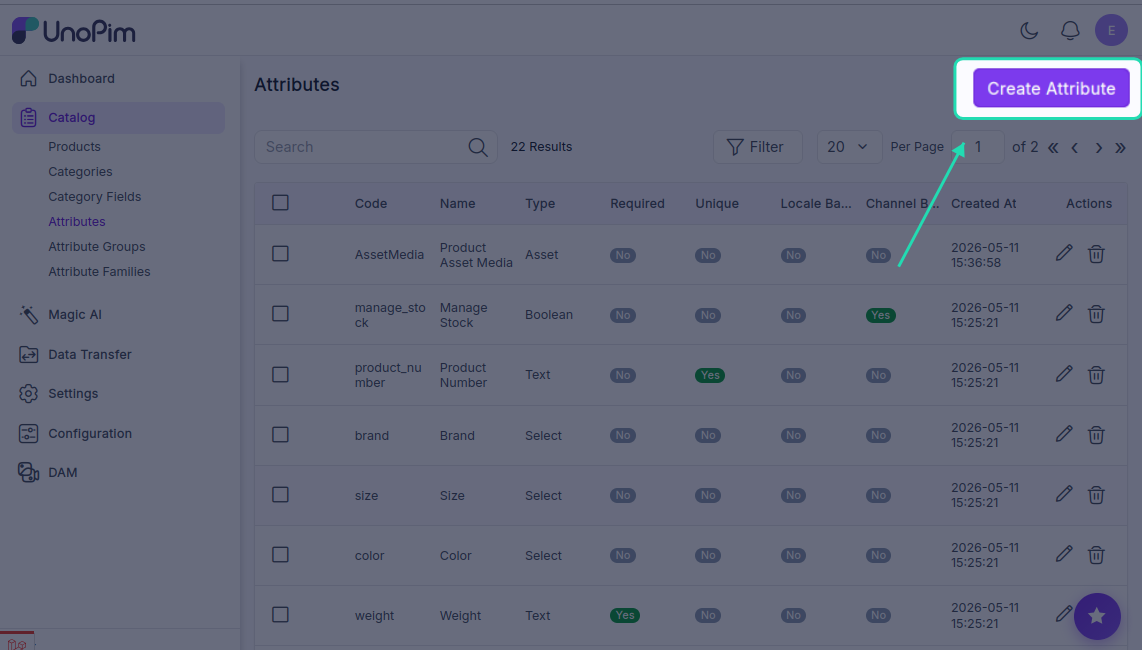
- Configure the attribute details:
- Set Attribute Type to Asset
- Add all required attribute information
- Provide a descriptive name and code
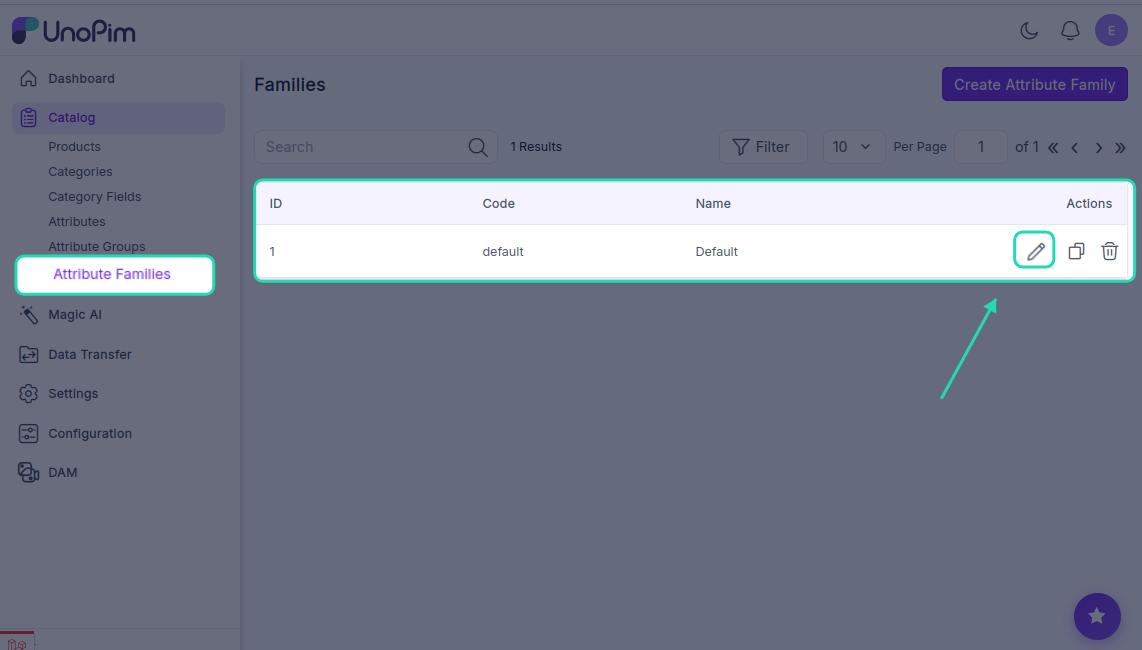
- Select the Product Family where you want to add the asset attribute
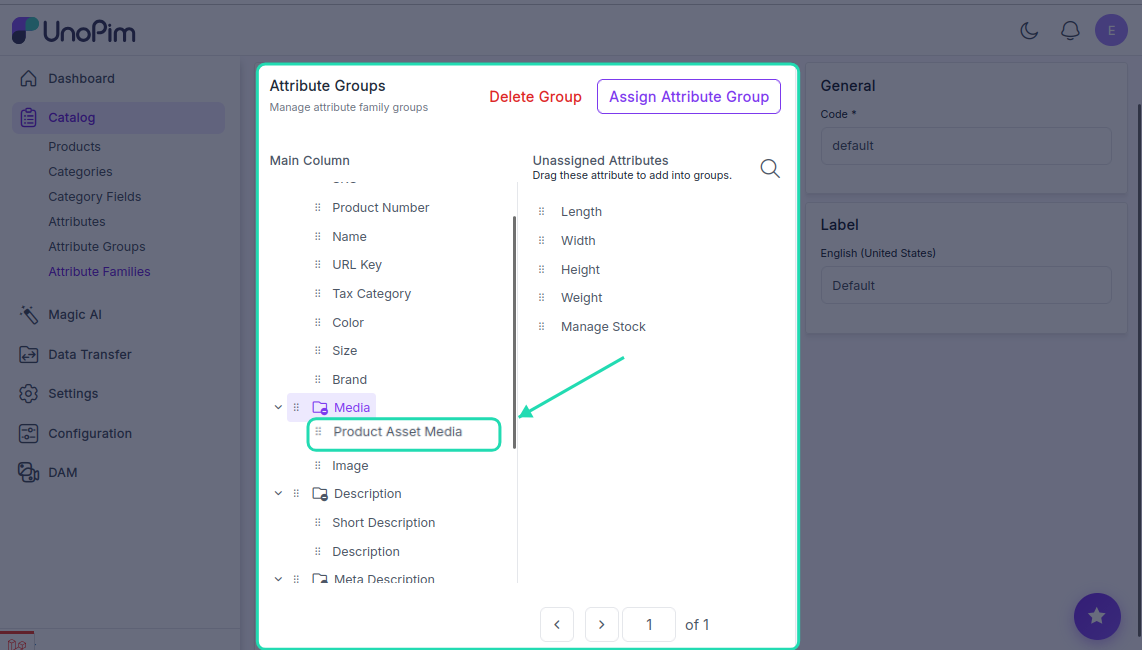
- Assign the asset attribute to the selected product family
- Save the attribute configuration
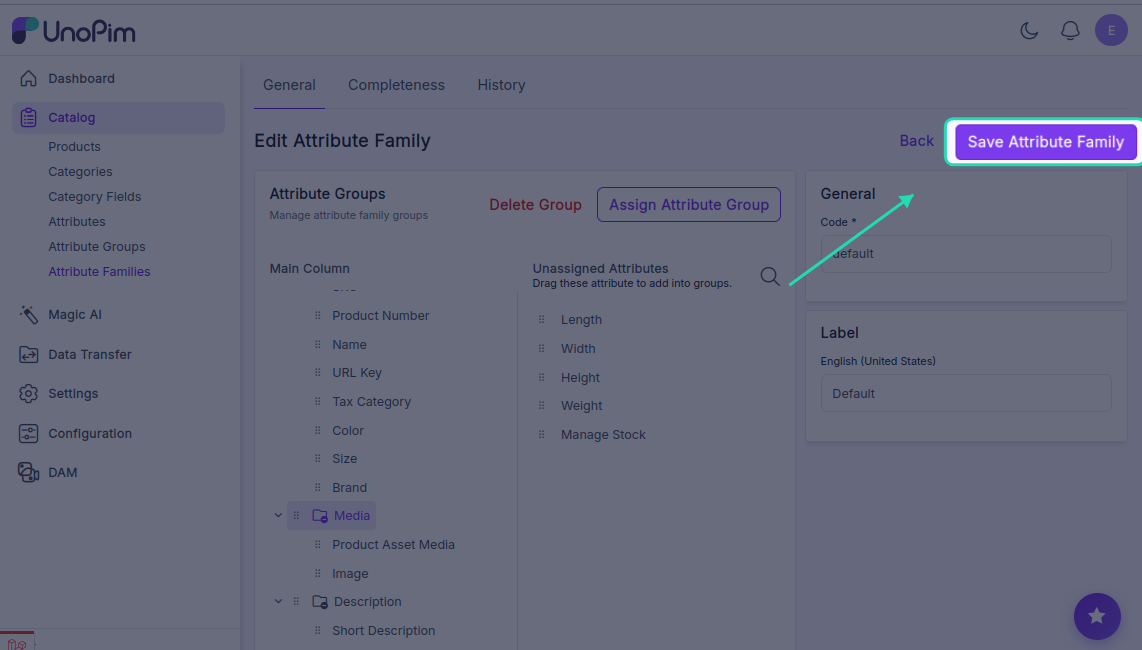
Once created: The asset attribute will be available when creating or editing products in that product family.
Create Category Asset Field
Category asset fields allow you to attach digital assets to your product categories.
Steps to Create a Category Asset Field
- Navigate to Catalog → Category Fields
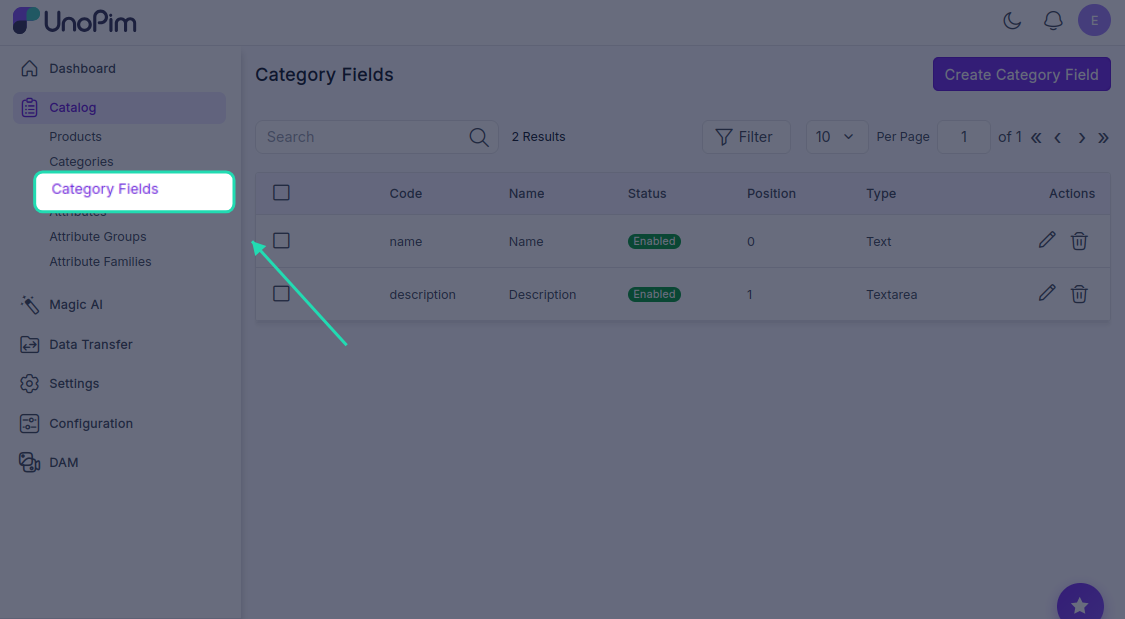
This displays a list of existing category fields.
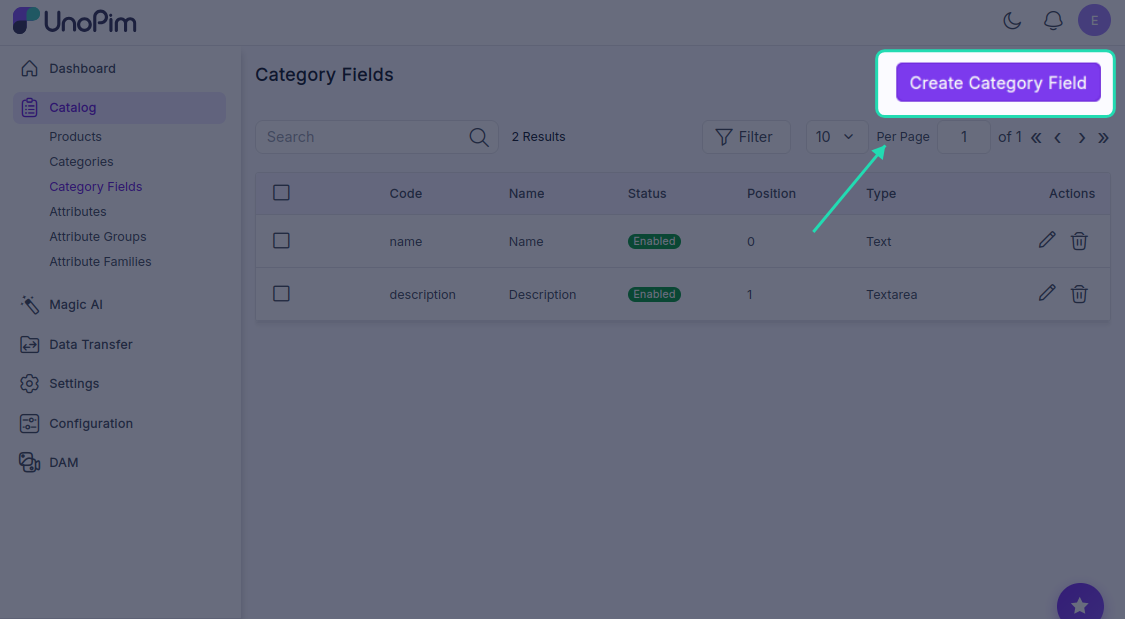
- Click Create Category field to add a new category field
- Configure the category details:
- Set Field Type to Asset
- Add all required field information
- Provide a descriptive name and code
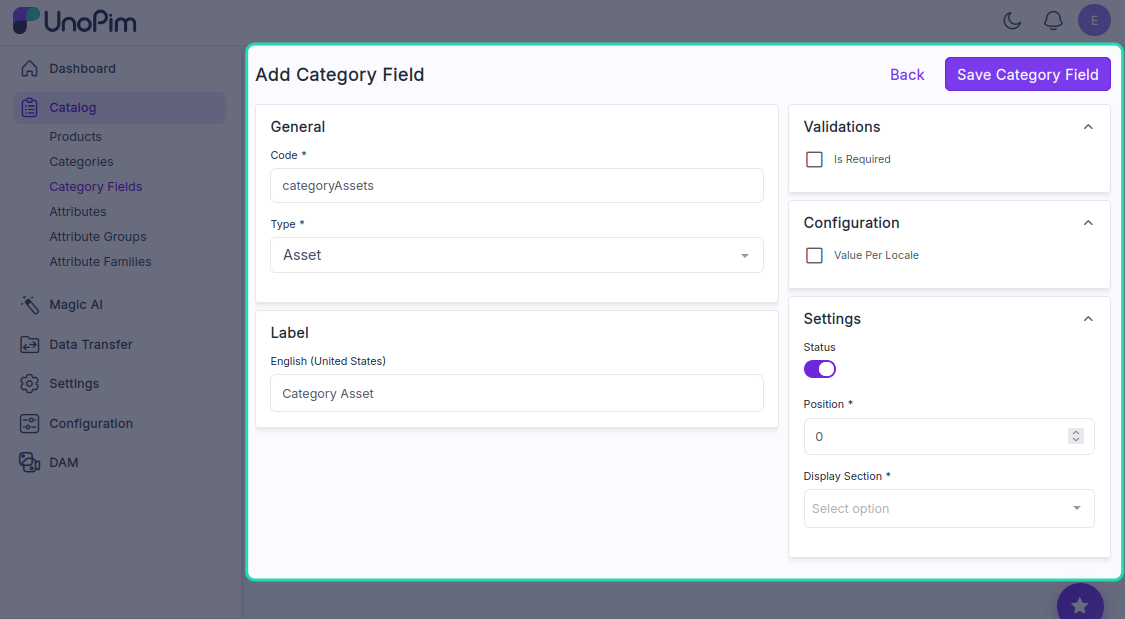
- Save the category configuration
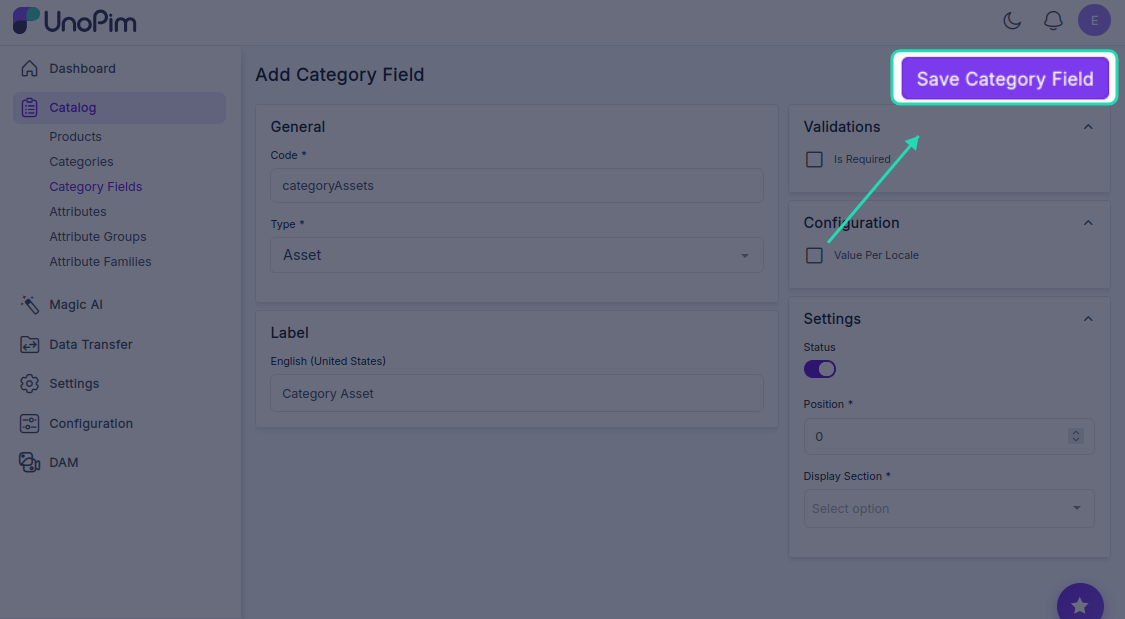
- When creating categories, you will now find the new category asset field available for use
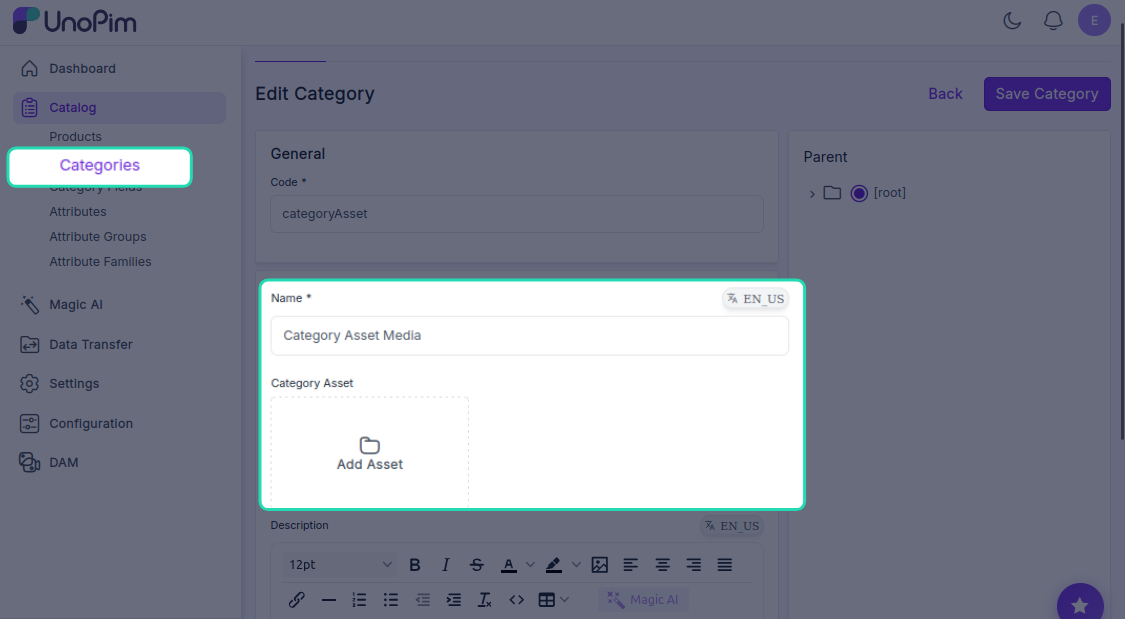
Once created: You can use the category asset field to attach digital assets directly to your product categories.
Your UnoPim DAM configuration is now complete with user permissions and asset management fields.