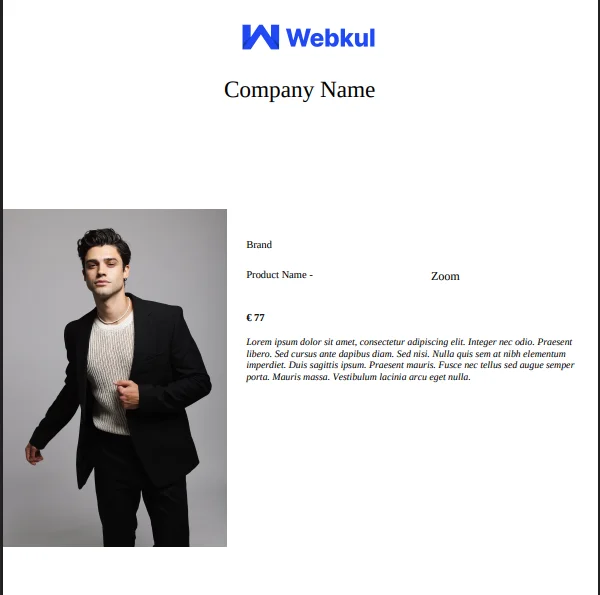
Generate PDF from Product View
After creating and saving a PDF template, you can generate the final PDF directly from the product view.
Steps
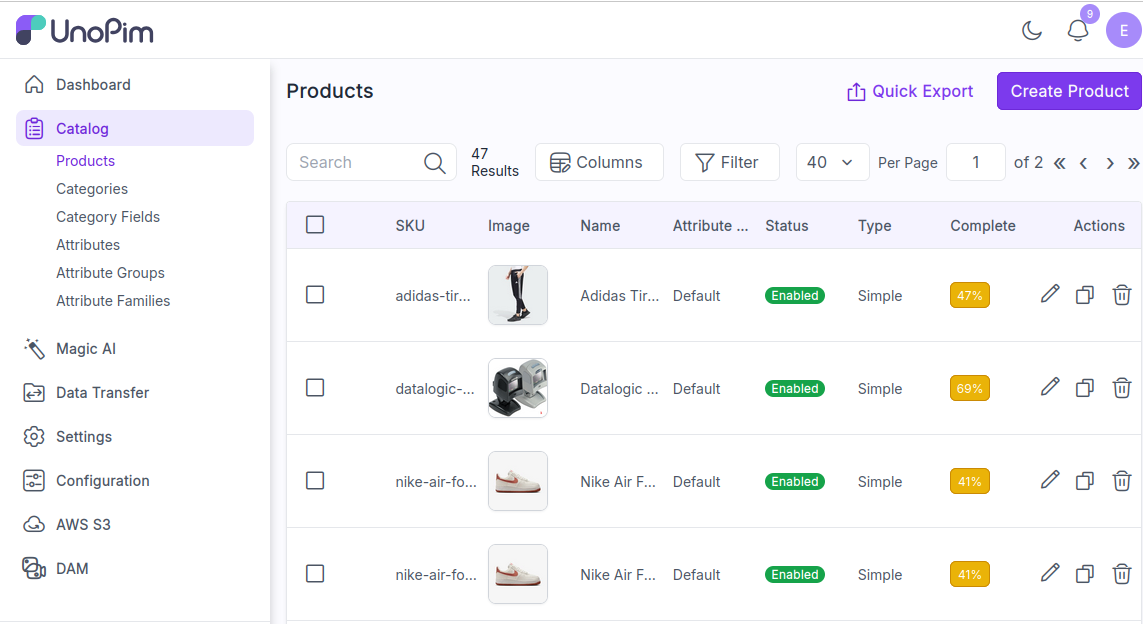
Navigate to Product Catalog
To download a PDF, navigate to the Product Detail Page for the product you've associated with the PDF template. Go to Catalog > Products.
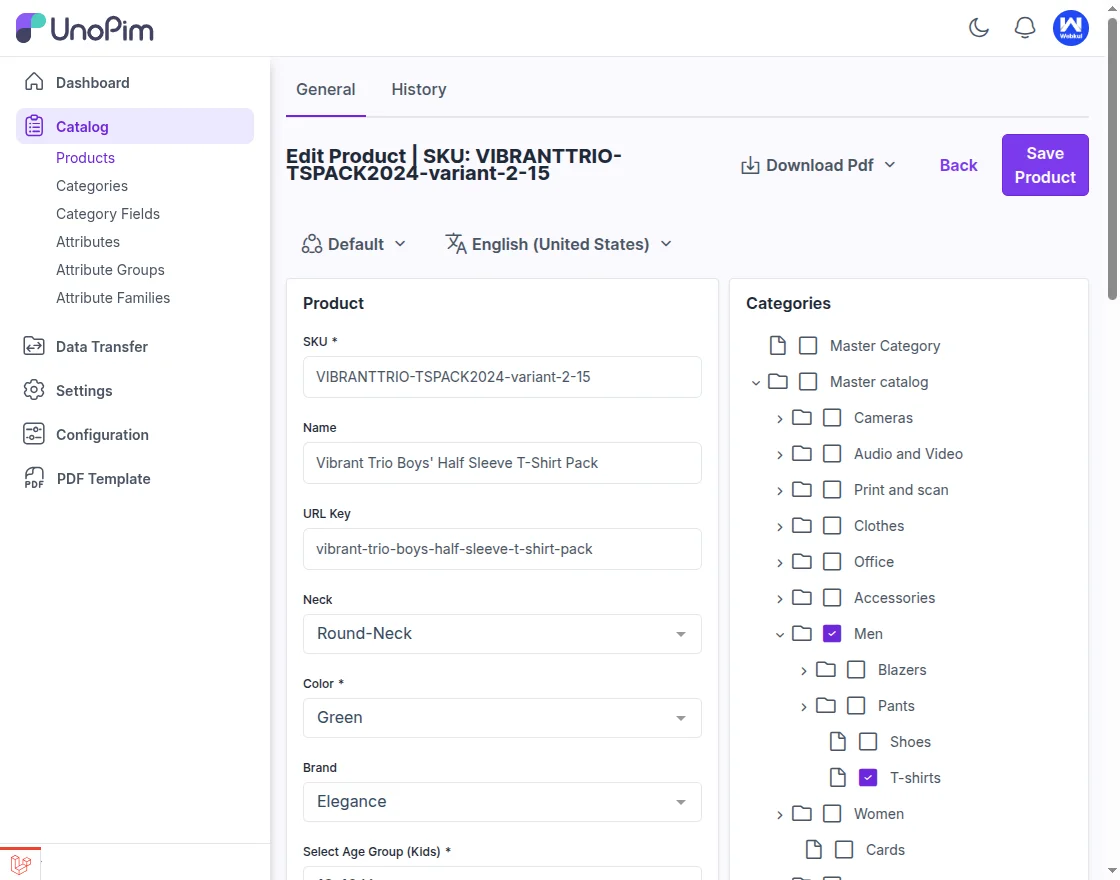
Open Product Detail Page
Navigate to the Product Detail Page for the specific product to access the customized PDF template. This page provides a comprehensive view of the product's details, including its name, description, images, pricing, and other relevant information.
It's where all the key product data is displayed for both admin use and customer browsing.
Select PDF Template
User can see a pop-up of templates that has been created and then select the desired template to download PDF. Templates dropdown as shown below:
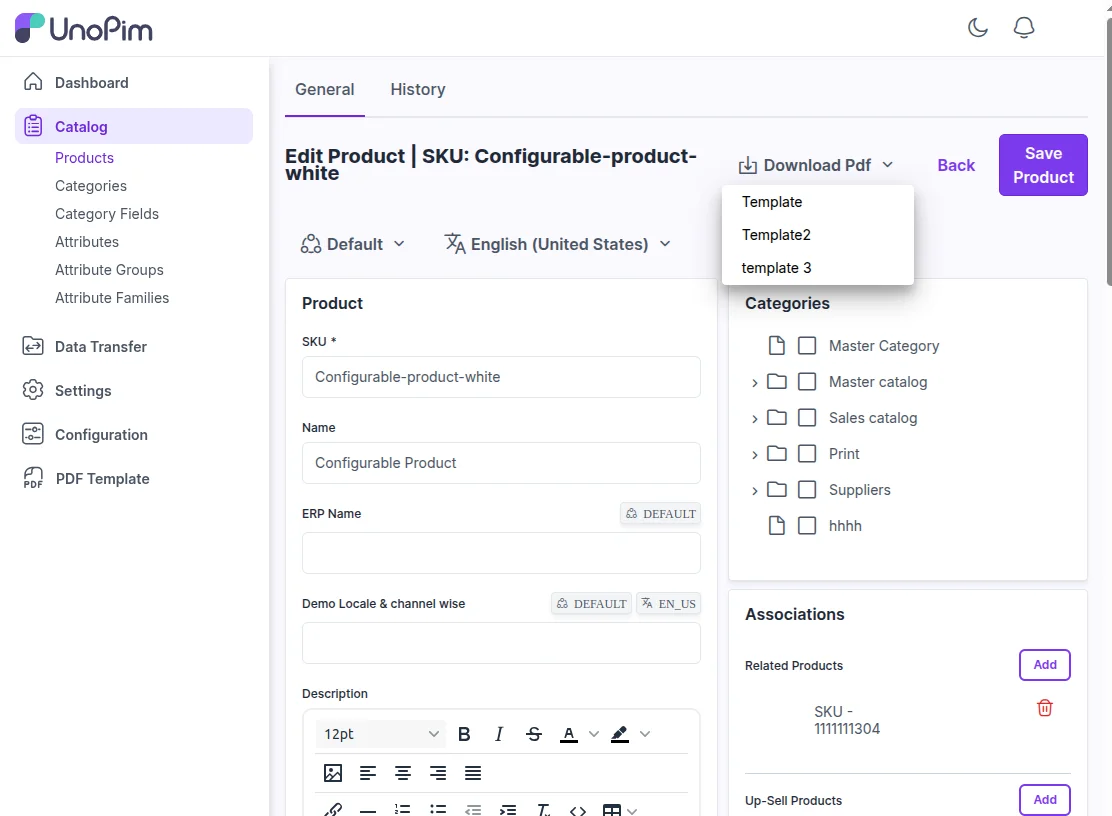
Download PDF
Once on this page, you'll find the section dedicated to PDF Settings, where the generated PDF is ready for download.