

Dashboard
The Dashboard is the home page for the DAM NextCloud module. It summarizes connection health, recent sync activity, and trash backlog at a glance.
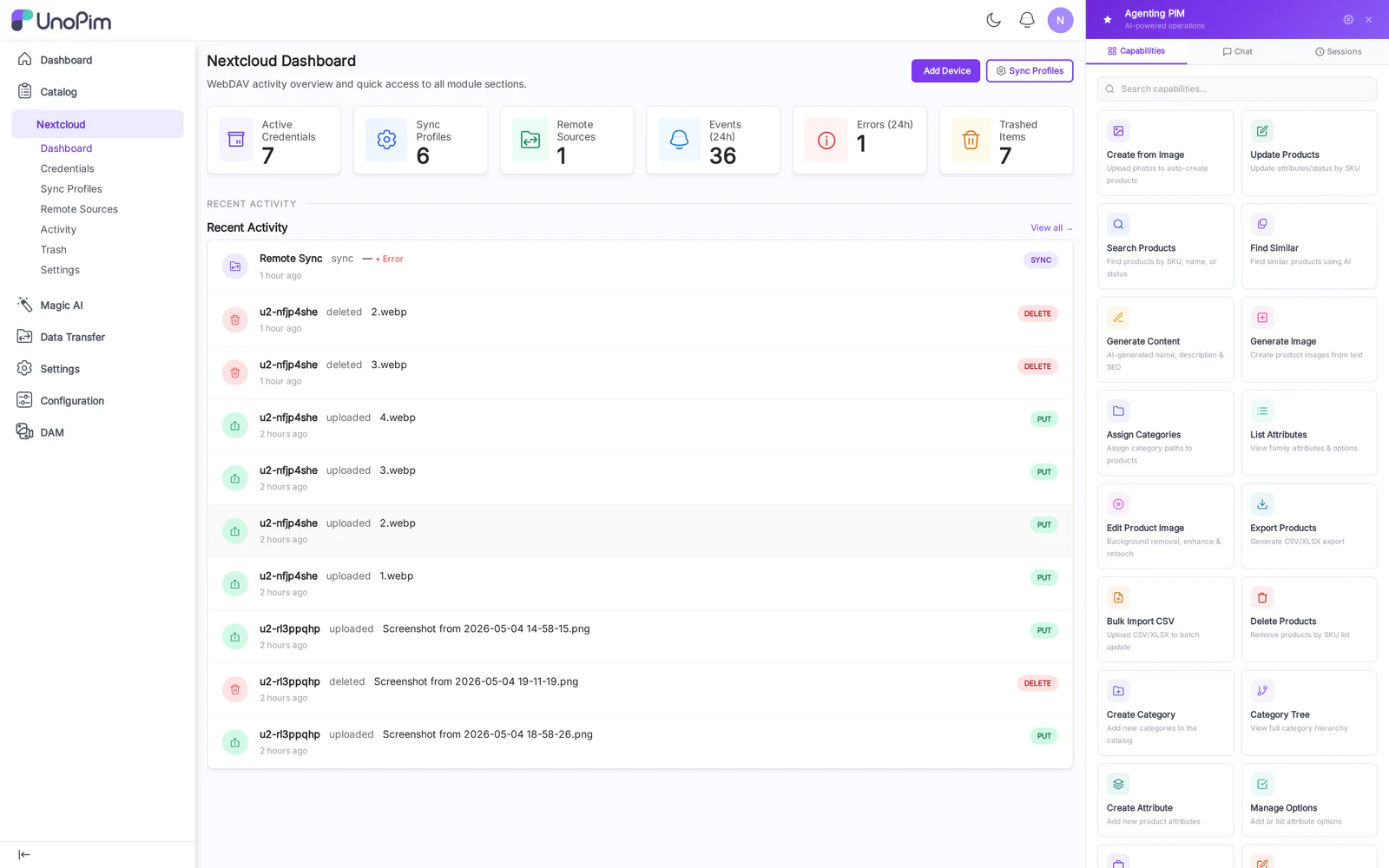
Cards
- Active Credentials — number of WebDAV users with at least one Sync Profile bound.
- Sync Profiles — total profiles, plus how many are currently enabled.
- Remote Sources — total external sources and last-poll status.
- Today's Events — count of push/pull/conflict events in the last 24 hours.
- Trash size — number of soft-deleted assets and how many are eligible for purge today.
Recent Activity widget
Shows the latest 10 sync events with profile, direction, asset path, and result icon (success / conflict / error). Click an entry to jump straight to the Activity page filtered to that profile.
How to use
- After installing the module, open Nextcloud → Dashboard from the admin sidebar.
- Confirm at least one Active Credential card is non-zero — if not, create one in Credentials.
- Watch Today's Events rise as clients sync; if it stays at zero, check the Activity log for errors.