

Configuration & Credentials Setup
After installing the UnoPim Bagisto Connector, you need to configure it with your Bagisto store credentials. This guide walks you through setting up and managing connector credentials, attribute mappings, and channel/locale configurations.
Accessing the Bagisto Connector
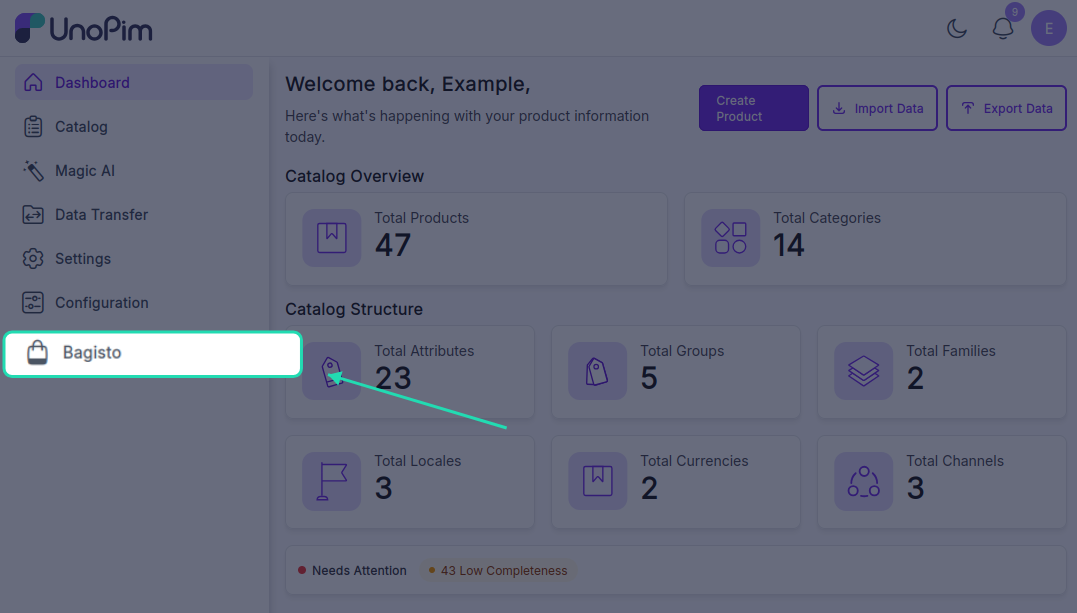
Once the UnoPim Bagisto Connector is installed, it appears in the left sidebar of your UnoPim dashboard.
Step 1 - Open the Connector
- Log in to your UnoPim dashboard
- Navigate to the left sidebar
- Click on Bagisto to access the connector
Setting Up Store Credentials
Step 1 - Navigate to Credentials
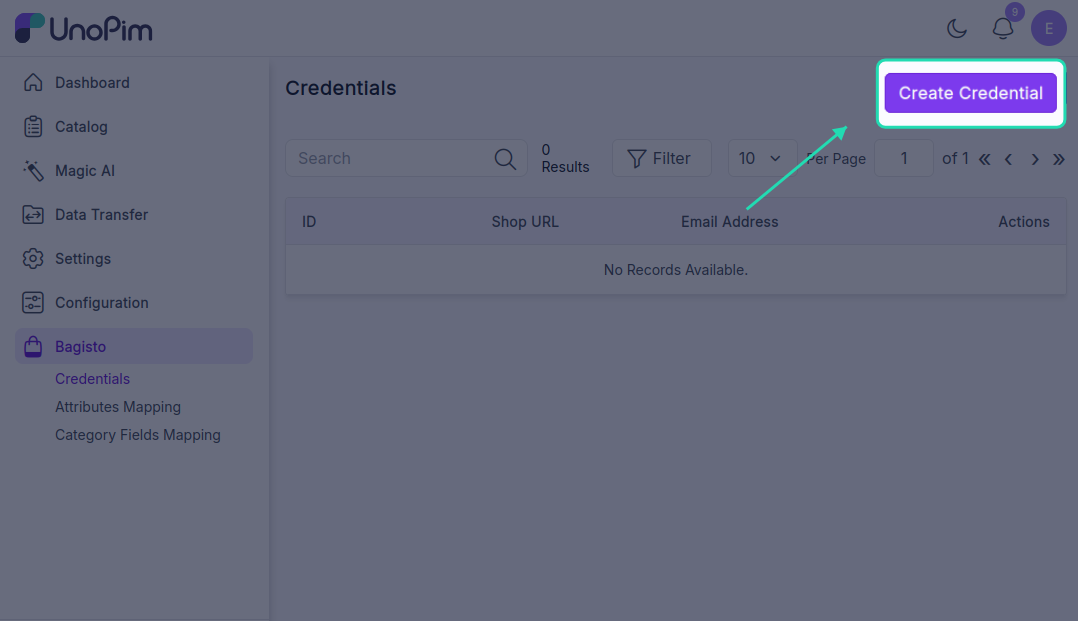
From the Bagisto section, navigate to:
Bagisto > Credentials > Create Credentials
Step 2 - Enter Bagisto Store Details
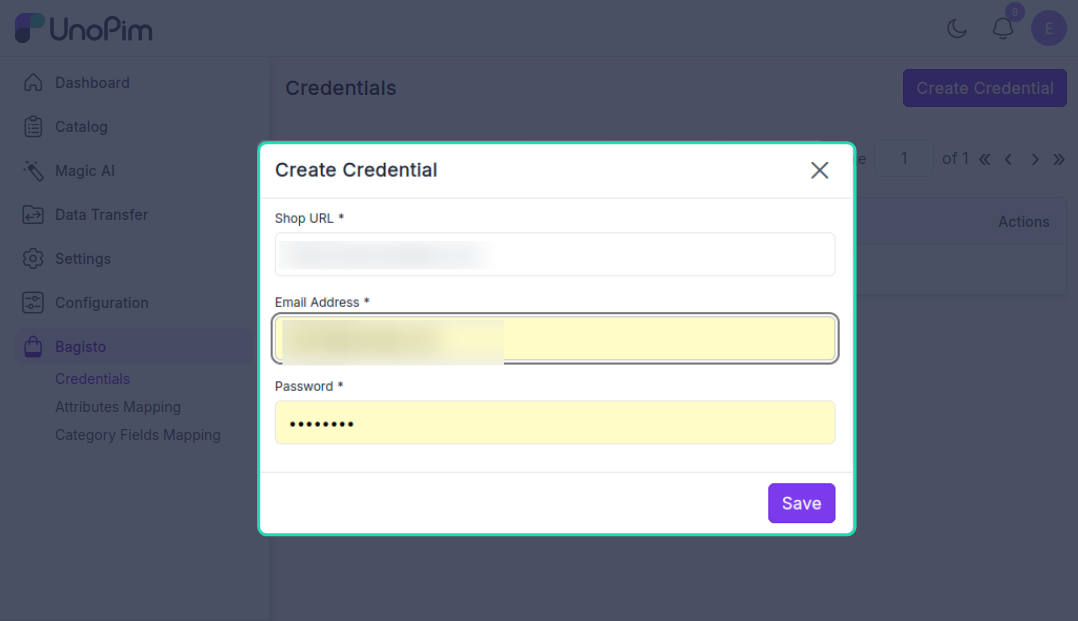
Fill in the following information to connect your Bagisto store:
| Field | Description | Example |
|---|---|---|
| Bagisto Shop URL | The base URL of your Bagisto store | https://shop.example.com |
| Email Address | Administrator email for authentication | admin@example.com |
| Password | Administrator password for authentication | •••••••• |
Step 3 - Save Credentials
Click the Save button to add the credential to UnoPim.
Multiple Store Support
The UnoPim Bagisto Connector supports managing multiple Bagisto stores. You can:
- Add credentials for different Bagisto store instances
- Manage separate product catalogs per store
- Maintain independent export configurations for each store
Simply repeat the steps above to add additional store credentials as needed.
Managing Credentials
View All Credentials
Once credentials are saved successfully, they appear in the Credentials section. Here you can see:
- List of all connected Bagisto stores
- Connection status
- Quick actions (Edit, Delete)
Edit Credentials
To modify existing credentials:
- Click the Edit button next to the credential you want to update
- You'll be redirected to the credential edit page
- Update any of the following:
- Bagisto Shop URL
- Email Address
- Password
- Click Save to apply changes
Delete Credentials
To remove a credential:
- Click the Delete button next to the credential
- Confirm the deletion
- The credential and all associated mappings will be removed
Note: Deleting credentials will stop all product exports to that Bagisto store. Proceed with caution.