

Product Export
The UnoPim WooCommerce Connector allows users to export product data from UnoPim to WooCommerce through dedicated export jobs.
Open the Export Jobs Section
To create a product export job, go to:
Data Transfer > Exports
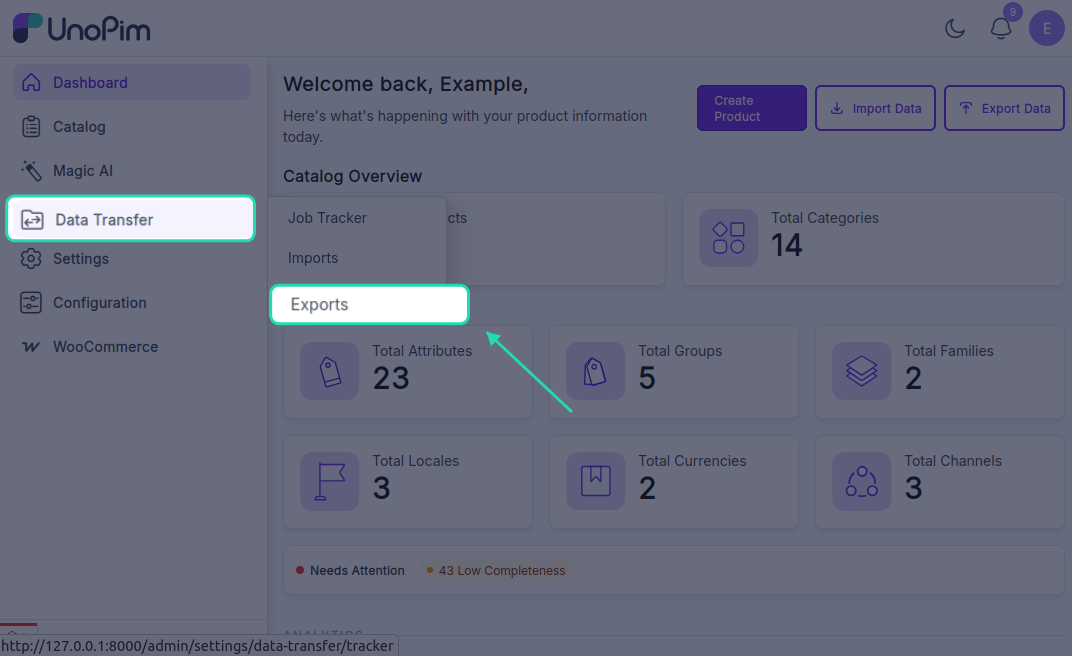
From the Exports page, click Create Export in the top-right corner.
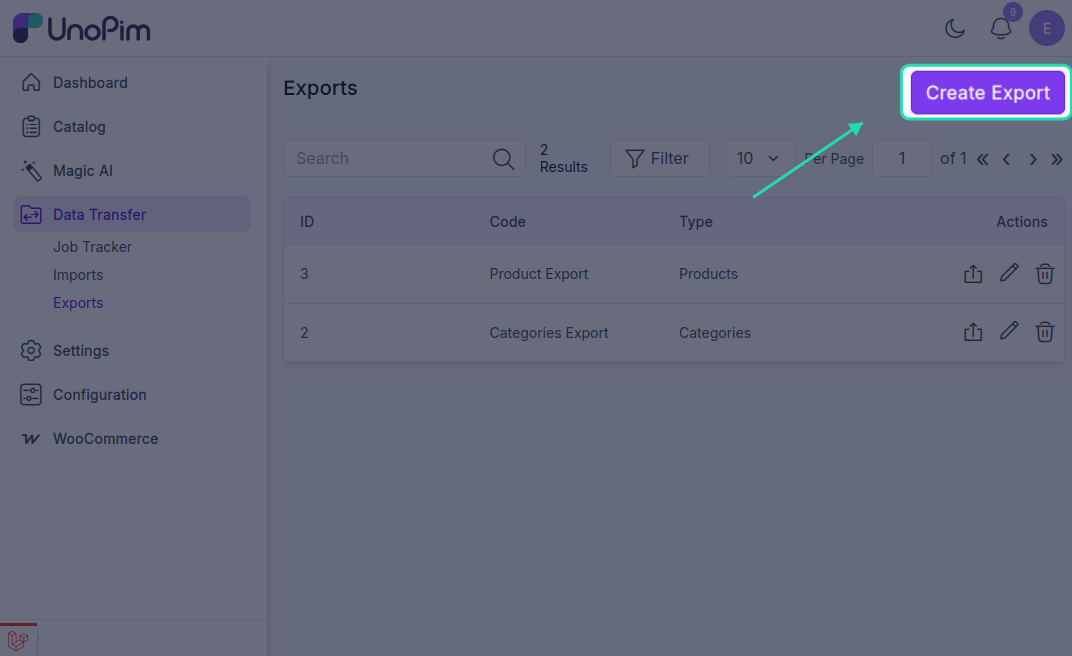
Create a Product Export Job
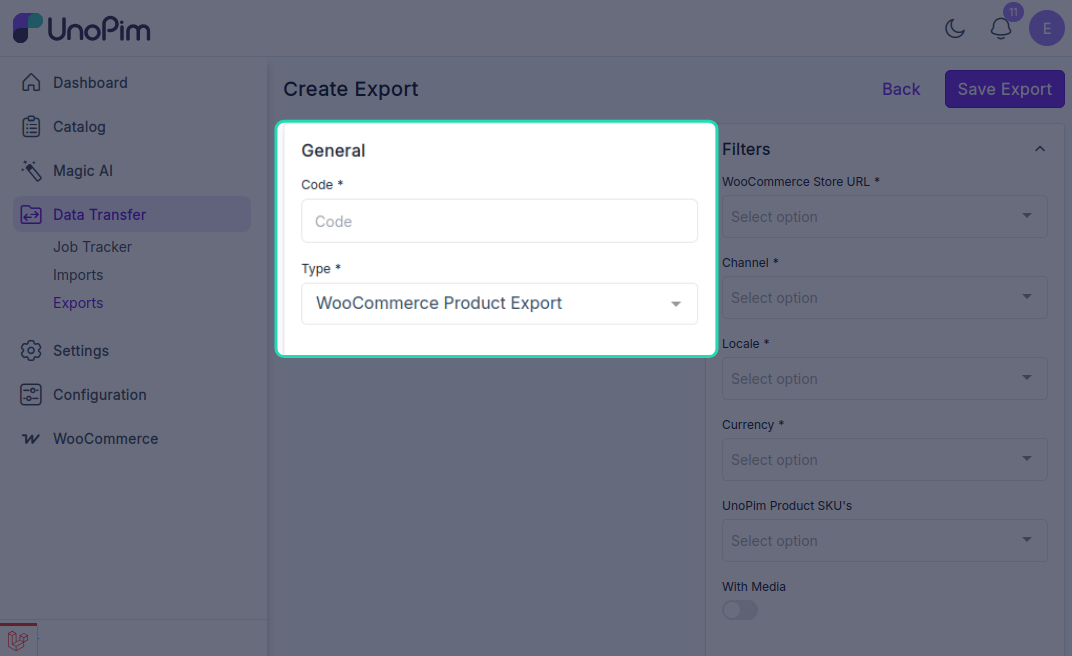
While creating the export job, the user needs to:
- Enter the Export Job Code.
- Select WooCommerce Product Export as the export job type.
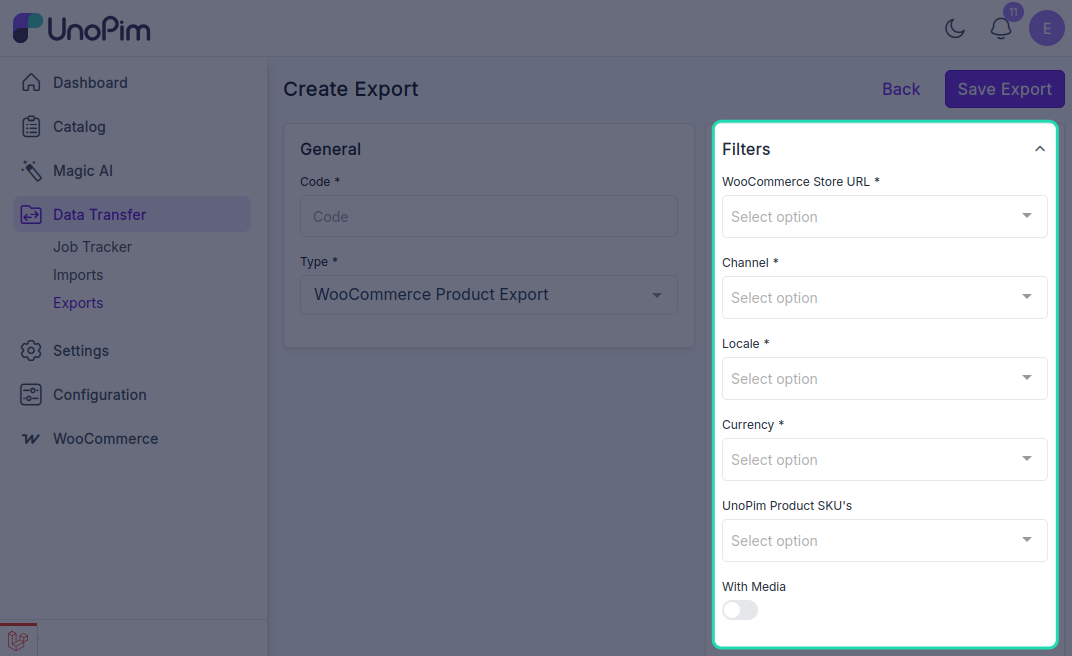
Product Export Filters
After selecting the product export job type, configure the following filters as needed:
- WooCommerce Store URL: Select the required WooCommerce store credentials.
- Channel: Select the channel for exporting.
- Locale: Select the required locale.
- Currency: Select the required currency.
- UnoPim Product SKU: Enter the SKU of the specific product that needs to be exported.
- With Media: Enable this option if product images should also be exported to WooCommerce.
Save and Run the Export Job
After filling in the required details, click Save Export to create and save the export job.
Once the export job is run, the user can monitor its progress from the Job Tracker.
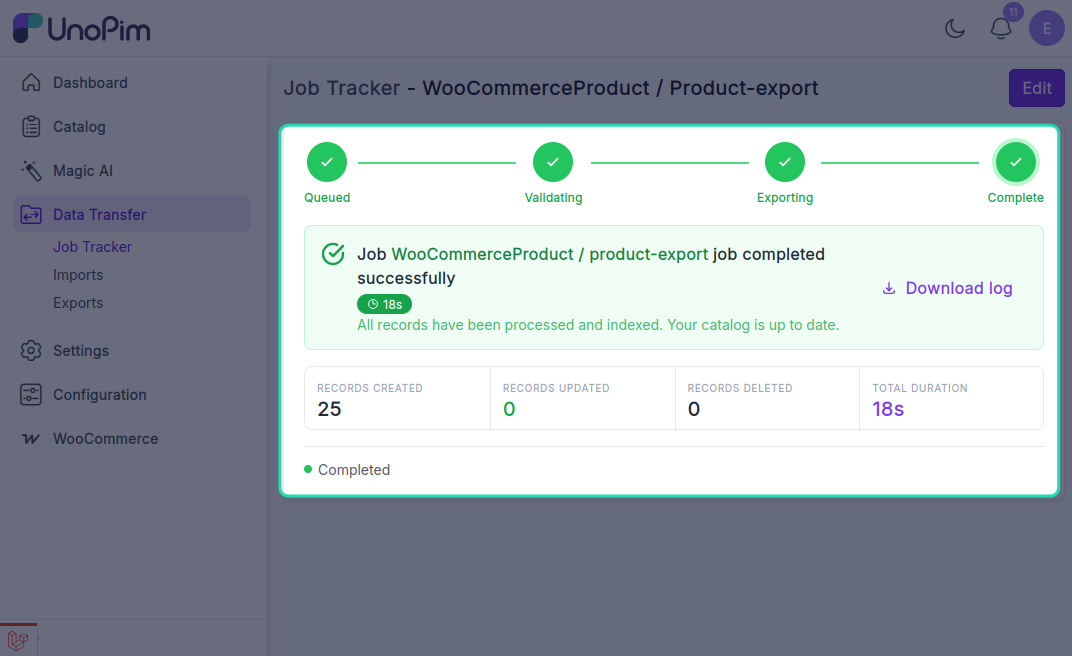
After the export completes successfully, the products will be visible in the connected WooCommerce store.