

Background Operations
Some DAM actions are too slow to finish inside a web request. Deleting a folder with 40,000 assets, copying a directory tree, or moving a large selection would time out if DAM tried to do it while you waited.
Instead these run as queued background jobs. DAM starts the job, returns immediately, and then polls for progress while you carry on working.
Which Actions Run in the Background
| Action | Where you trigger it |
|---|---|
| Delete directory | Tree right-click, Explorer context menu, API |
| Rename directory | Tree right-click, Explorer |
| Copy directory | Tree right-click, Explorer clipboard paste |
| Copy directory structure | Copy Directory Structure / Copy structure to… |
| Move directory structure | Dragging a folder to a new parent |
| Mass move | Explorer → Move to… |
| Mass copy | Explorer → Copy to… |
Everything else — uploading a handful of files, renaming an asset, tagging — happens immediately in the request.
What You See
While a job runs, DAM shows a progress indicator with a running message:
- "Deleting directory 'Campaigns'…"
- "Copying directory 'Brand Assets'…"
- "Moving asset 'hero-banner.jpg'…"
- "Processing 240 assets…"
If a job takes longer than the UI expects, the message changes to:
"Operation is still running in the background"
That is informational, not an error. The job is fine — it is simply large.
You can navigate away, open another tab, or close the page entirely. The job keeps running on the server and finishes without you.
The Queue Worker Is Required
IMPORTANT
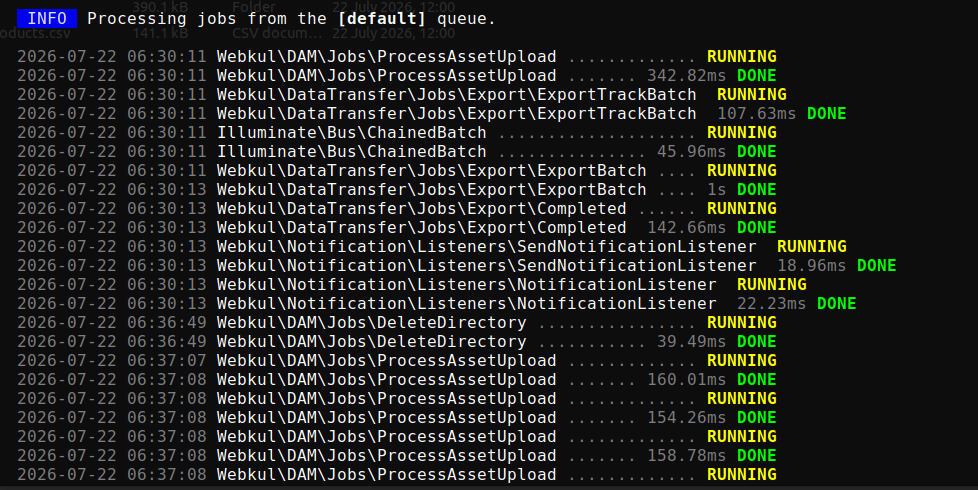
Background operations only complete if a queue worker is running. Without one, the job is written to the queue and sits there forever. The folder you deleted appears to hang mid-operation, and nothing in the UI explains why.
Start a worker with:
php artisan queue:workIn production, run it under a process supervisor so it restarts automatically:
sudo supervisorctl status unopim-workerSee Artisan Commands for the wider command reference and Installation for the recommended queue setup.
TIP
If a bulk action seems stuck, check the worker first — it is by far the most common cause. php artisan queue:failed lists jobs that errored out.
Progress Is Per User
Progress is tracked against your admin account and the operation type. Two administrators running a mass copy at the same time each see their own progress, not each other's.
Because tracking is per operation type, starting a second mass copy while your first is still running replaces the progress you are watching. Let one finish before starting the next.
When Something Fails
If a job fails, the failure is recorded against the operation and surfaced in the UI with the reason — a permissions problem, a disk that is not writable, or a target folder that was deleted mid-operation.
Partial results are not rolled back. A mass move that fails halfway leaves the already-moved files at the destination. Re-running the operation on what remains is safe.
Server-side logs carry the full detail:
tail -f storage/logs/laravel.logRelated
- Explorer View — where most bulk operations are started
- Directory & Asset Management — folder copy, move and delete
- Artisan Commands — queue and maintenance commands