

Configuration
DAM has a settings page at DAM → Configuration for changing how the media library behaves — without editing .env or redeploying.
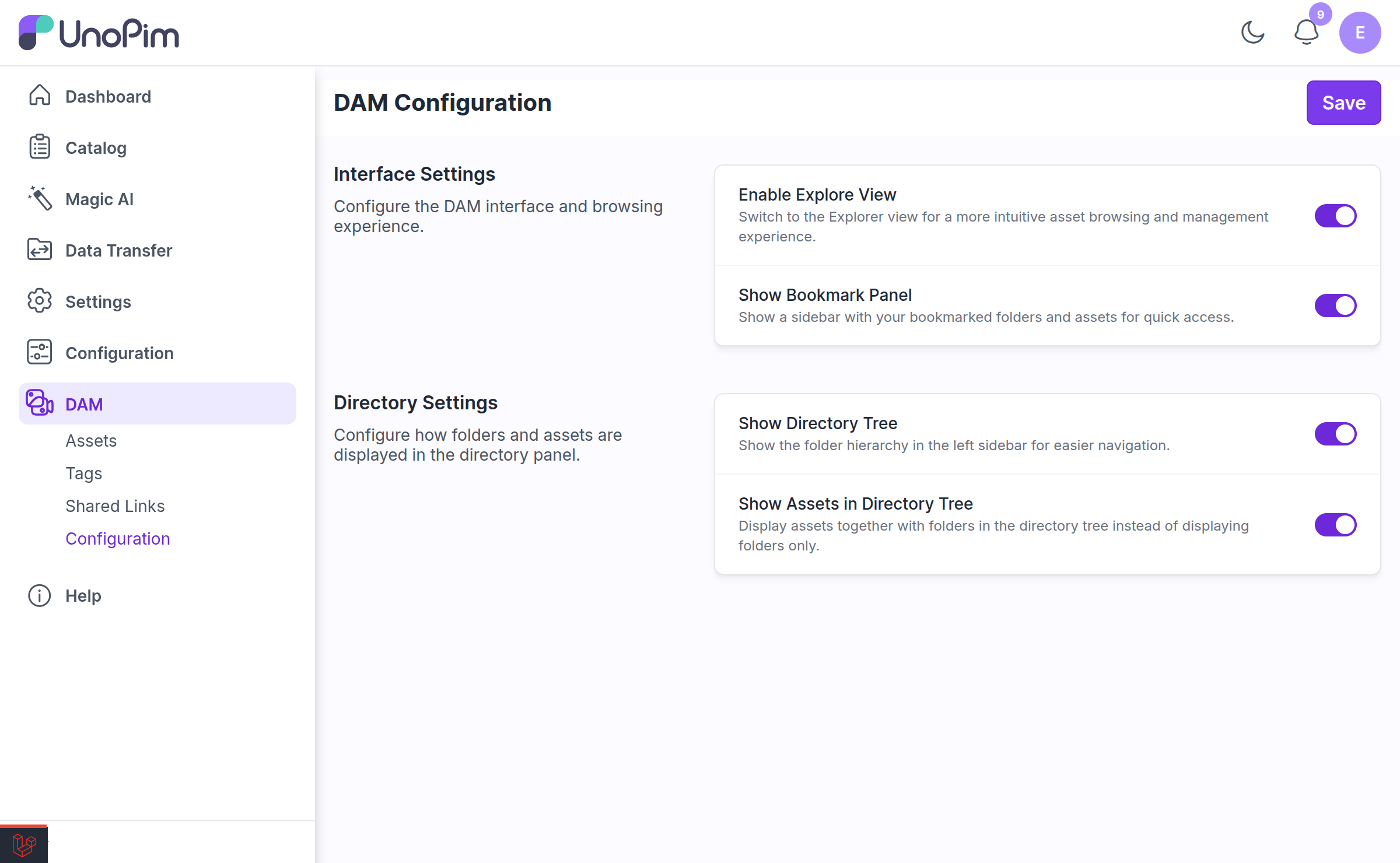
Change what you need and click Save. You will see "Configuration saved successfully." The relevant caches are cleared for you automatically.
NOTE
Viewing the page requires dam.configuration.index; saving requires dam.configuration.update. Without the update permission the form is shown read-only.
Interface Settings
Configure the DAM interface and browsing experience.
| Setting | Default | What it does |
|---|---|---|
| Enable Explore View | Off | Replaces the default asset grid with the multi-tab folder Explorer. |
| Show Bookmark Panel | Off | Shows a sidebar of bookmarked folders for quick access. This row only appears once Explore View is on. |
Directory Settings
Configure how folders and assets are displayed in the directory panel.
| Setting | Default | What it does |
|---|---|---|
| Show Directory Tree | On | Shows the folder hierarchy in the left sidebar. |
| Show Assets in Directory Tree | Off | Assets appear as leaf nodes inside the tree, not just folders. This row only appears while Show Directory Tree is on. |
How the Toggles Affect Each Other
These four switches are interdependent, which is why some of them appear, disappear, or move on their own as you click. The rules are:
| What you do | What happens automatically |
|---|---|
| Turn Enable Explore View on | Show Bookmark Panel appears and is switched on for you |
| Turn Enable Explore View off | Show Bookmark Panel is hidden, and Show Directory Tree is forced on and locked |
| Turn Show Directory Tree on | Show Assets in Directory Tree appears and is switched on for you |
| Turn Show Directory Tree off | Show Assets in Directory Tree is hidden |
IMPORTANT
Show Directory Tree cannot be turned off while Explore View is off. With no Explorer to browse in, the tree is the only way to navigate, so DAM forces it on, greys the toggle out, and shows the hint "Always on while Explore View is disabled." Turn Explore View on first if you want to hide the tree.
Enabling a parent switches its child on as a convenience, not a constraint — you are free to switch the child back off afterwards and save.
Show Assets in Directory Tree
Off by default, and that default is deliberate. With it on, the tree loads assets as well as folders, which is convenient on a small library and slow on a large one.
When enabled, assets load lazily — DAM fetches directories in batches of 100 with a Load more control, and only pulls a directory's assets when you actually expand it. Even so, on libraries with tens of thousands of assets you will feel the difference. Leave it off unless you need it.
Environment Variables
The four settings above can also be set in .env. They map like this:
| Env var | Setting | Default |
|---|---|---|
DAM_TREE_SHOW_ASSETS | Show Assets in Directory Tree | false |
DAM_EXPLORER_ENABLED | Enable Explore View | false |
DAM_EXPLORER_BOOKMARKS_ENABLED | Show Bookmark Panel | false |
DAM_EXPLORER_SHOW_TREE | Show Directory Tree | true |
IMPORTANT
The Configuration page wins over .env. These four values are read from the database on every DAM request and override whatever .env says. If you set DAM_EXPLORER_ENABLED=true in .env but the toggle is off on the Configuration page, Explorer stays off.
Treat the Configuration page as the source of truth and use .env only for the upload settings below, which have no UI.
Upload tuning (env only)
These four have no Configuration-page equivalent and must be set in .env:
| Env var | Default | What it does |
|---|---|---|
DAM_UPLOAD_CONCURRENCY | 4 | How many files upload in parallel. Raise it on a fast connection, lower it if your server struggles. |
DAM_UPLOAD_RESUME_ENABLED | true | Whether an interrupted upload can be resumed after a browser refresh. |
DAM_UPLOAD_RESUME_MAX_BYTES | 524288000 (500 MB) | The largest batch that will be stashed for auto-resume. Bigger batches show "Batch too large to auto-resume after refresh". |
DAM_UPLOAD_RESUME_STALE_HOURS | 24 | How long a stashed, unfinished upload stays resumable before it is discarded. |
DAM_UPLOAD_CONCURRENCY=6
DAM_UPLOAD_RESUME_ENABLED=true
DAM_UPLOAD_RESUME_MAX_BYTES=524288000
DAM_UPLOAD_RESUME_STALE_HOURS=24
Remember to clear config cache after editing .env:
php artisan config:clearRelated
- Explorer View — what the Explorer toggle turns on
- Uploading Assets — the upload behaviour these settings tune
- Setup — granting the Configuration permission