

Shared Links
Shared links let you hand an asset or a whole directory to someone who has no UnoPim account — a client, a printer, an agency — by sending them a single URL. They see a clean public viewer; they never touch your admin panel.
How Sharing Works
A share is a randomly generated, unguessable token that maps to one asset or one directory:
https://yourdomain.com/share/8f2b91ac04e7d5136ba0c7e29f14d83b6a5c0e77Access is controlled by three things:
- the token itself, which is 40 random characters and cannot be guessed;
- an optional expiry date, after which the link stops working;
- revocation, which lets you switch a link off at any moment.
IMPORTANT
Shared links are not password-protected. Anyone holding the URL can open it until it expires or you revoke it. Treat a share URL as a secret, and set an expiry on anything sensitive.
Creating a Share
Sharing an asset
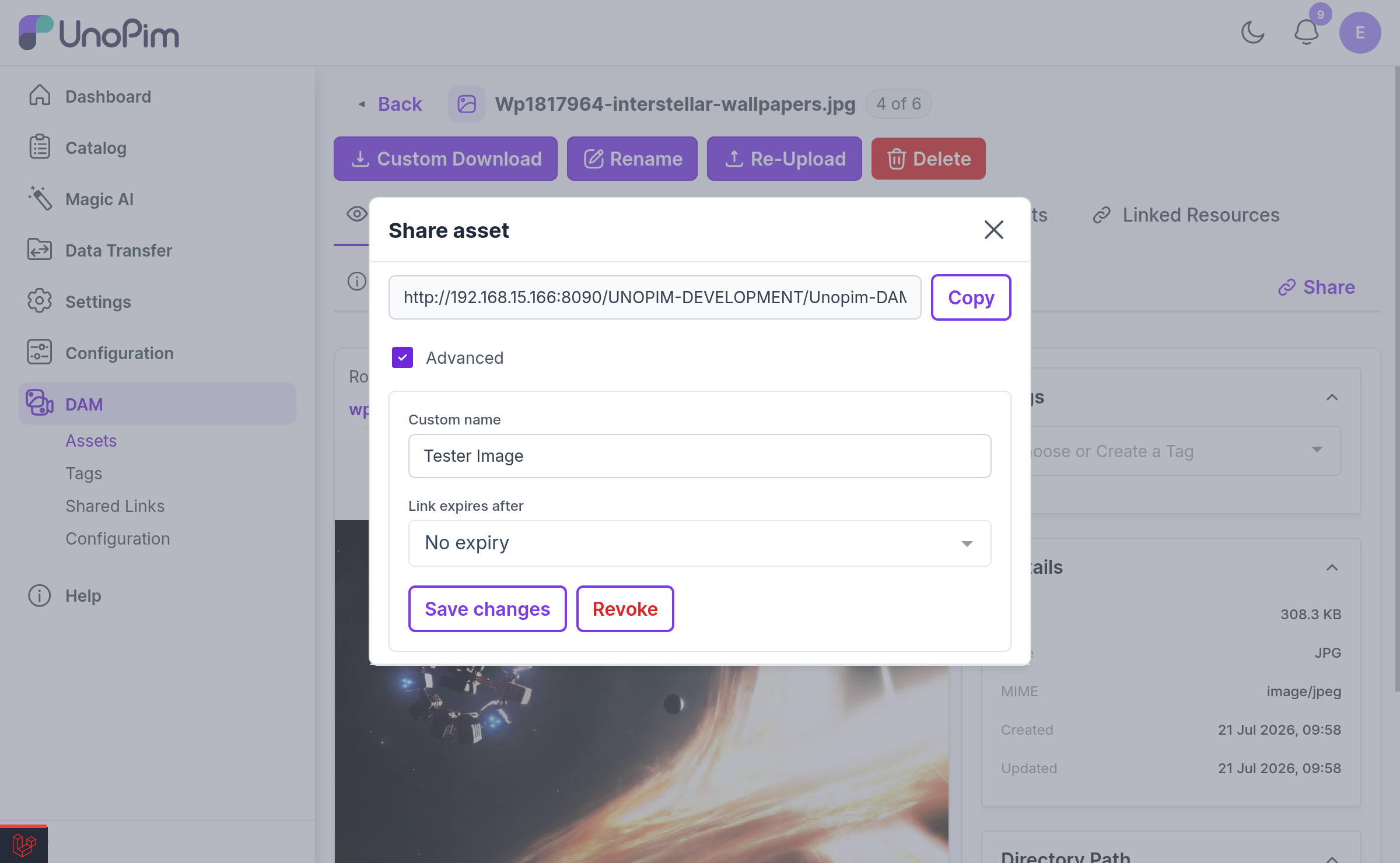
Open the asset and click Share (available on the asset edit page and in the preview modal).
Sharing a directory
Right-click the directory in the tree and choose Share Directory.
Both open the same share dialog.
Share options
| Option | What it does |
|---|---|
| Custom name | An optional label shown to the recipient instead of the raw file or directory name. Leave blank to keep the original name. Max 255 characters. |
| Link expires after | How long the link stays valid: 1 day, 7 days, 30 days, or 1 year. Defaults to 7 days. |
| No expiry | Switch this on for a link that never expires. Use sparingly. |
Once created, the link is ready to copy and send:
The dialog also lists every active link already created for that asset or directory, with its view and download counts, its expiry date, and buttons to Copy, Revoke, Delete, or Reauthorize.
NOTE
Creating a share needs the Share permission — dam.asset.share for assets, dam.directory.share for directories — plus access to the directory the target lives in.
What the Recipient Sees
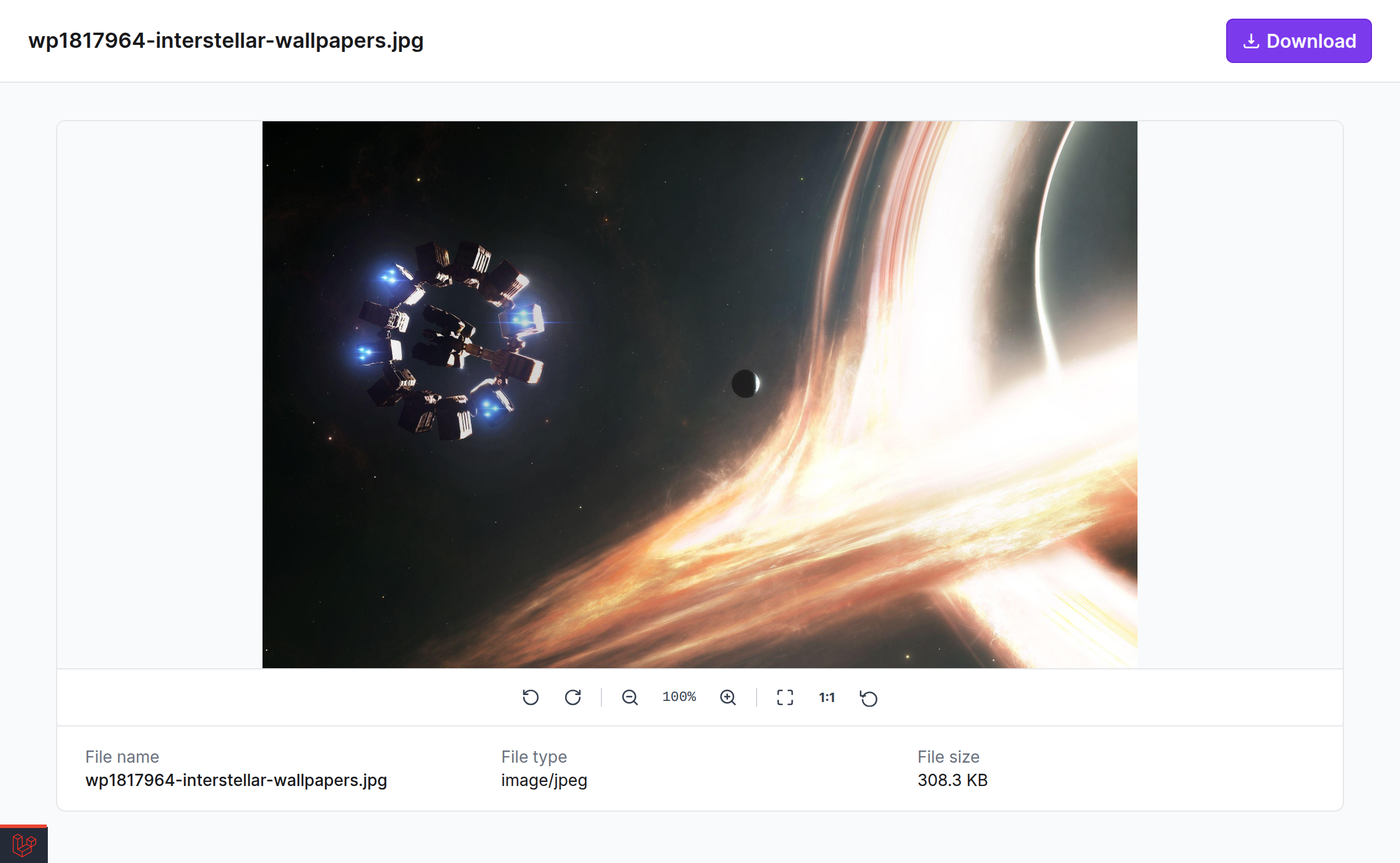
Asset shares open a single-asset viewer with the same zoom/pan image viewer, custom video and audio players, and PDF renderer used inside DAM, plus a download button.
Directory shares open a gallery of everything in that directory, paginated 24 assets at a time with infinite scroll and a Per page control. Recipients can open any individual asset, or grab the lot with Download all as ZIP.
Every public page is branded "Powered by Unopim DAM" in the footer.
If the link is no longer usable, the recipient gets a clear page rather than an error:
| State | Page shown |
|---|---|
| Past its expiry date | Link expired |
| Manually revoked | Link revoked |
| Token does not exist | Link not found |
Rate limits
Public share endpoints are throttled per IP address to protect your server from abuse:
| Endpoint | Limit |
|---|---|
| Thumbnails | 1,200 per minute |
| Page views | 120 per minute |
| Downloads | 20 per minute |
Managing Shares
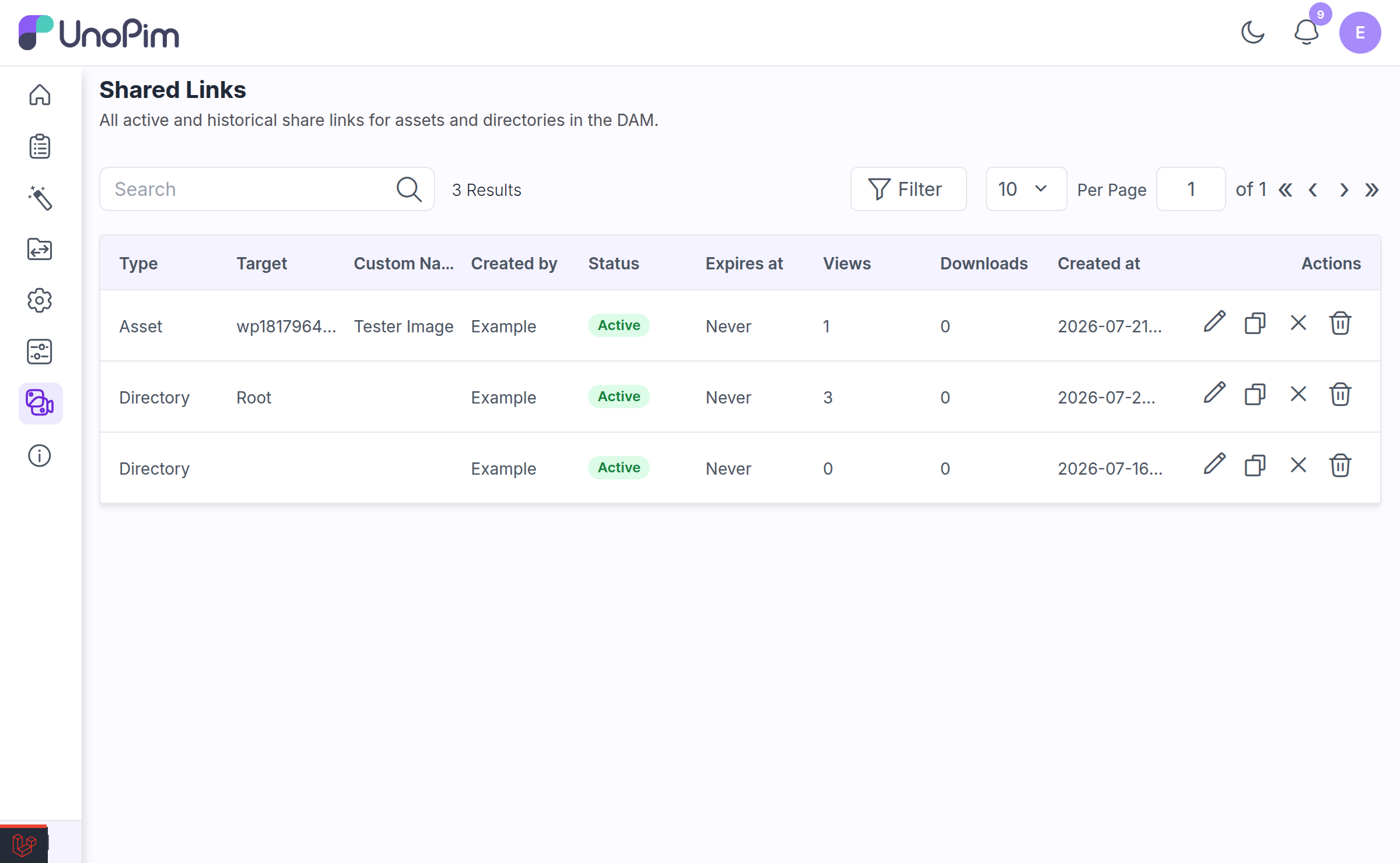
Go to DAM → Shared Links for a single view of every link ever created — active, expired, and revoked.
Columns
| Column | Notes |
|---|---|
| Type | Asset or Directory. Filterable and sortable. |
| Target | The asset file name or directory name. Searchable. |
| Custom Name | The label shown to recipients, if you set one. Searchable and sortable. |
| Created by | The admin who made the link. Searchable. |
| Status | An Active, Expired, or Revoked badge. |
| Expires at | The expiry date, or Never. Filterable and sortable. |
| Views | How many times the link was opened. Sortable. |
| Downloads | How many times the file was downloaded. Sortable. |
| Created at | Filterable and sortable. |
The grid is sorted newest-first and shows 25 rows per page.
Row actions
| Action | What it does | Permission |
|---|---|---|
| Copy link | Copies the public URL to your clipboard. | — |
| Edit | Change the custom name and the expiry date. | dam.shares.revoke |
| Revoke | Switches the link off. The URL stops working immediately but the record is kept, so you keep the audit trail and the view/download counts. | dam.shares.revoke |
| Delete | Permanently removes the share record. | dam.shares.delete |
Revoke vs. Delete vs. Reauthorize
This is the distinction that matters most in practice:
- Revoke is reversible. The link is switched off, but the token is retained.
- Reauthorize turns a revoked link back on — and crucially, the original URL starts working again. The person you sent it to does not need a new link. You will see: "Share link reauthorized — the original URL is active again."
- Delete is permanent. The token is destroyed. Anyone holding that URL gets Link not found, forever, and you cannot bring it back.
TIP
If you are switching a link off because you are not sure whether it leaked, Delete it. Revoking keeps the token alive, and a reauthorize by any admin would make the leaked URL live again.
Related
- Directory Permissions — controlling who can create shares
- Setup — granting the Share and Shared Links permissions