

Custom mapping
BigCommerce custom fields are key/value pairs you can attach to any product to store extra information (warranty period, technical specs, fit guides - anything that doesn't fit a standard field). The Custom Mapping page tells the connector which UnoPim attributes get pushed as BigCommerce custom fields.
Open it from: BigCommerce → Attribute Mappings → Custom Mappings
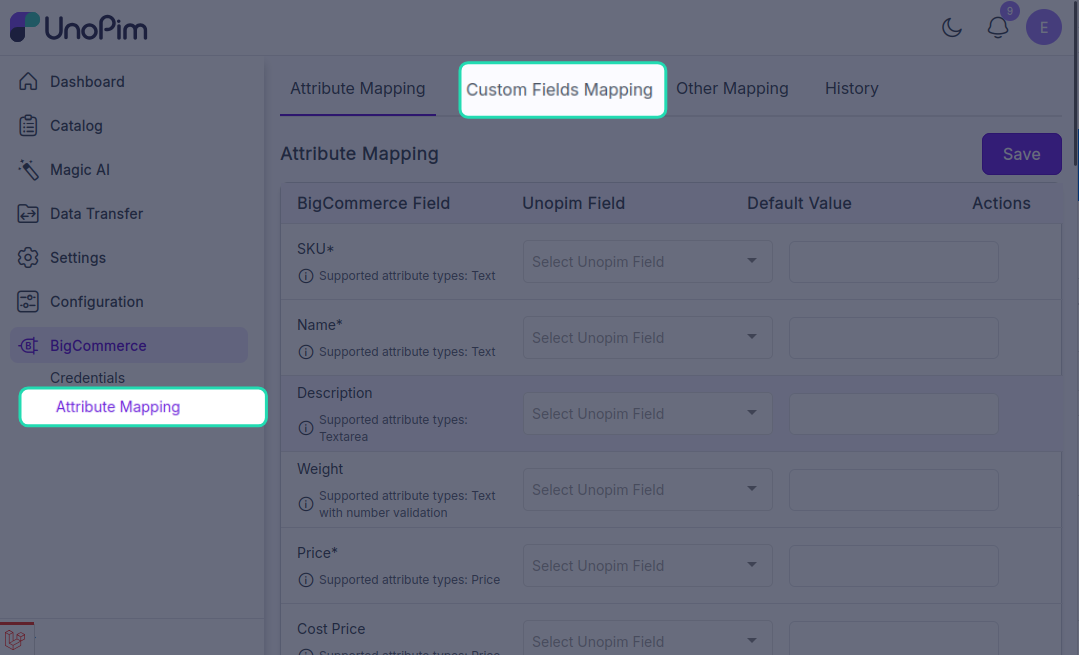
What you'll see
The page lists every UnoPim attribute you've chosen to map and the BigCommerce custom-field name they'll be sent as.
Each row has two columns:
| Column | What it means |
|---|---|
| UnoPim Attribute | Pick the attribute whose value will become a custom field on the BigCommerce product. |
| Custom Field Name | The name the field will appear under on the BigCommerce product. Defaults to the attribute code - change it to whatever label you want shown in BigCommerce. |
Mappings are saved per credential - different stores can have different sets of custom fields.
Add a custom field
- Click + Add Custom Mapping.
- UnoPim Attribute - pick the source attribute.
- Custom Field Name - type the label the field should have in BigCommerce.
- Click Save.
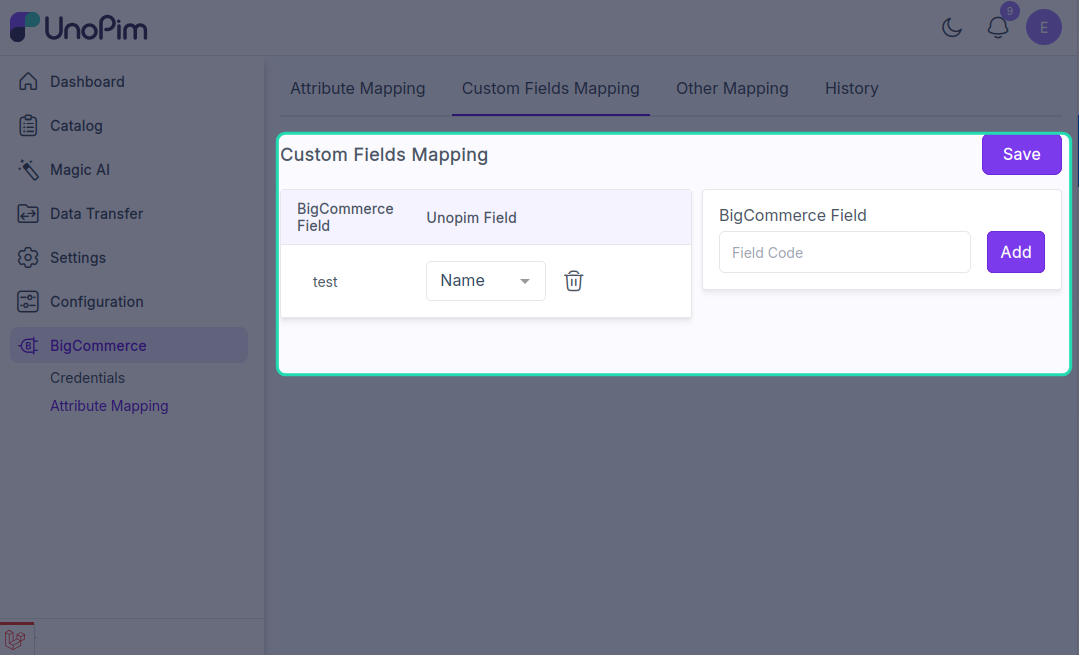
The custom field appears on every exported product that has a value for the source attribute. Products with an empty value for that attribute don't get the custom field at all.
Remove a custom field
Click the trash icon next to a row.
Removing a custom mapping does not delete custom fields already on BigCommerce products. Those need to be cleaned up in BigCommerce directly or via the BigCommerce API.
When to use a custom field vs. a standard field
| Use a standard field when… | Use a custom field when… |
|---|---|
| BigCommerce has a built-in slot for it (name, sku, weight, etc.) | The information doesn't fit any standard slot. |
| You want the value to drive storefront features (search, filters, comparison). | You just want the data visible on the product page or in the API. |
| The value is per product, not per locale. | The data is informational rather than functional. |
TIP
Don't use custom fields to duplicate something that already has a built-in slot. Standard product fields are indexed and searchable; custom fields aren't. If there's a real built-in equivalent, map it on Attribute mapping instead.
Limits
- BigCommerce allows up to 200 custom fields per product on most plans.
- Each custom field has a name limit of 250 characters and a value limit of 65,535 characters.
- The export trims values to BigCommerce's limits - you'll see a warning entry in the tracker for any row that got trimmed.