

Export Category
To export product-related data from UnoPim to Magento 2, you first need to create an export job profile.
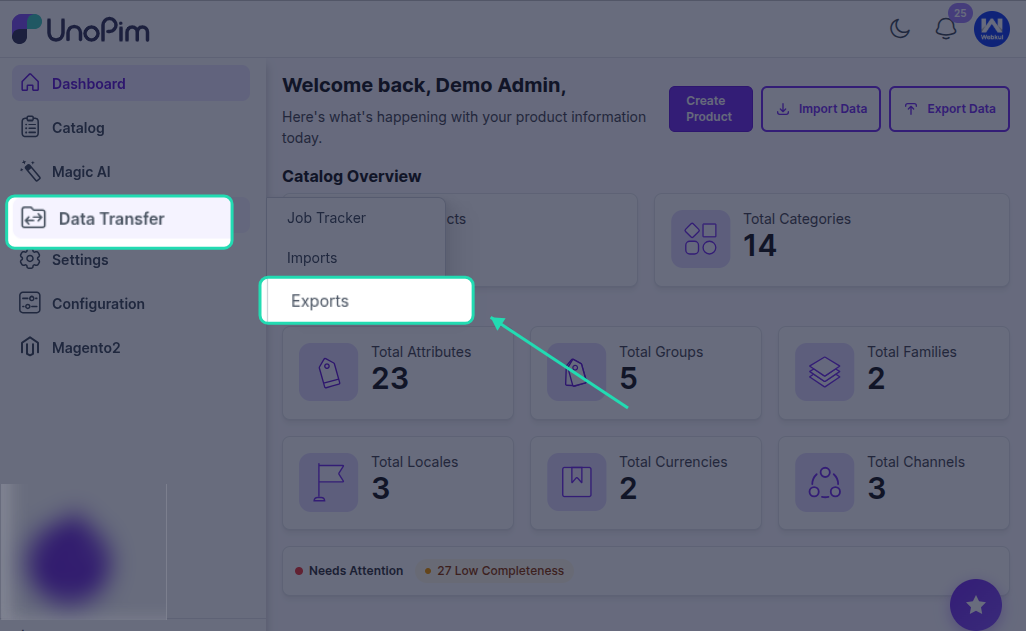
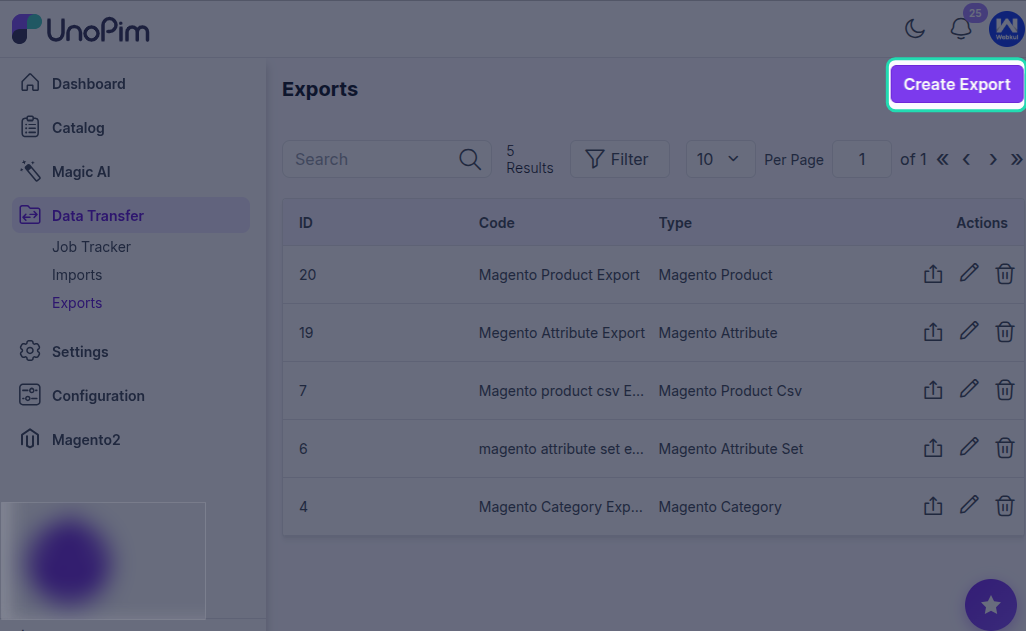
Go to Data Transfer > Exports > Create Export Profile to create a new export job.
Supported Magento 2 Export Job Types
The UnoPim Magento 2 Connector supports the following export job types:
- Magento Category
- Magento Attribute
- Magento Attribute Set
- Magento Product
(includes simple and configurable products)
Use the export type that matches the data you want to send from UnoPim to Magento 2.
Exporting Categories to Magento 2
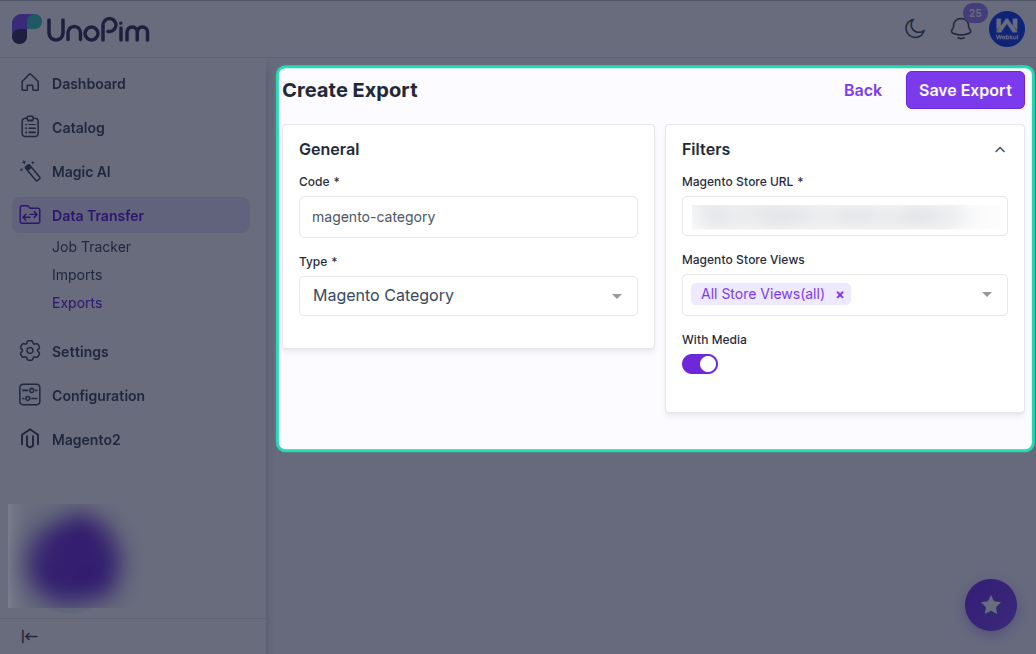
To export categories from UnoPim to Magento, create a new export profile and select Magento Category as the job type.
After that, enter a unique code for the job profile and click Save Export.
Then click Export Now to start the category export process.
Important Note
All categories, including multi-level subcategories, can be exported.
You can export any category available in your UnoPim catalog. However, channel-based category export is not supported for this Magento 2 connector.
After Running the Export
Wait a few seconds for the export process to complete.
Once the job finishes, you can view:
- The number of categories exported from UnoPim to Magento 2
- The export job status, such as Completed
View Exported Categories in Magento
After the export is completed, the categories available in UnoPim will also be available in the selected Magento 2 store, based on the export configuration.