

Import Magento Attributes
The Magento 2 connector provides several import jobs for bringing attribute-related data from Magento 2 into UnoPim:
- Magento Attribute Import - imports product attributes from Magento into UnoPim.
- Magento Attribute Set Import - imports Magento attribute sets into UnoPim as attribute families.
- Magento Attribute Group Import - imports attribute groups from Magento attribute sets into UnoPim.
- Magento Attribute Mapping Import - imports the attribute mapping configuration from Magento into UnoPim.
These jobs help you avoid manually re-creating your entire Magento attribute structure inside UnoPim.
Part 1: Import Magento Attributes
What This Job Does
This job reads all product attributes from your Magento 2 store and creates the corresponding attributes in UnoPim. Attribute types are automatically resolved and attribute options are also imported for select and multiselect attributes.
How to Create the Import Job
Go to Data Transfer > Imports > Create Import Profile.
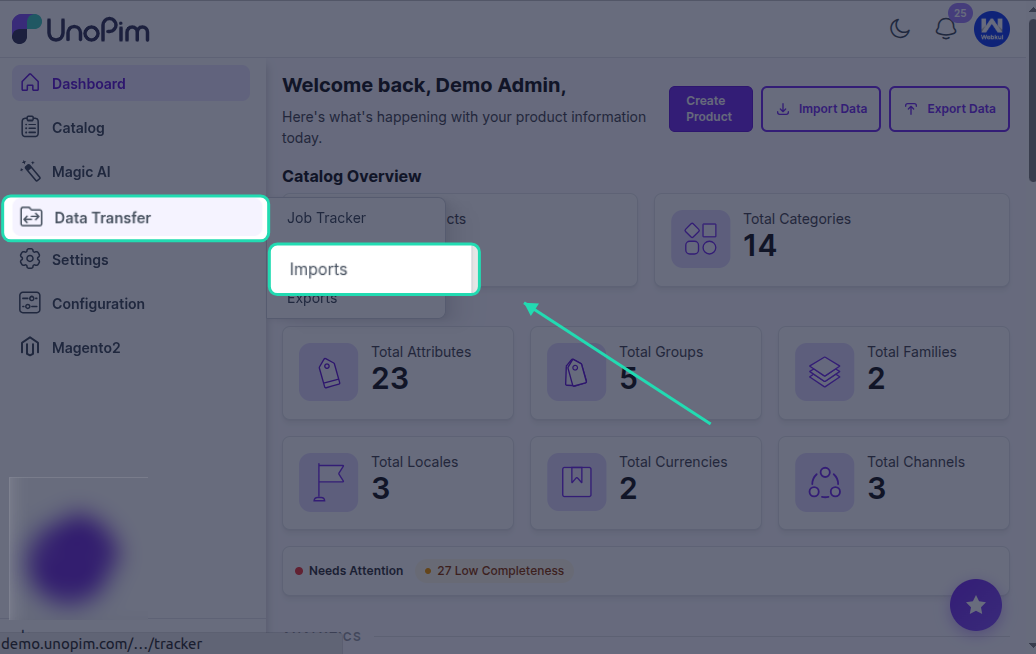
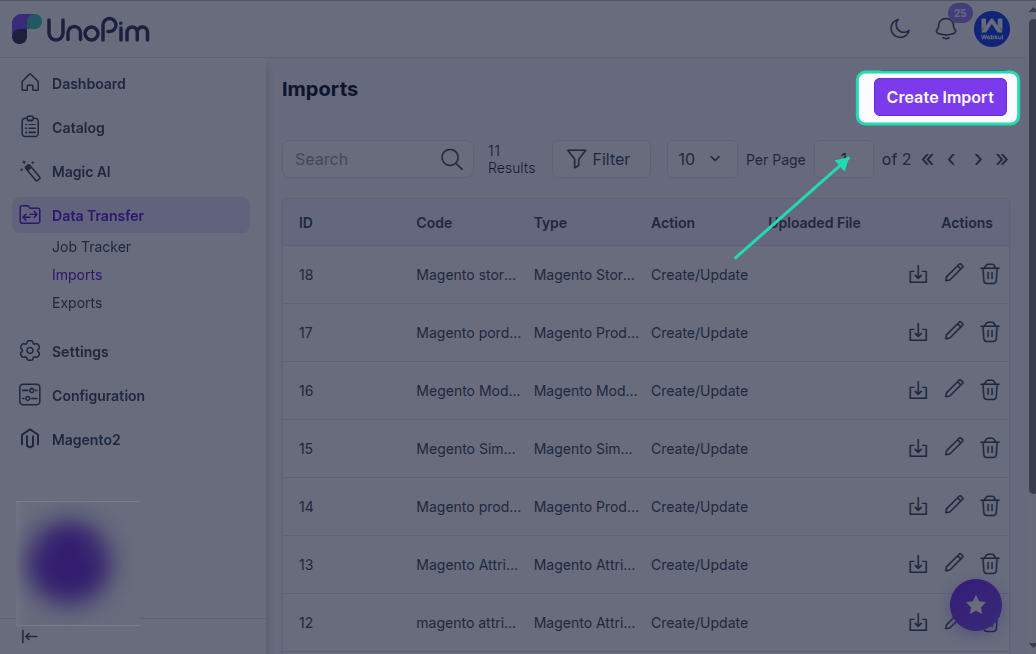
Select Magento Attribute Import as the import type.
Enter a unique code and a recognizable name, then save.
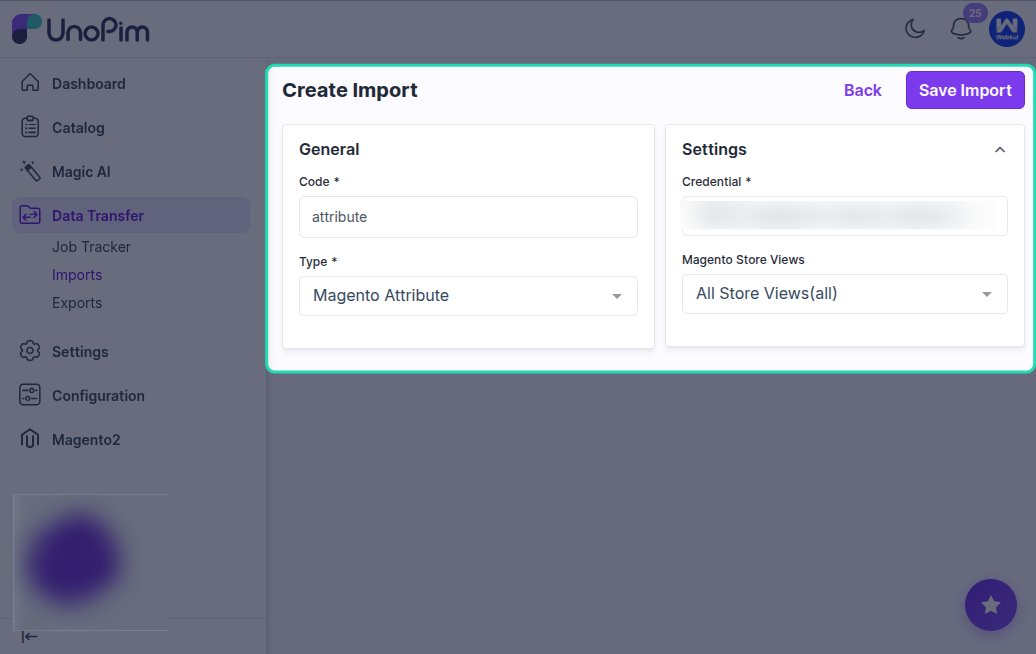
Available Filters
| Filter | Required | Description |
|---|---|---|
| Credential | Yes | Select the Magento 2 credential to import attributes from. |
| Store Views | No | Select a store view to import localized attribute labels. |
What Gets Imported
- Attribute code - unique identifier.
- Attribute type - mapped to the closest UnoPim attribute type.
- Attribute labels - localized labels from the selected store view.
- Attribute options - all available options for select and multiselect attributes.
Attribute Type Mapping
| Magento Type | UnoPim Type |
|---|---|
text | Text |
textarea | Textarea |
select | Select |
multiselect | Multiselect |
boolean | Boolean |
price | Price |
date | Date |
media_image | Image |
Part 2: Import Magento Attribute Sets
What This Job Does
This job imports Magento 2 attribute sets into UnoPim as attribute families. Each attribute set from Magento becomes a family in UnoPim, complete with its groups and attribute assignments.
How to Create the Import Job
Select Magento Attribute Set Import as the import type when creating the job profile.
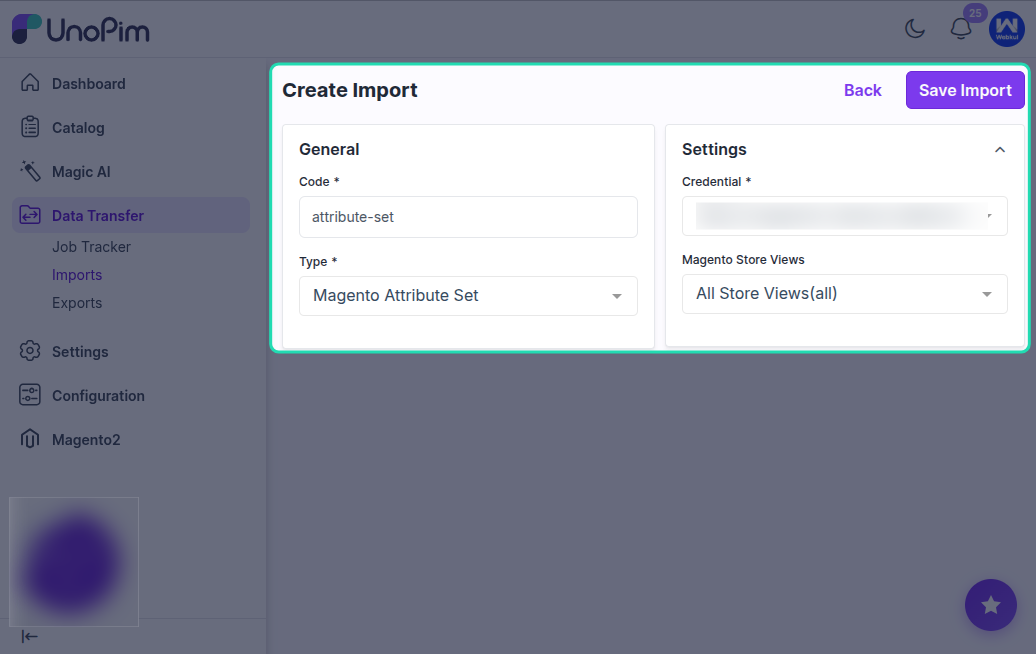
Available Filters
| Filter | Required | Description |
|---|---|---|
| Credential | Yes | Select the Magento 2 credential. |
| Store Views | No | Select a store view to import localized group labels. |
What Gets Imported
- Attribute family name - created in UnoPim from the Magento attribute set name.
- Attribute groups - each group inside the Magento attribute set is created as a group in the UnoPim family.
- Attribute assignments - attributes are assigned to their correct groups inside the family.
- If no matching attribute group is found for an attribute, it is automatically placed in an Others group.
Part 3: Import Magento Attribute Groups
What This Job Does
This job imports attribute groups from Magento 2 attribute sets into UnoPim. You can use this to sync attribute group structure separately from a full attribute set import.
How to Create the Import Job
Select Magento Attribute Group Import as the import type when creating the job profile.
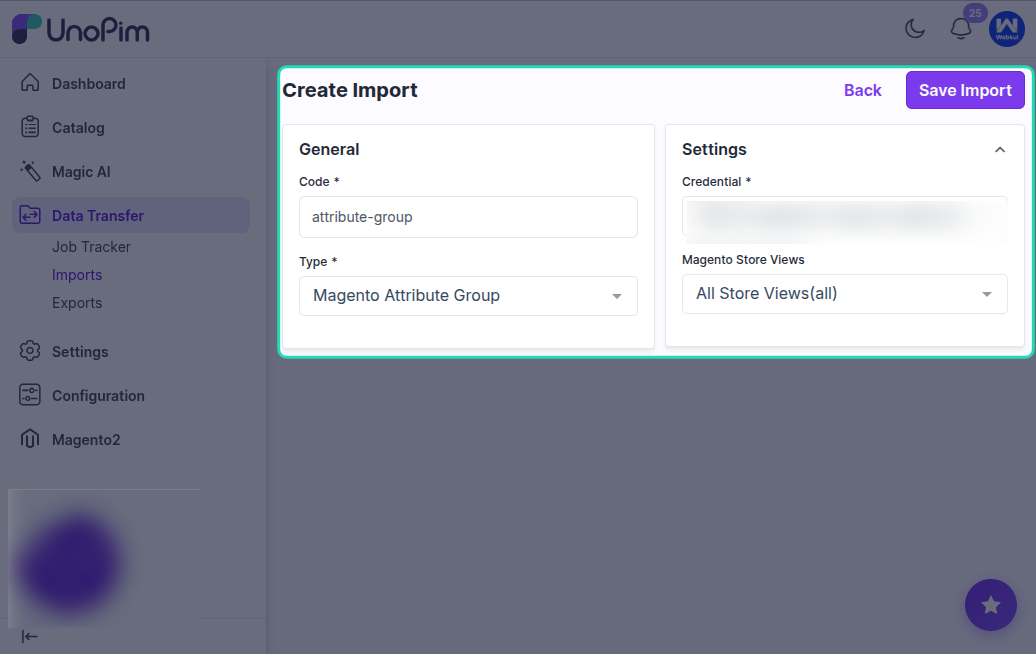
Available Filters
| Filter | Required | Description |
|---|---|---|
| Credential | Yes | Select the Magento 2 credential. |
| Store Views | No | Select a store view for localized group names. |
What Gets Imported
- Group name - the name of each attribute group.
- Group assignments - which attributes belong to each group.
Part 4: Import Product Attribute Mapping
What This Job Does
This job imports the attribute mapping configuration that links Magento product fields to UnoPim attributes. Running this job helps pre-populate the attribute mapping in UnoPim so you don't need to configure it manually from scratch.
How to Create the Import Job
Select Magento Product Attribute Mapping Import as the import type when creating the job profile.
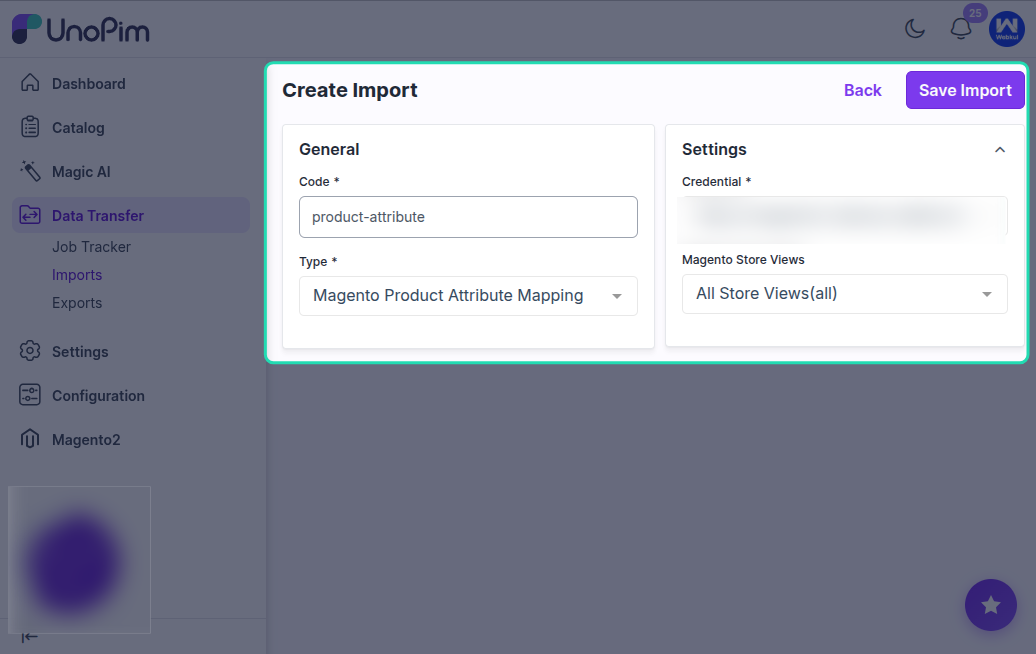
Available Filters
| Filter | Required | Description |
|---|---|---|
| Credential | Yes | Select the Magento 2 credential. |
| Store Views | No | Select a store view. |
What Gets Imported
- Mapping between Magento field codes and UnoPim attribute codes.
- This is used to pre-configure the Attribute Mapping tab in the connector.
Recommended Import Order
For the best results when importing attribute structure from Magento into UnoPim:
- Import Attributes first.
- Import Attribute Groups second.
- Import Attribute Sets third.
- Import Attribute Mapping last (optional, to pre-populate mappings).
Following this order ensures that attributes exist before they are assigned to groups and families.