

Export Magento Product
Use the Magento Product export job to export products from UnoPim to Magento 2, including both simple products and configurable products.
How to Create the Product Export Job
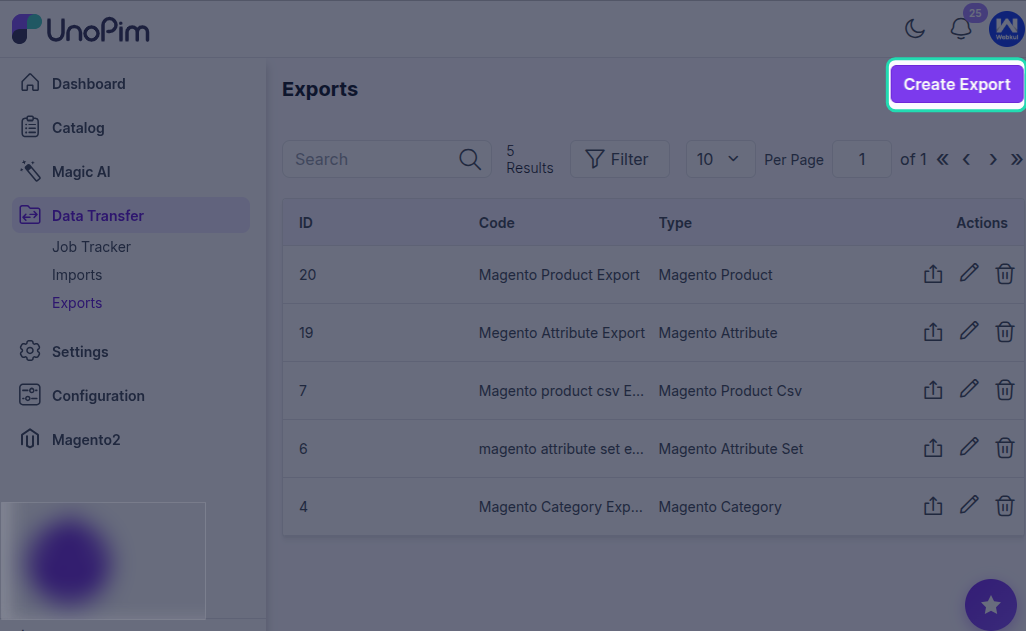
To export products, create a new export profile and select Magento Product as the job type.
Then:
- Enter a unique code for the export job.
- Select the Magento store view if you have multiple store views.
- Apply the filters that match your export requirement.
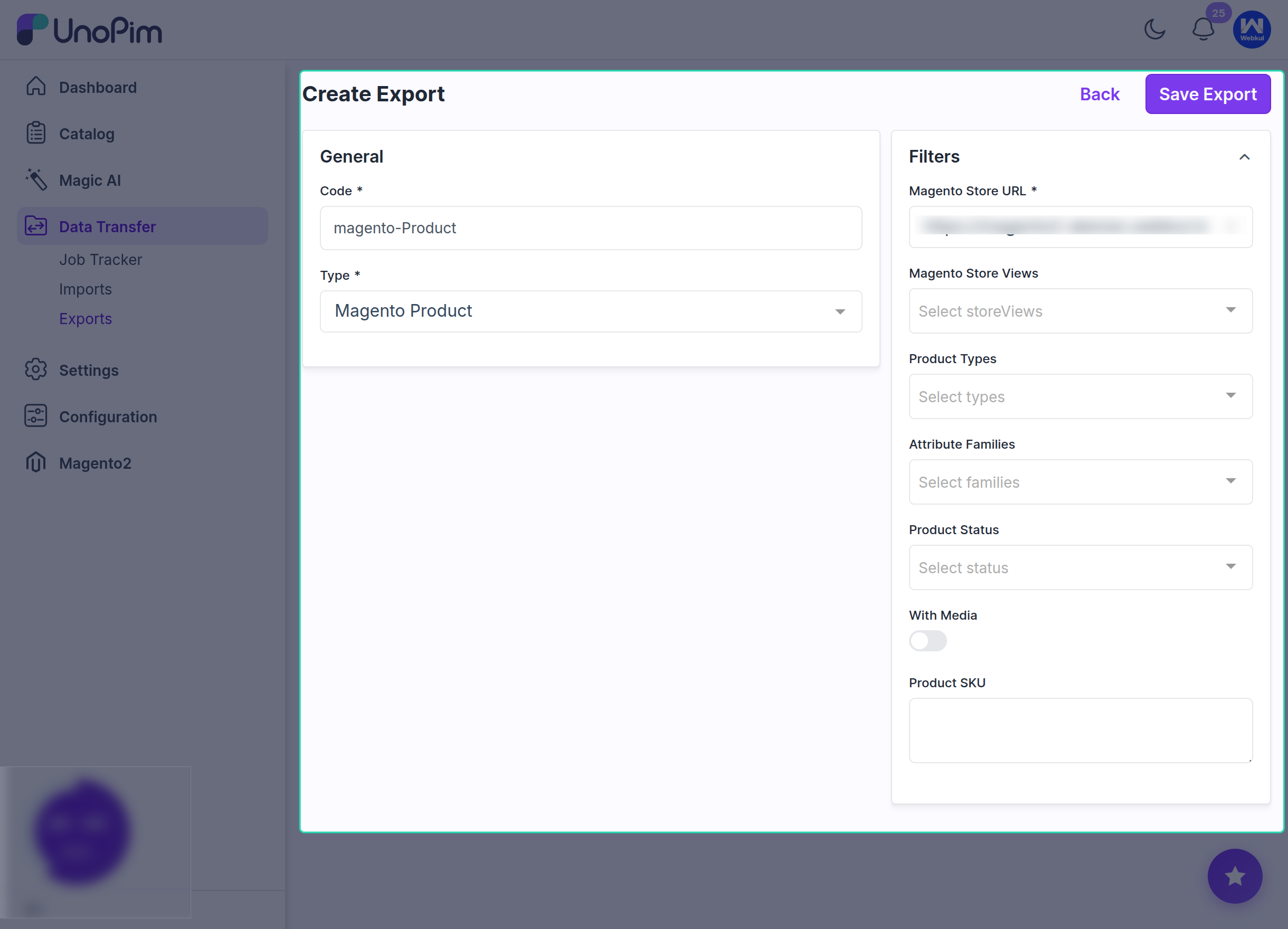
- Click Save Export to save the job profile.
Available Product Export Filters
The Magento product export job supports filters such as:
- Product Types
- Attribute Families
- Product Status
- With Media toggle
Use these filters to export only the products that match your use case.
Export Specific Products by SKU
If you want to export a specific product, enter its SKU in the product export filter.
This allows you to export only the selected product instead of sending the full product catalog.
After saving the export profile, click Export Now to start the product export process.
After Export Completion
Once the execution process is completed, you can review the export details, including:
- Product Types
- Attribute Families
- Product Status
- Media
- Exported Product SKU
- Job Status
This helps confirm what was exported from UnoPim to Magento 2 and whether the job completed successfully.
Download Log
After every job execution, you can review the export log using the Download Log option.
This is especially useful when:
- The job is stuck
- The job remains pending
0records are created- Some records are skipped
- No data is exported to Magento
The downloaded log helps you identify the issue in more detail and makes troubleshooting easier.