

UnoPim - Odoo Product Export
Exporting Products to Odoo
Overview
Once you have created the products in Odoo, you can now export them to the Odoo store.
Prerequisites
Before exporting the product, you need to export the attribute and category from UnoPim to Odoo.
How to Create Export Profile
Step 1: Go to Exports
Navigate to Exports section.
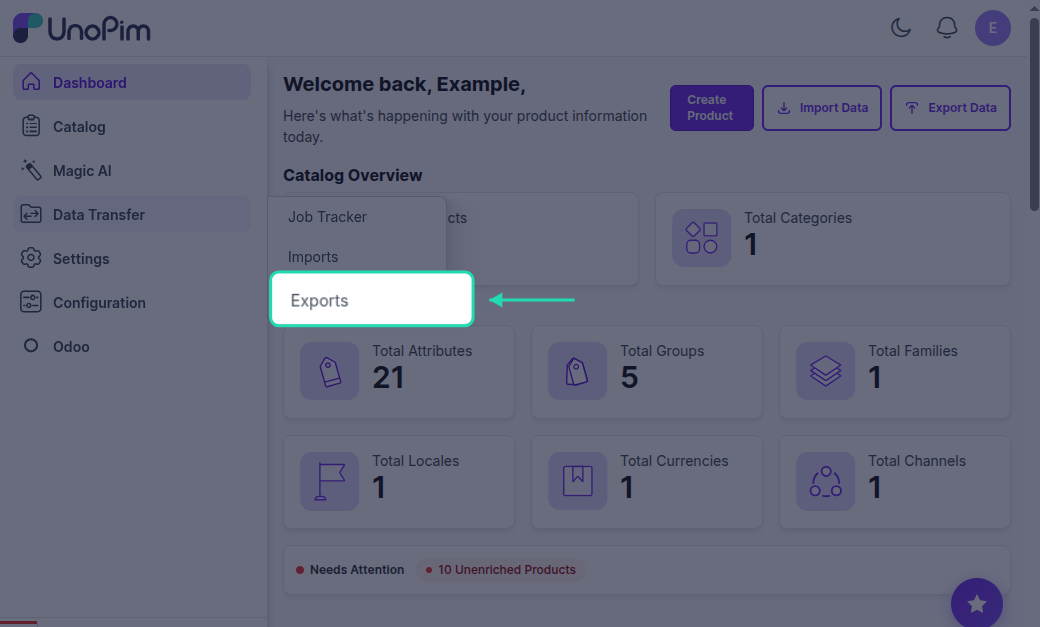
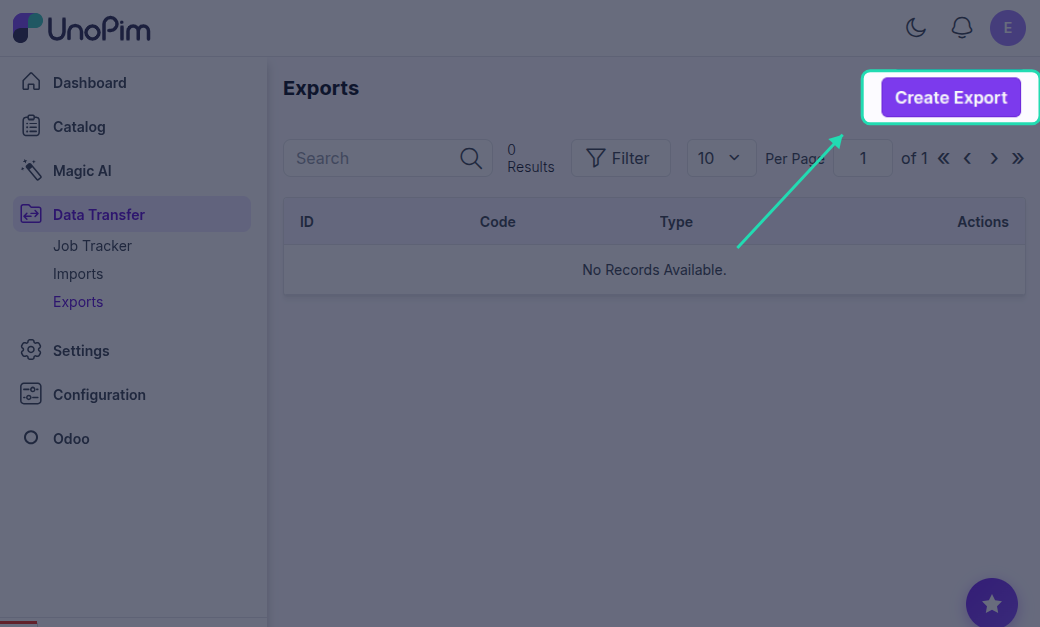
Step 2: Create Export
Click on Create Export.
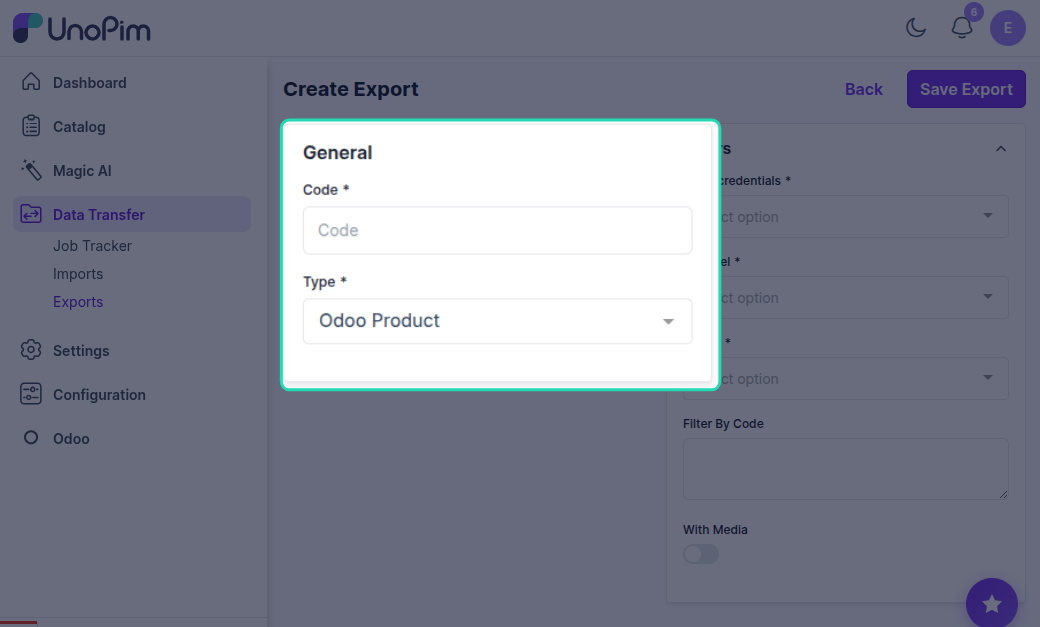
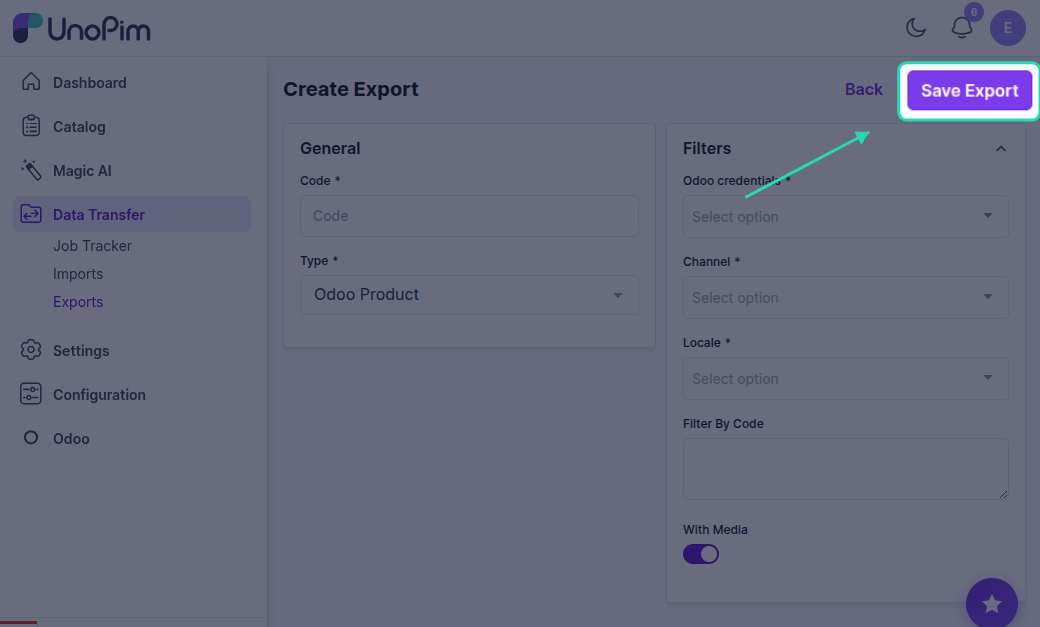
Step 3: Enter Code and Label & select Type
Enter a unique code and label for your export profile and select Odoo Product Export as the export type.
Step 4: Filter Products
You can decide which products you want to export to Odoo by using various filters.
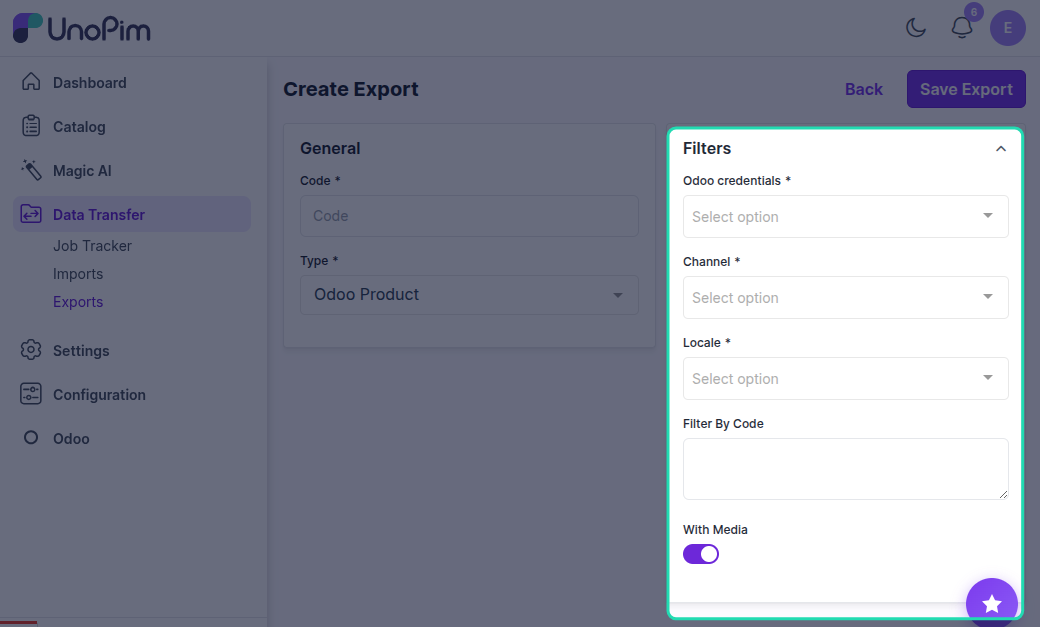
Available Filters
Credentials
Choose the specific Odoo credentials or connection you want to use for the export.
Channel
Select the appropriate channel or store view that matches your Odoo setup.
Locales
Export product data in specific languages or regional settings.
Filter by Code
Export only selected products by entering their product codes.
With Media
Choose whether or not to include product images and other media assets in the export.
Filter Products by SKU
If you want to export only some specific products, you can enter their SKU in the Identifier section, separated by a comma.
Step 5: Save Product Export
Once you have saved the information for the export profile, proceed to export.
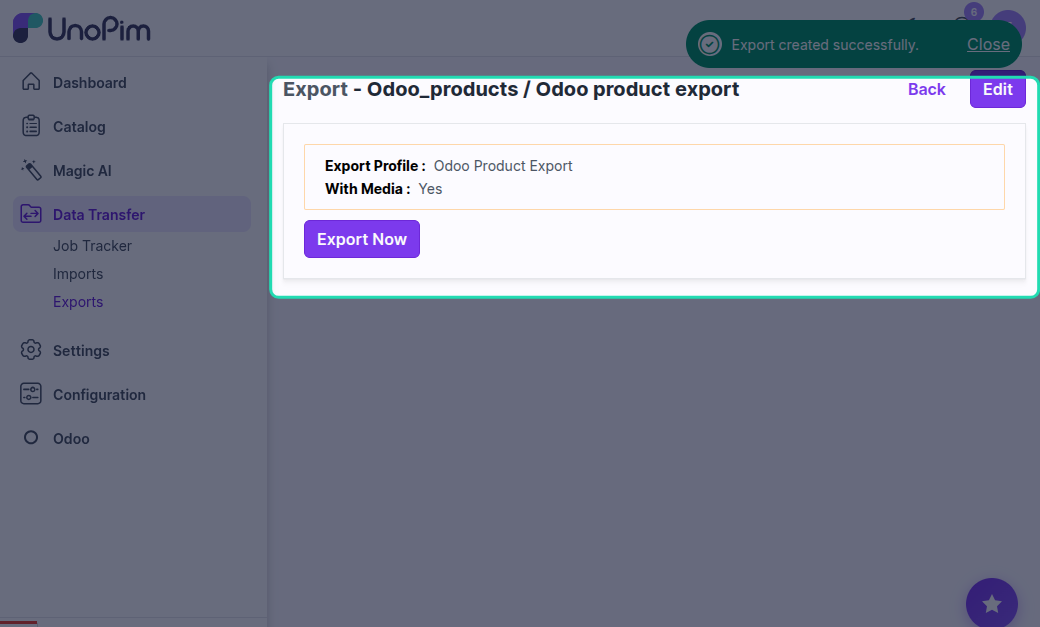
Step 6: Export Now
Click the Export Now button to start the export process.
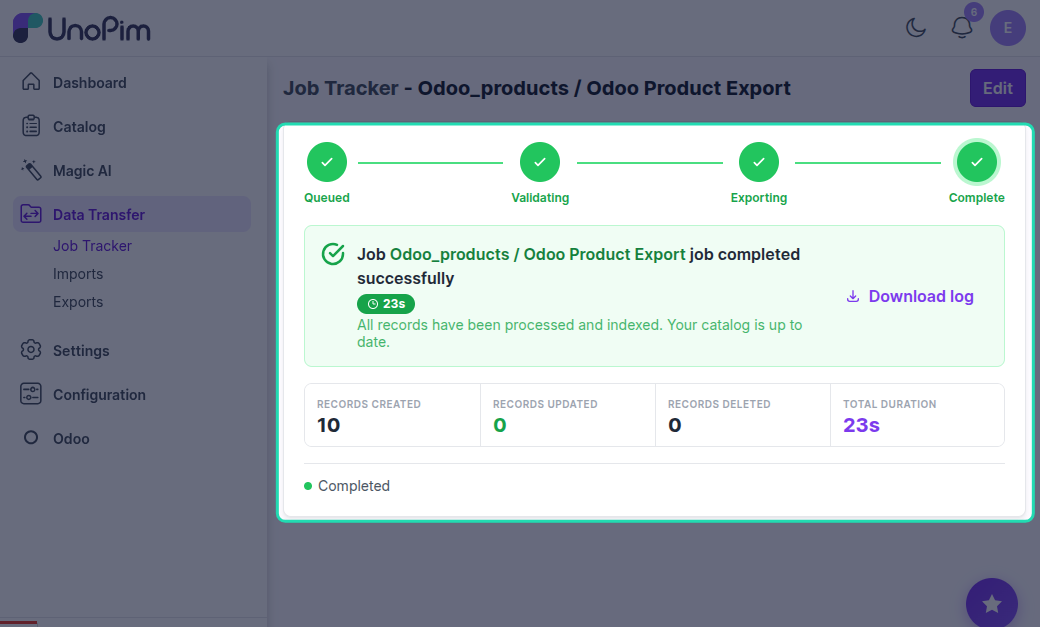
Step 7: Monitor Progress
In the execution process, you can check the progress of the export job and view any errors in the log.
Export Results
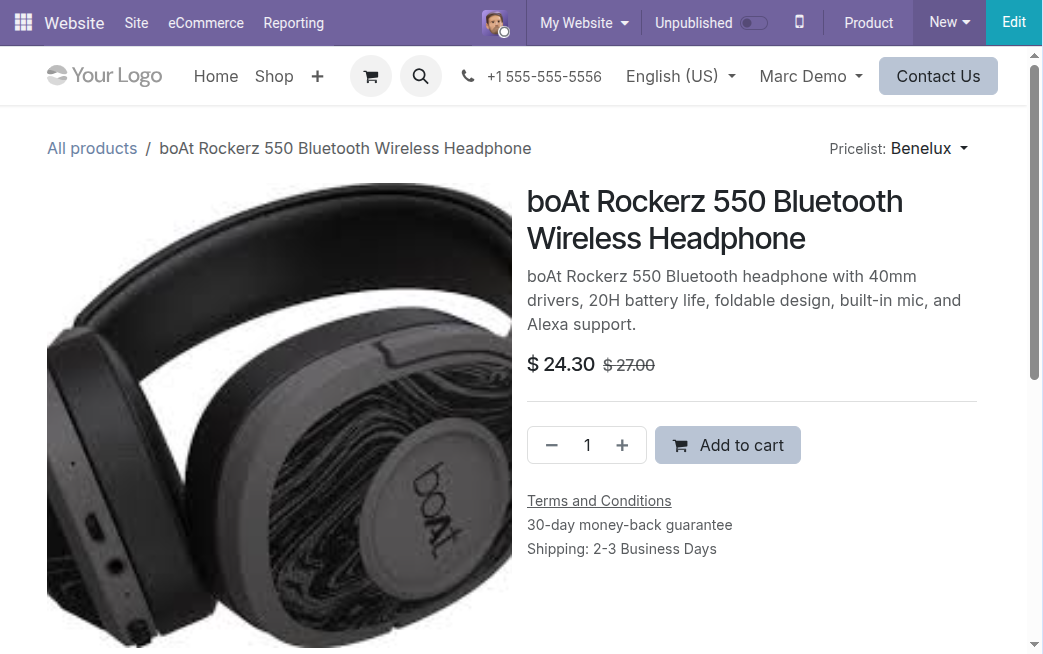
After the export is complete, you can view the exported products in Odoo. You can also view and edit any information as you require, and then publish the product.
Check out the Odoo e-commerce storefront view. A customer can see:
- Product name
- Product images
- Price
- Buy now details
- Other product information
Exporting Products with Variations
Overview
For exporting products that have variations, you need to run the Odoo product export job.
In product management systems like UnoPim, many products are not just single items-they come in multiple variations such as:
- Size
- Color
- Material
These are called product variations or variants.
How to Export Product Variations
To export products with variations from UnoPim to Odoo, you need to run the Odoo Product Export Job.
This job is responsible for transferring all product data, including variations, from UnoPim to your Odoo store.