

Connector Settings — Tags Export
When you export products from UnoPim to Shopify, any tags associated with your products come along too. This settings page gives you control over how those tags are formatted when they appear in Shopify.
To access this, click the Shopify icon in the left sidebar and go to Settings.
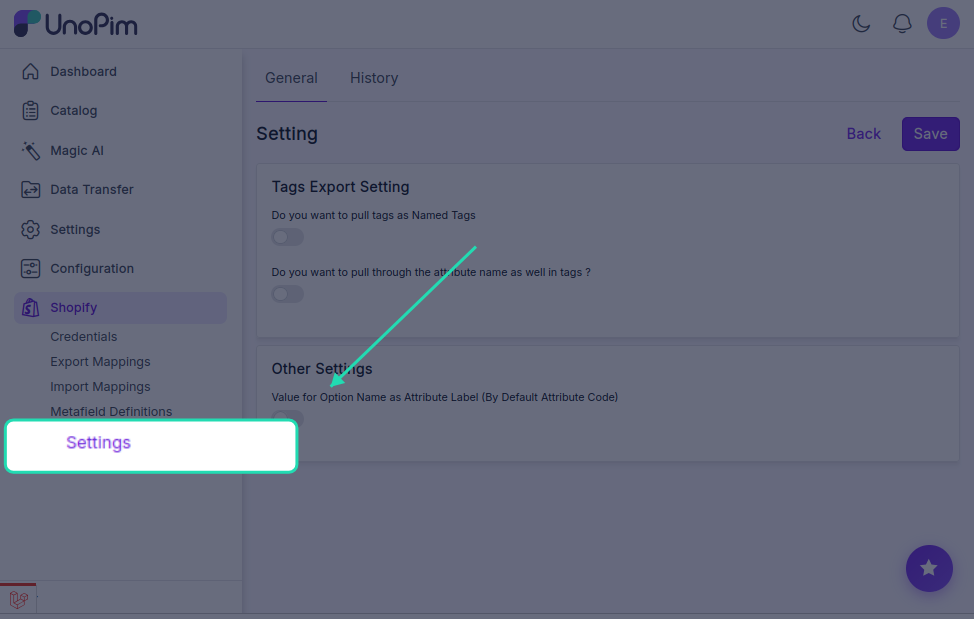
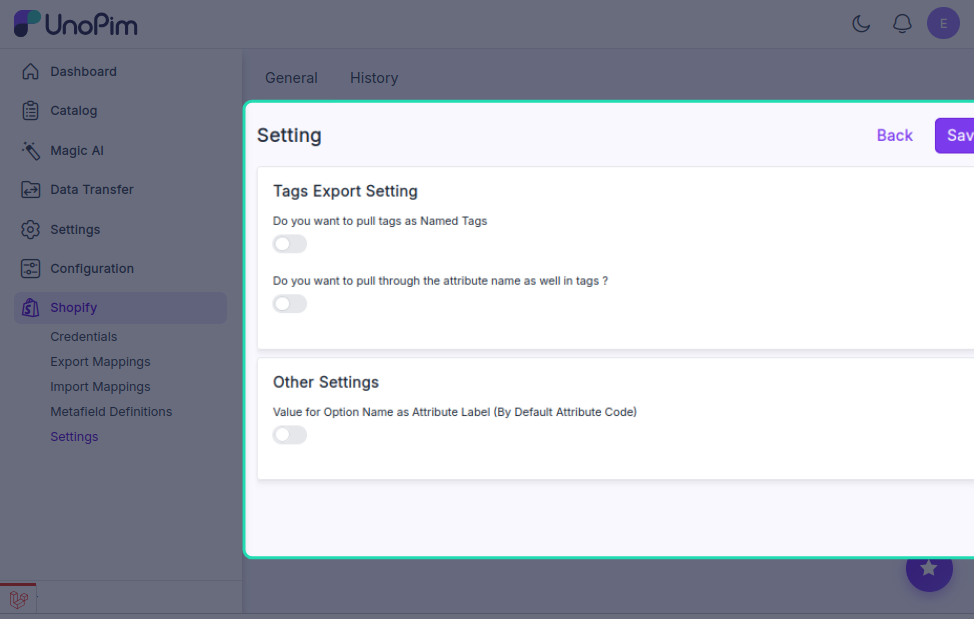
Tag Export Options
Named Tags
By default, only the tag value is exported — for example, Cotton.
If you want the exported tag to also include the attribute name it came from, enable the Named Tags option. This adds context to your tags so it's clear what each one refers to when you look at them in Shopify admin.
Pull Attribute Name in Tags
When Named Tags is enabled, you'll see this second option appear.
Turn this on if you want the attribute name and value exported together as a single tag — for example, instead of just Cotton, Shopify would receive Material: Cotton or Material - Cotton.
This is especially useful if you export tags from multiple attributes and want to easily tell them apart inside Shopify.
Attribute Name Separator
Once the above option is enabled, you'll need to choose how the attribute name and value are joined together. Pick one of the following separators:
| Separator | Example output |
|---|---|
Dash ( - ) | Material - Cotton |
Colon ( : ) | Material: Cotton |
Space ( | Material Cotton |
Choose whichever format fits your store's conventions or makes the tags easiest to read in Shopify admin.
Tip: The colon format (
Material: Cotton) tends to be the most readable at a glance, especially when browsing tags across a large product catalog.