

Media & Unit Mapping
Media Mapping
UnoPim supports Media Mapping for Shopify, giving you full control over how product images are exported to — or imported from — your Shopify store.
How to Set Up Media Mapping
- Click the Shopify icon in the left sidebar.
- Go to Export Mappings (or Import Mappings if you're importing).
- Set the Mapping Type to Media Mapping.
- Under the Media Type field, choose the option that matches how your images are stored in UnoPim.
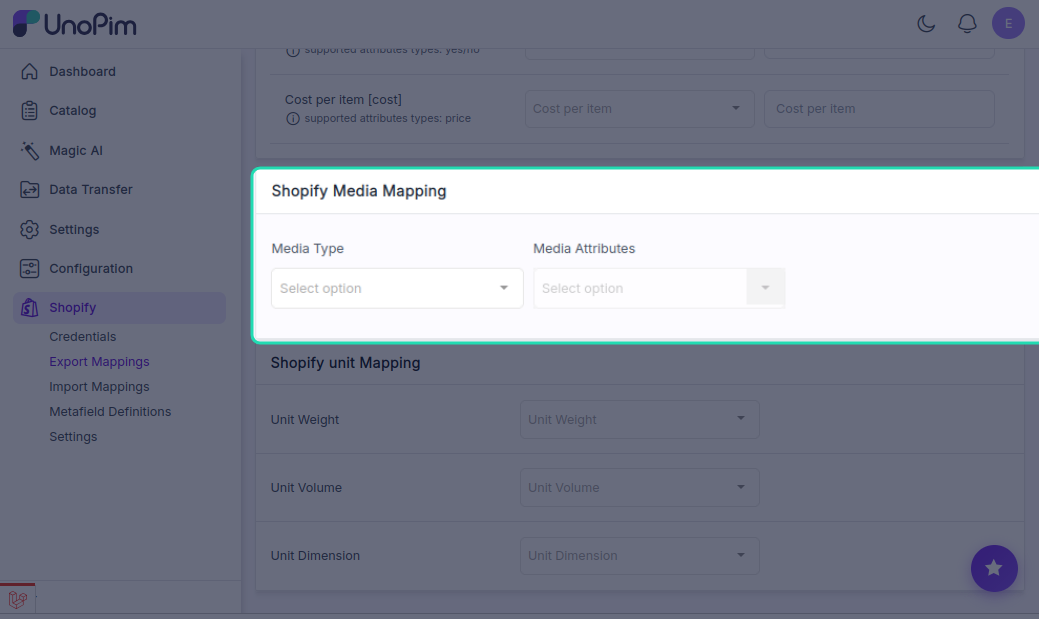
Media Type Options
Image
Choose Image when your product photos are stored as separate image attributes in UnoPim — for example, a front view, back view, and zoom view each stored in their own attribute.
- You can map multiple UnoPim image-type attributes at once.
- During export, all mapped images are sent to Shopify as individual product images.
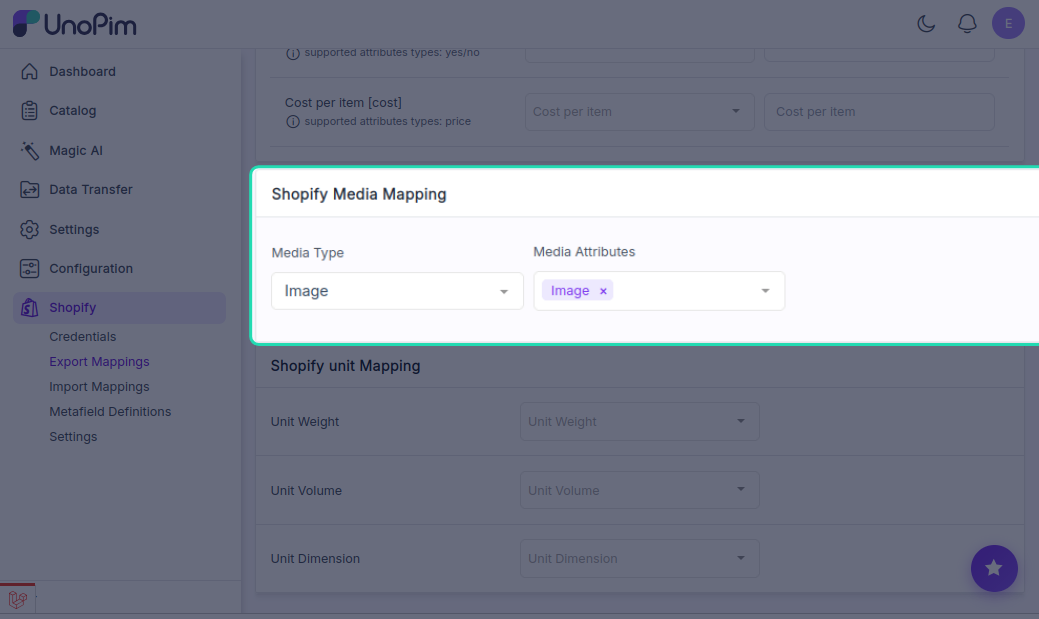
Best for: Products where images are managed as distinct attributes (front, back, detail, etc.)
Gallery
Choose Gallery when all product images are grouped together inside a single gallery-type attribute in UnoPim.
- During export, all images within the gallery attribute are sent to Shopify together.
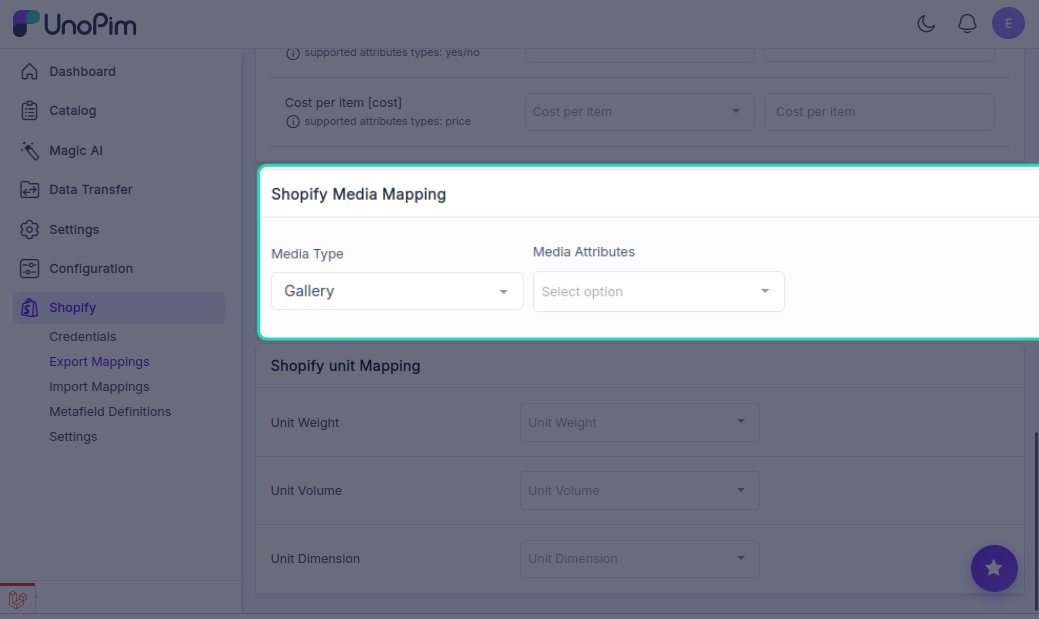
Best for: Products where all images live in one gallery field rather than separate attributes.
Unit Mapping
If your products have physical measurements — like weight, volume, or dimensions — the connector lets you map the correct units so Shopify displays and uses them accurately for shipping and product display.
How to Set Up Unit Mapping
- Click the Shopify icon in the left sidebar.
- Go to Export Mappings.
- Scroll down to the Shopify Unit Mapping section.
Available Unit Types
Weight
Maps the unit used for product weight. Once mapped, the weight unit appears next to the product's weight value on Shopify.
Common units: g, kg, oz, lb
Volume
Maps the unit used for volume-based measurements. Useful for liquid products or shipping setups that calculate based on volume.
Common units: ml, l, cm³, in³
Dimension
Maps the unit used for product dimensions such as height, width, and depth. Required for shipping methods that use dimensional weight.
Common units: cm, mm, inches
Pairing Units with Metafields
For each unit type — weight, volume, or dimension — you can also create a matching Shopify Metafield Definition to store the unit value alongside the measurement. This ensures Shopify reads both the number and the correct unit together.
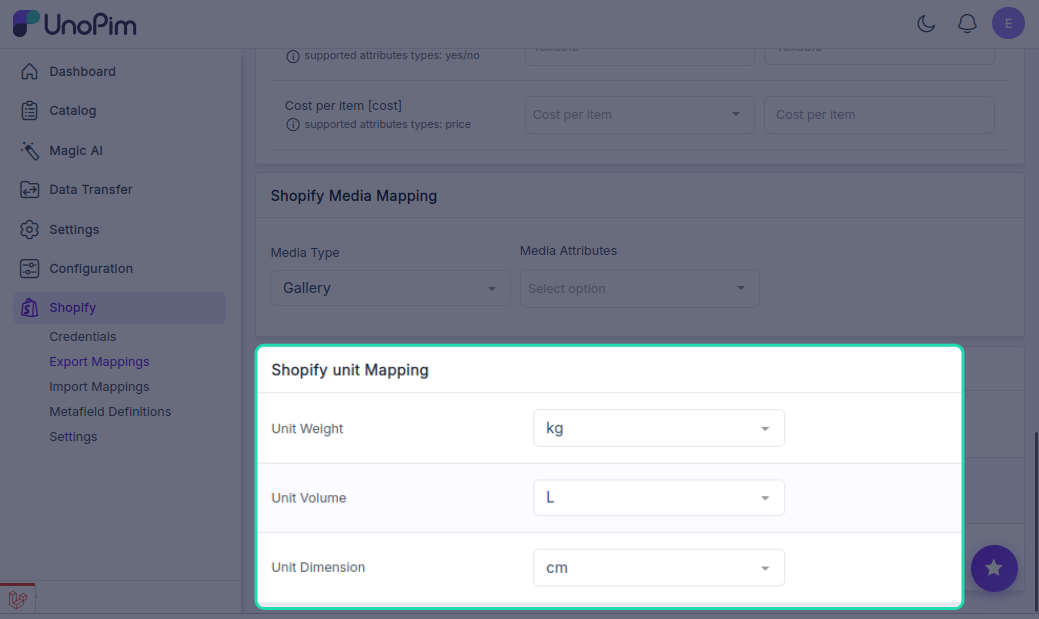
Example: If you want to export volume in litres:
- Map the unit under Unit Volume in Export Mappings.
- Create a metafield definition (e.g.,
volume.litre) under Metafield Definitions.
Shopify will then display the volume value with the correct unit on the product page.
Tip: Always pair a unit mapping with a metafield definition when dealing with volume or dimensions — this keeps your data structured and avoids unit mismatches on the Shopify storefront.