

Viewing Your Products on the Shopify Storefront
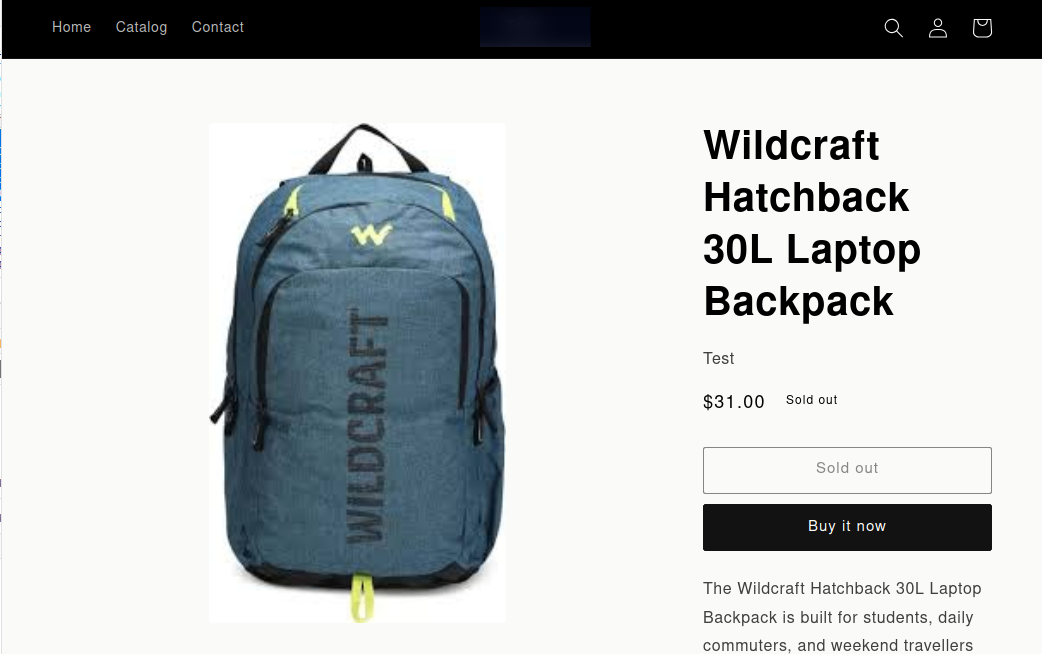
Once an export job finishes, your products are live. Head over to your Shopify storefront and open any exported product — you'll see the product name, price, images, and description exactly as they were set up in UnoPim.
No manual publishing needed. If the product status was set to Active during export, it goes straight to your storefront and is visible to customers right away.
What Customers See
On the product page, customers will see:
- Product name — pulled from the title field mapped in UnoPim
- Price — including compare-at price if a discount was set
- Images — all images exported via your media mapping
- Description — full product description, including any HTML formatting
Tip: If a product isn't showing up on the storefront, check that its status was set to Active during export and that it has been assigned to at least one sales channel in Shopify.