

Add & Manage Shopify Metafield Definitions
Shopify metafields let you store custom product data that goes beyond the standard fields — things like material composition, warranty details, care instructions, or any other product-specific information your store needs.
With the UnoPim Shopify Connector, you can create and manage these metafield definitions directly from UnoPim and export them to Shopify — no need to set them up manually in Shopify admin.
How to Add a Metafield Definition
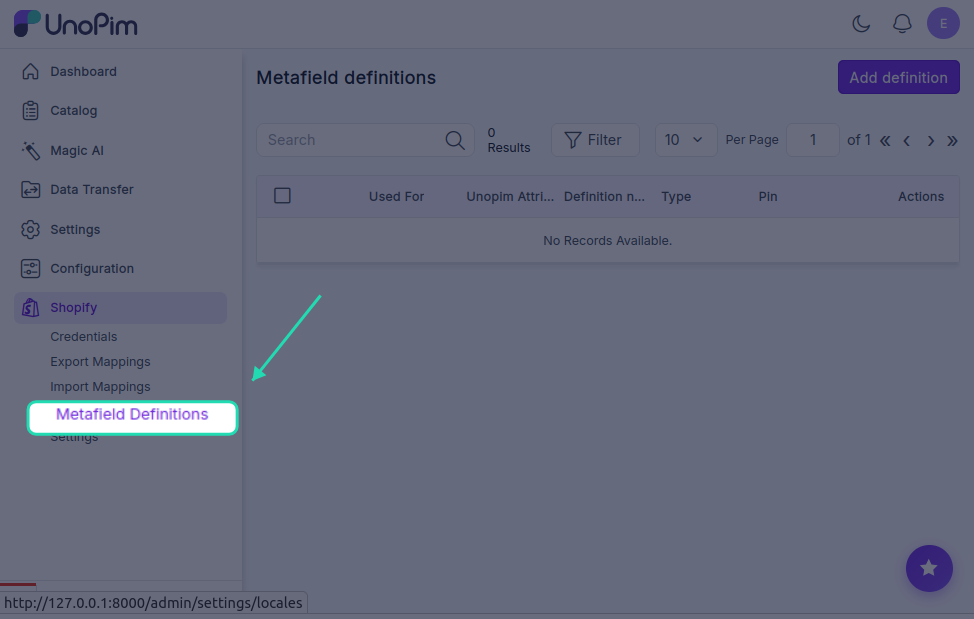
- Click the Shopify icon in the left sidebar.
- Click on Metafield Definitions.
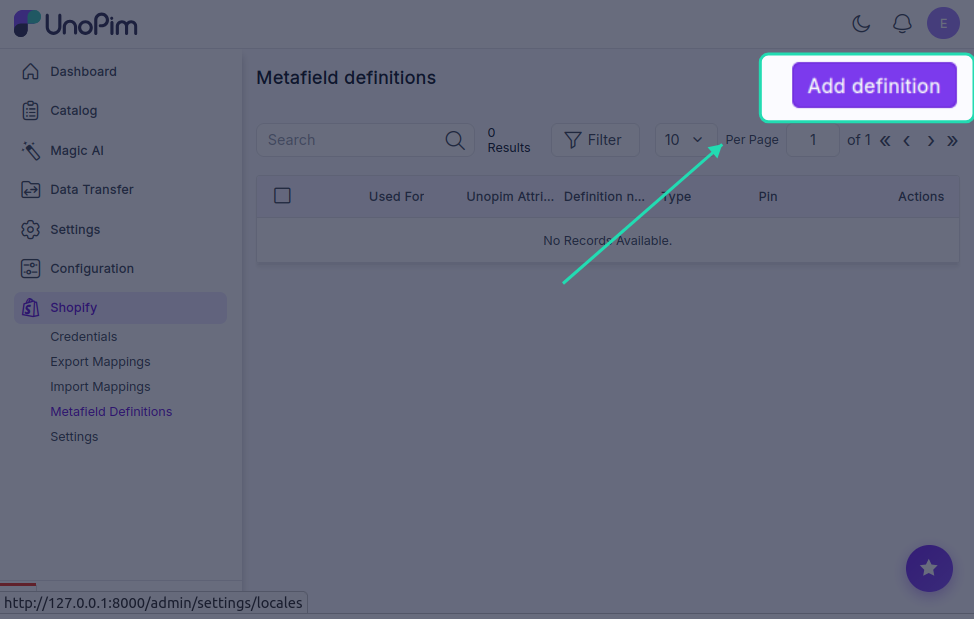
- Click the Add Definition button in the top-right corner.
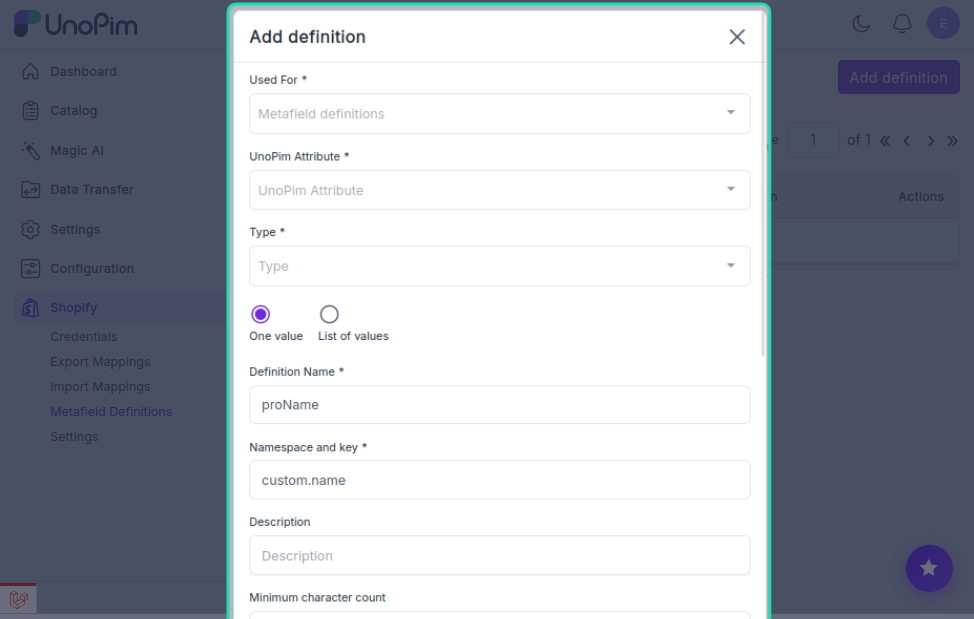
Fill in the fields as described below.
Field Descriptions
Used For
Select the Shopify entity this metafield belongs to — either Products or Variants. This tells UnoPim where to apply the metafield during export.
UnoPim Attribute
Choose the UnoPim attribute you want to link to this metafield. When a product is exported, the value from this attribute will be sent to Shopify as the metafield value.
Type
Select the data type for the metafield value. Available options are:
| Type | When to use |
|---|---|
| Single line text | Short text values like a material name or colour code |
| Multi-line text | Longer descriptions or notes |
| Color | Hex colour values |
| Rating | Numerical rating values |
| URL | Links or reference URLs |
| JSON | Structured or complex data |
Definition Name
A user-friendly label for the metafield — for example, Material, Warranty Info, or Color Code. This is what appears in your UnoPim interface.
Namespace and Key
This is the unique identifier Shopify uses to reference the metafield via its API.
Format: namespace.key — for example, custom.color
- The namespace groups related metafields together and prevents naming conflicts.
- The key is the specific identifier within that namespace.
Tip: Use a consistent namespace like
customor your brand name across all your metafields to keep them organised.
Description (Optional)
Add an internal note to describe what this metafield is for. This is only visible inside UnoPim — it helps your team understand the purpose of each definition at a glance.
Minimum / Maximum Character Count (Optional)
Set length limits to enforce data consistency. For example, an SEO title field might have a maximum of 60 characters to avoid search engine truncation.
Pin
When enabled, the metafield appears in the Metafields section of the Shopify product/variant edit screen — making it easy to view or manually edit in Shopify admin.
If not pinned, the metafield will still sync correctly via the API — it just won't be visible in the Shopify UI by default.
Filtering for Products
Enable this if you want the metafield to be available as a filter on your Shopify storefront — for example, letting customers filter products by material or colour.
This option only works for product-type metafields.
Smart Collections
When enabled, this metafield can be used as a condition rule in Shopify Smart Collections — allowing you to automatically group products based on the metafield's value.
Example: Create a Smart Collection that automatically includes all products where custom.material equals Organic Cotton.
Storefront Access (Read)
Enables this metafield to be read via the Shopify Storefront API. This is required if you want to display the metafield's value on a custom Shopify theme or a headless storefront.
Example: If you want to display a custom.fabricComposition field on your product page, you must enable this option — otherwise the Storefront API will not return it.
Saving and Exporting
Once all fields are filled in, click Save. Your metafield definition is now stored in UnoPim.